INSTALLATION INSTRU CTIONS
3.2 Removing Header Drive Motor
To remove the header drive motor, follow these steps:
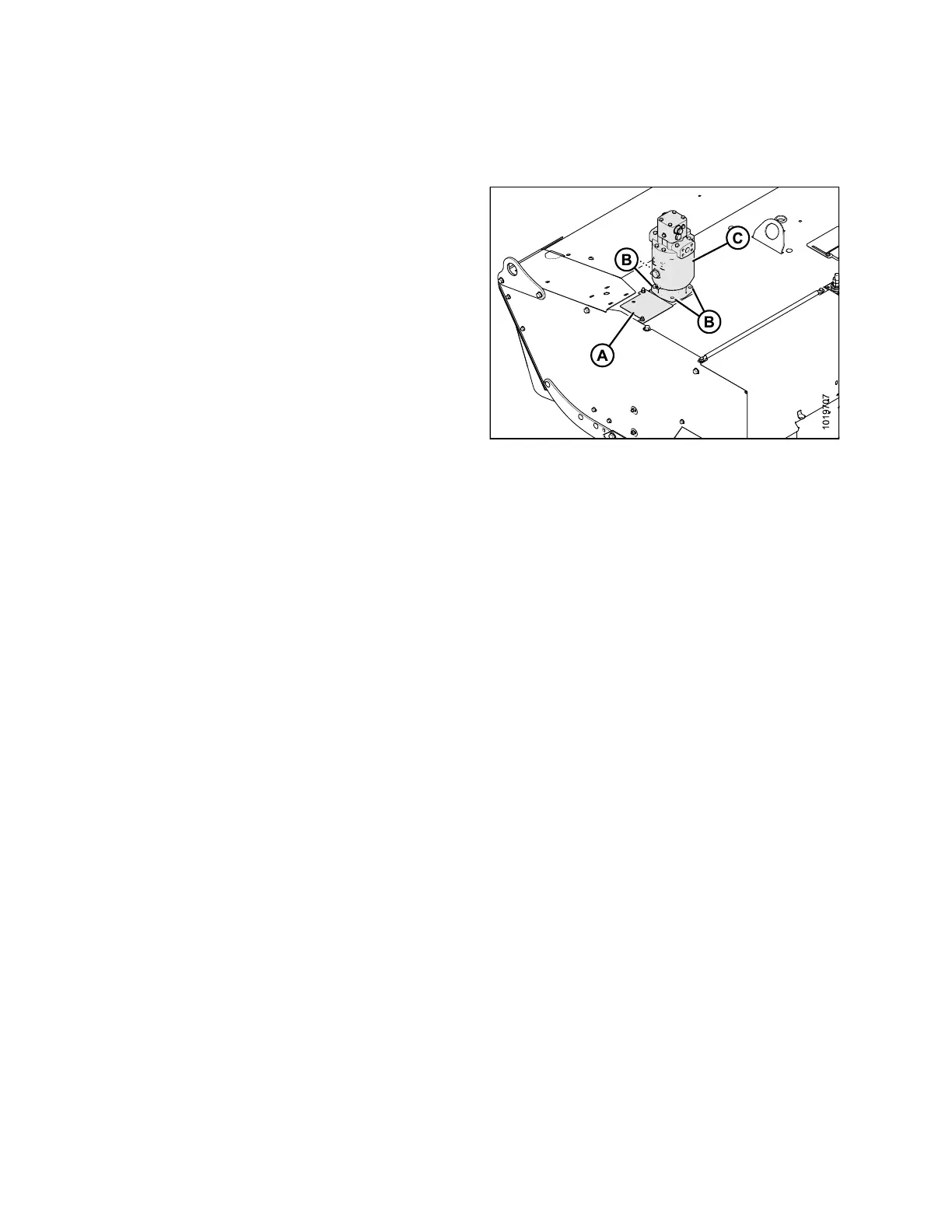
1. Loosen the access panel bolts and remove panel (A).
Retain for reinstallation.
2. Remove the four bolts (B) securing the header drive
motor (C) to the g e ar box.
3. Remove the motor.
IMPORTANT:
Do NOT lift motor by the hydrau lic line s. T he
motor weighs approximately 68 kg (150 lb.). Use
a sling or chain and hoist to lift.
Figure 3.2
: Motor
147974 10 Revision B



 To Next Page