272 Data Integration: Using the Macromedia Tips Web Service (Flash Professional Only)
Connect to a public web service
Define a web service in Flash that will connect to a public web service.
1. Create a new Flash document using Flash Professional 8. Make sure
your computer is connected to the Internet.
2. Open the Web Services panel (Window > Other Panels > Web
Services), and click Define Web Services.
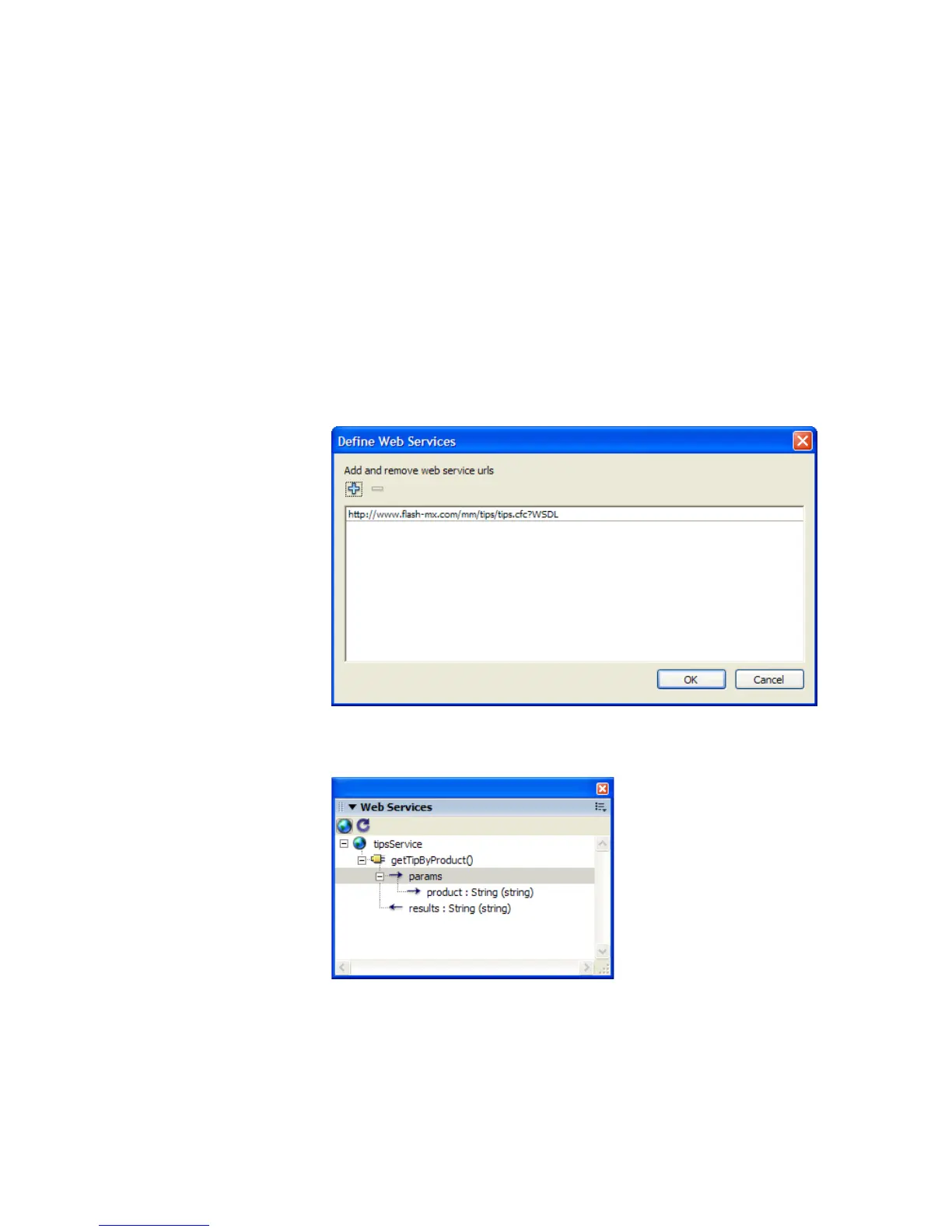
3. In the Define Web Services dialog box that appears, click Add Web
Service (+), and then click the highlighted line to edit it.
4. Enter the URL http://www.flash-mx.com/mm/tips/tips.cfc?WSDL
and click OK.
5. In the Web Services panel, inspect the methods, parameters, and results
of the Macromedia Tips web service.



 To Next Page