21
GENERAL INFORMATION
Instrument panel display Continued
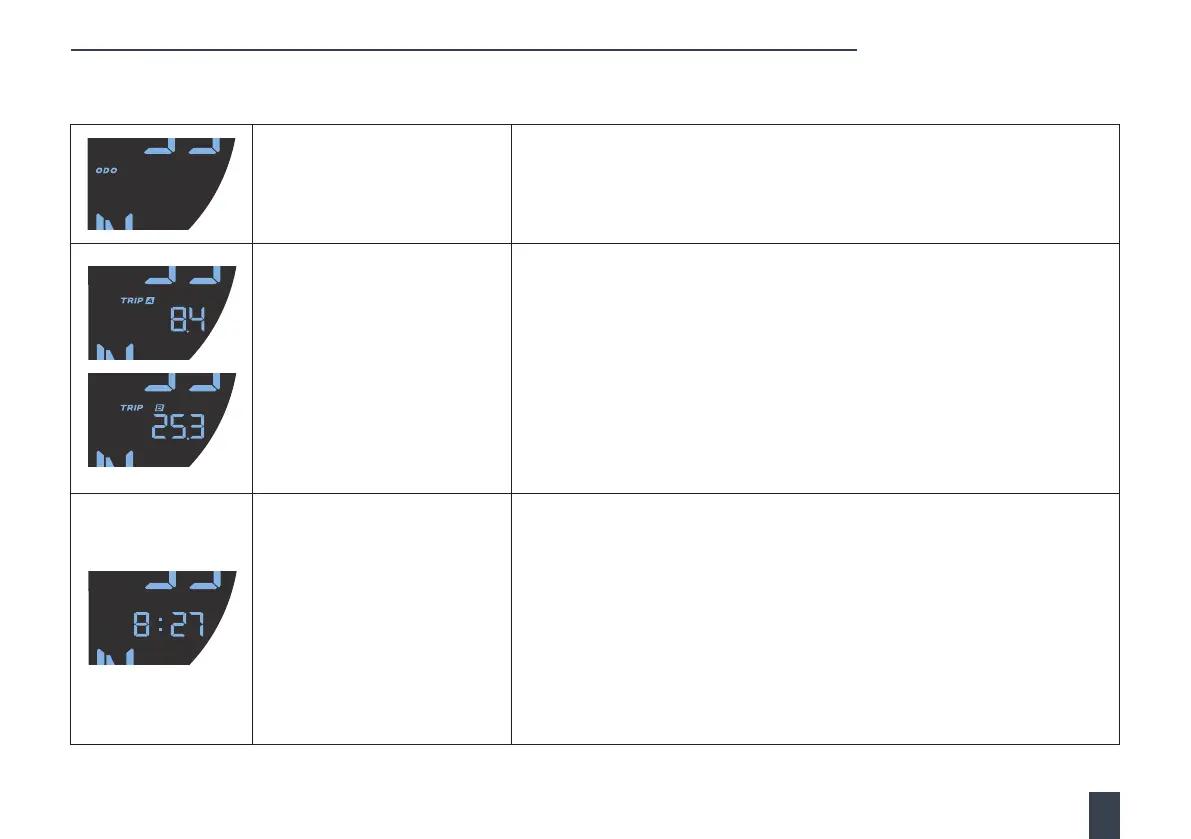
Odometer
The odometer displays the total distance that the motorcycle has travelled in
miles or kilometres.
Trip computer
The trip computer records the total distance covered for a particular journey.
There are two separate trip meters: A and B.
Using the i button (left-hand handlebar control), scroll to the trip setting and
select either trip A or trip B.
Trip meter A automatically resets each time the ignition is turned OFF and ON.
Trip meter B continually records the distance travelled, until it is reset by the
user. When in Trip B, press and hold the i button for 2 seconds to reset.
Clock
The time can be displayed on the instrument panel display.
Using the i button (left-hand handlebar control), scroll to the time setting.
Clock adjustment
With the clock feature displayed, use the i button to adjust the time.
A long press of the i button starts the adjustment process, allowing you to
select between 12h and 24h. A further long press of the i button allows you
to scroll to the time digits. With the time digits selected, give the i button short
presses to adjust the time. To exit the time adjustment process, press and hold
the i button until the time displays with no flashing elements.
oooo49oooo49


 To Next Page