27
MagCore® Plus II
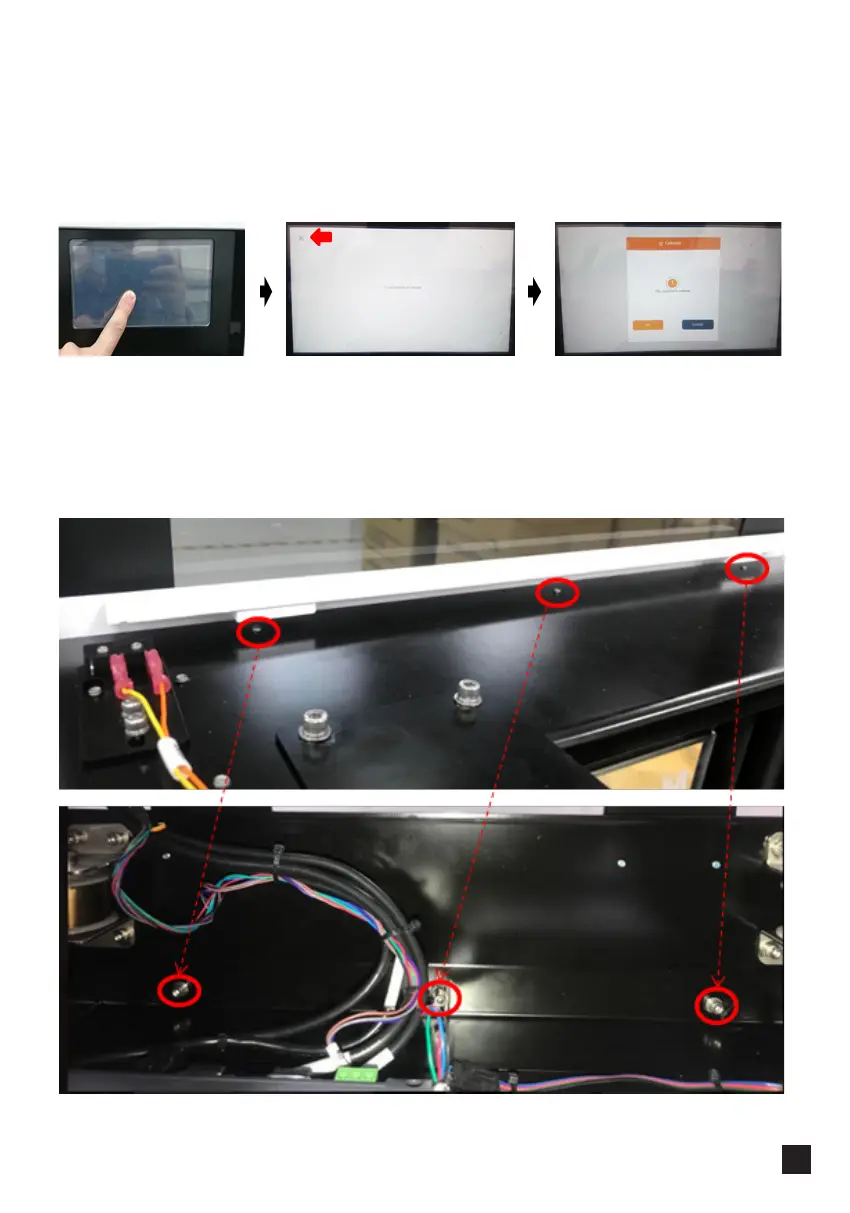
1. Press the touchscreen and turn the power on.
2. Touch each crosshair target as it appears (at four corners and in the center).
3. Tap "Ok"
1. Remove the housing and open the door.
2. Loosen 3 screws on the top of the main frame. Please notice, the screw heads are
located under the frame, to loosen them reach from the inside of the machine.
━ Calibrating HMI Screen
━ Adjusting HMI Screen Position



 To Next Page