25
MagCore® Plus II
1. Detach the housing.
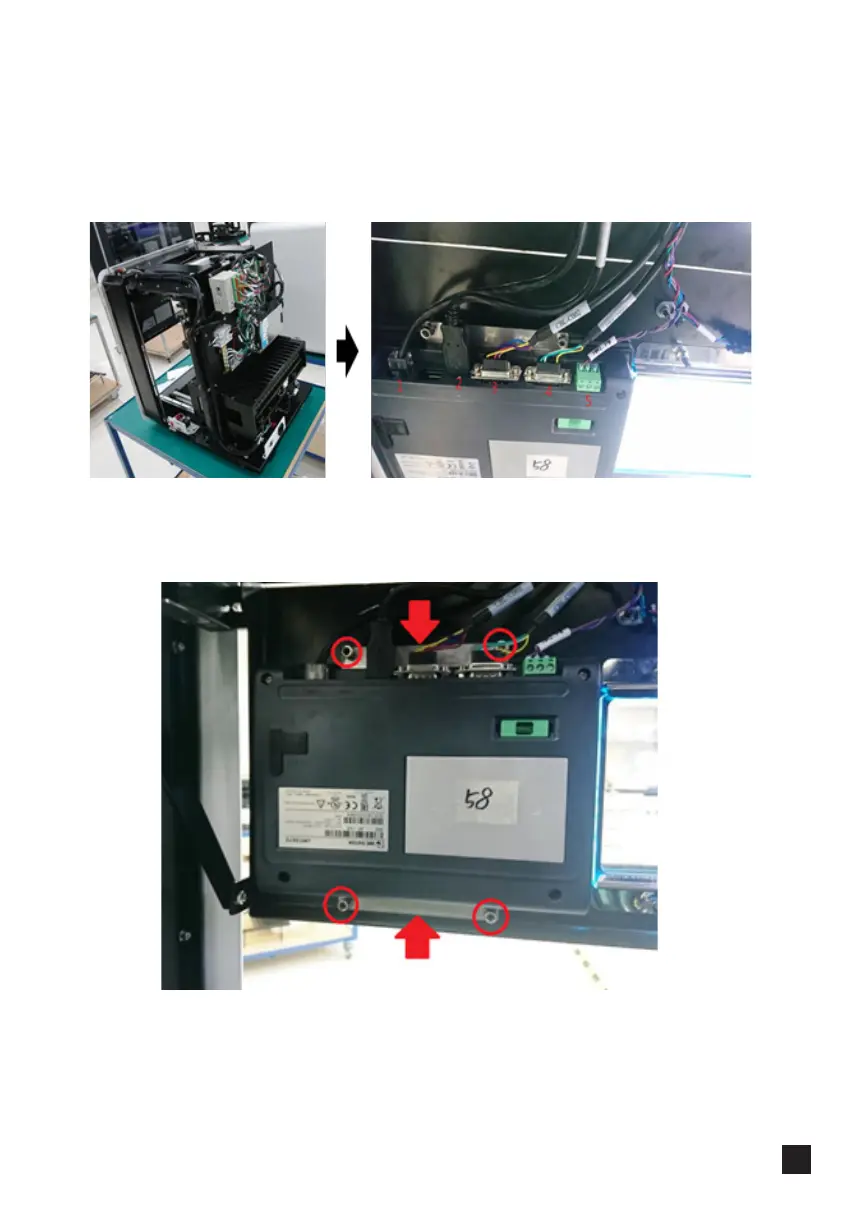
2. Unplug 5 plugs on the HMI, you can take a photo as a record before unplugging
the connectors.
3. Remove the nuts at the four corners (marked with red circles) and the two metal
sheets (marked with red arrows); screw gently or the thread rod might be broken,
then detach the HMI and take off the pad.
━ Replacing Touch Panel Screen Pad



 To Next Page