32
www.rbcbioscience.com
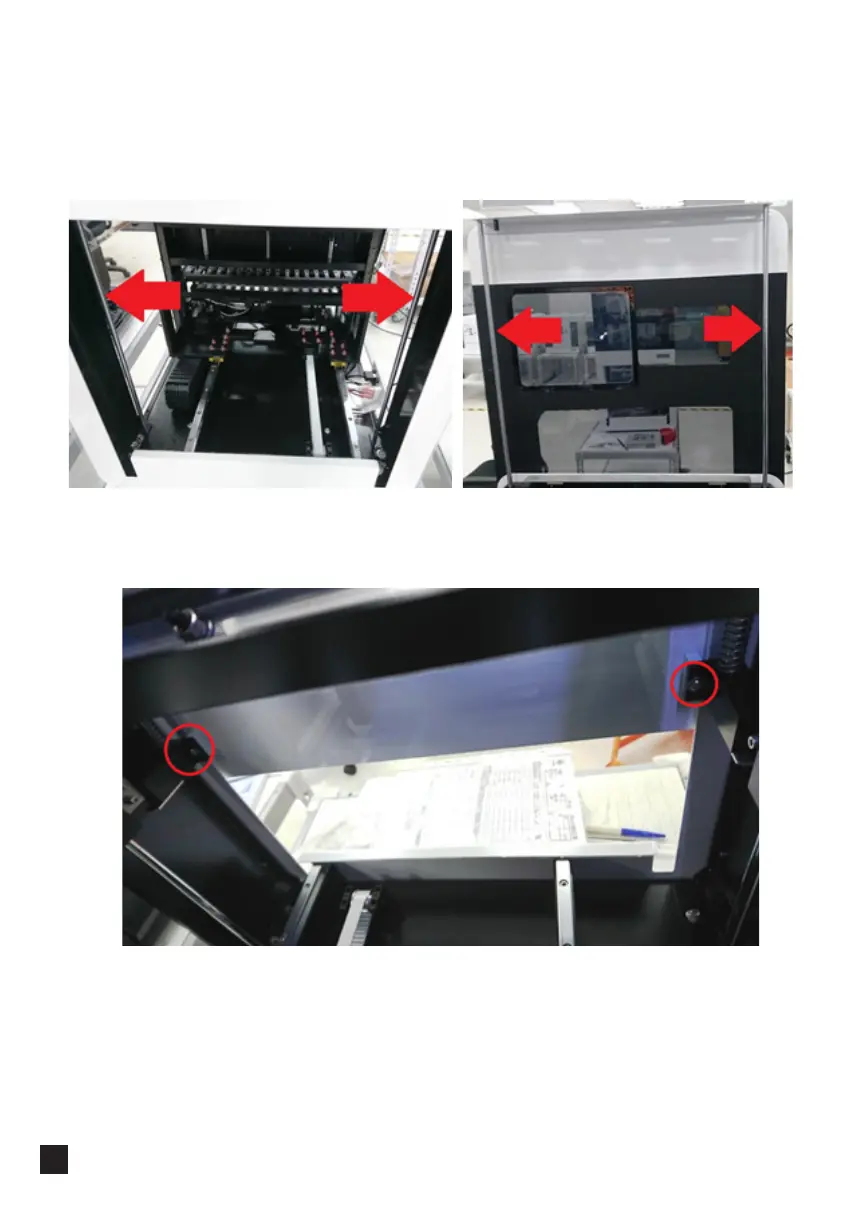
━ Door Movement Issue
1. Open the door and wipe with paper towel the four metal rods marked with red
arrows.
2. Open the sliding door and find the two screws at the back of the instrument
marked with red circles, loosen each one of the two screws with a hex key (2.5 mm),
do not loosen two screws at once.
3. Shift the door leftward or rightward a little bit, close and open the sliding door for
test repeatedly and find the optimal smoothness.
4. Repeat step 3 until the optimal smoothness is found, then tighten the screw.



 To Next Page