31
MagCore® Plus II
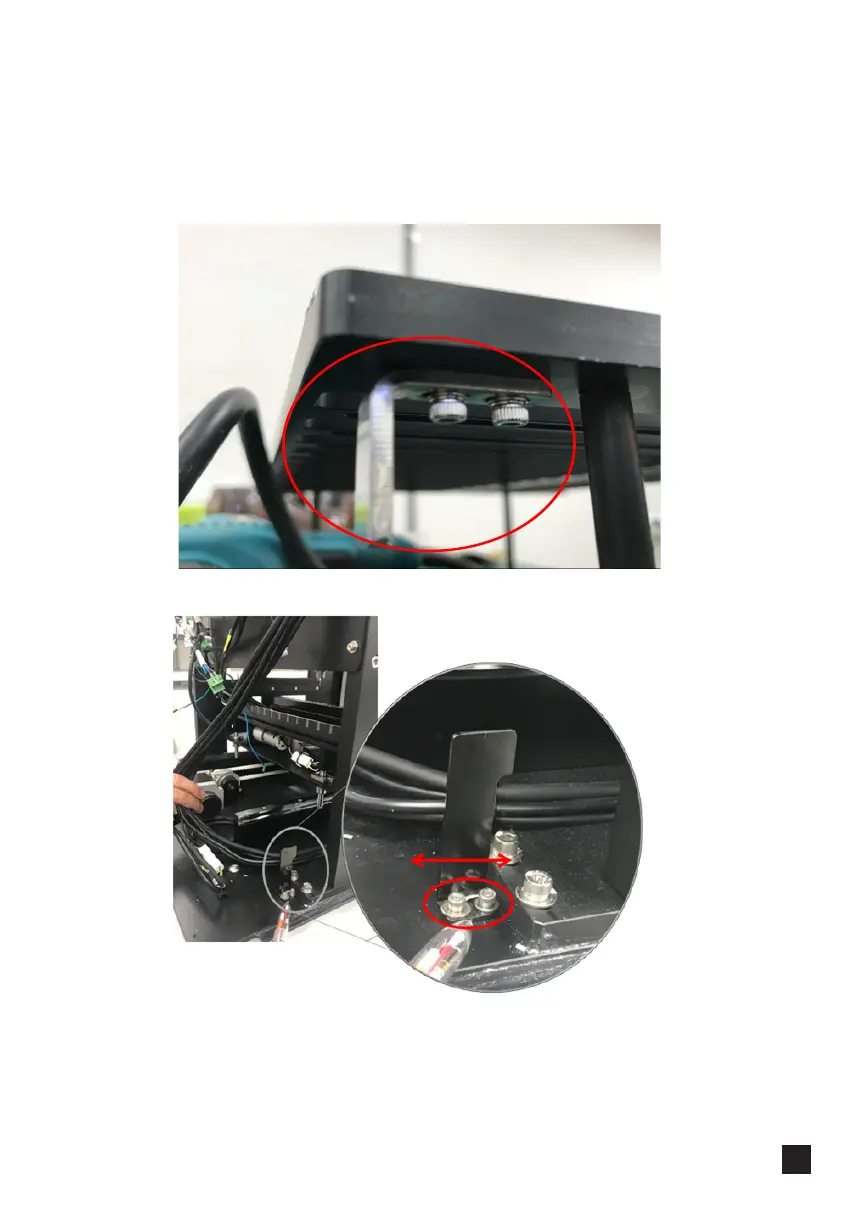
Remove back lid and check the gap at the back of the machine. There should be no
gap!
If the rack is pushed all the way but there is still a gap, adjust the position of the
metal plates on the cartridge rack by loosening 2 screws and moving the plate
forward or backward:
3. If the problem remains, adjust X home sensor block plate, as shown in the picture
below:
-Loosen 2 screws (circled in red)
-Move block plate back and forth, as indicated by the arrow
-Tighten the screws back
Recalibrate X-value following the calibration procedure (p.12)



 To Next Page