33
MagCore® Plus II
━ Door Switch Malfunction
1. Detach the housing.
2. Open the door.
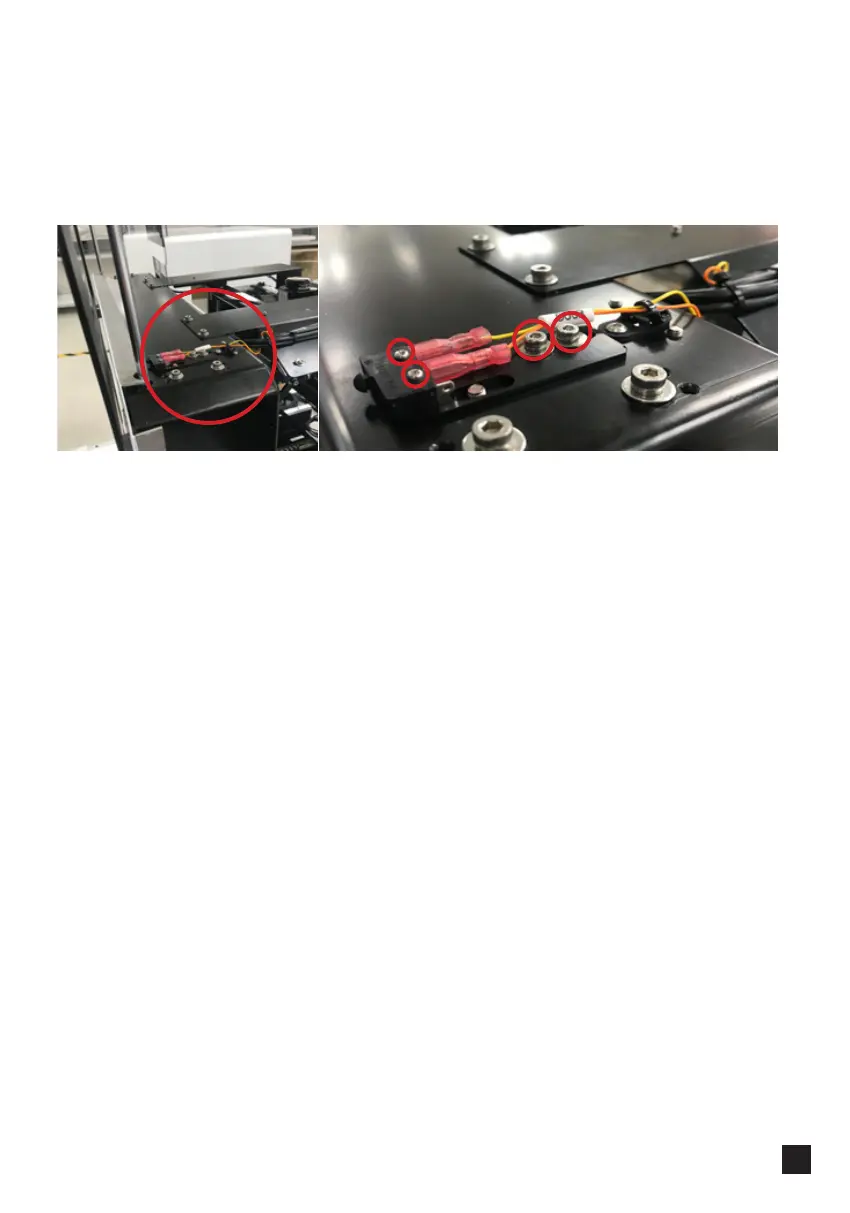
3. Find door sensor:
4. Check the connection.
5. Unscrew 2 screws: screw1 and screw2 on the top of the switch and disconnect the
wires.
6. There is a rod on top of the door aligned with the switch. It should touch the switch.
Loosen screw 3 and screw4, move the switch back and forth until the position is
adjusted and the rod touches the switch.
7. If the switch is still not functioning properly, replace it.
3
4
1
2



 To Next Page