46
www.rbcbioscience.com
1. Loosen the two screws shown in the picture;
2. Move the plate back and forth until the perfect position is found;
3. Tighten the screws back.
If the cartridge rack and cartridges get jammed with heating module do the
following:
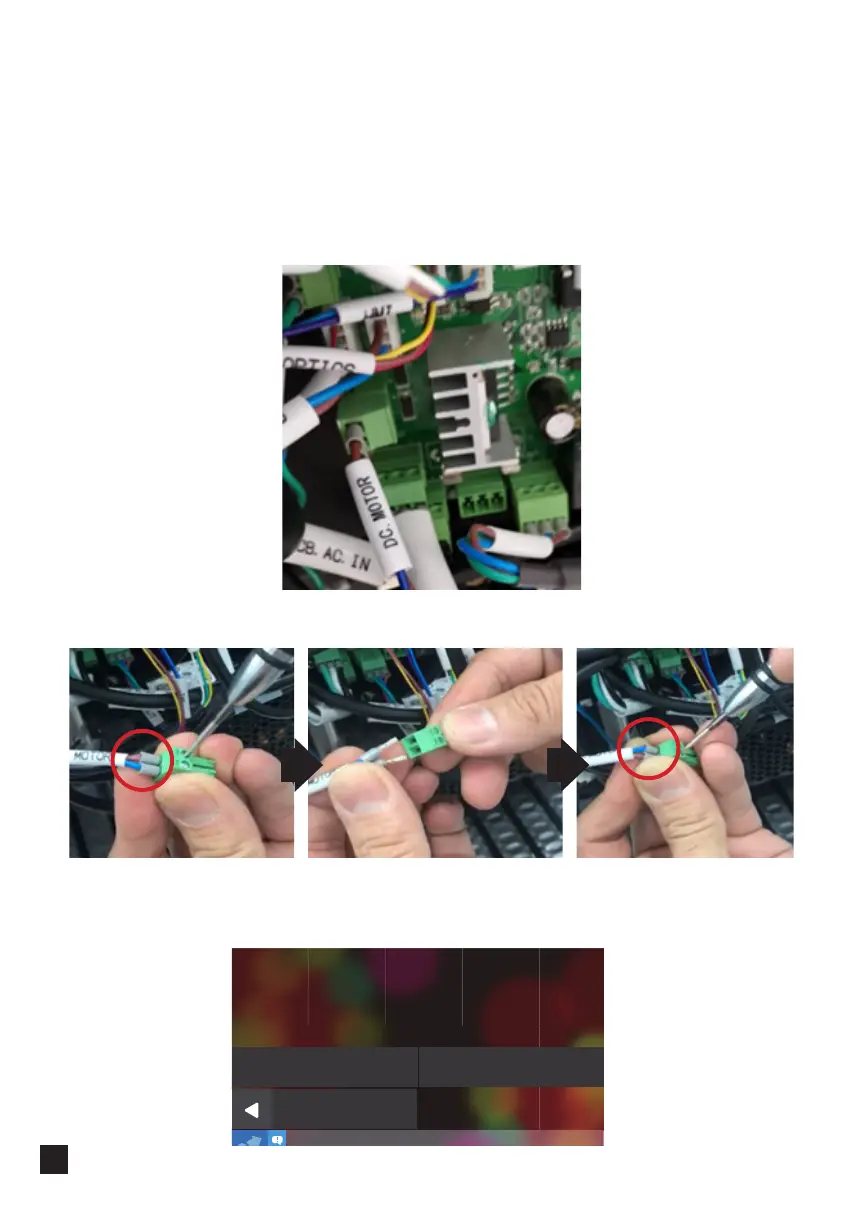
Unplug it, release the cables and switch them. Fix them back in the connector:
Plug the cable back into the PCB.
Now the motor will move in the opposite direction and release the cartridges.
3. Turn the machine on and go to the Motor test. Press M axis Dn, to move the M-axis:
Back
M Axis Up M Axis Dn
Motor Test
Please press the following buttons to test
1. Turn the machine off.
2. Find DC cable on the PCB:



 To Next Page