Basic Operations
10
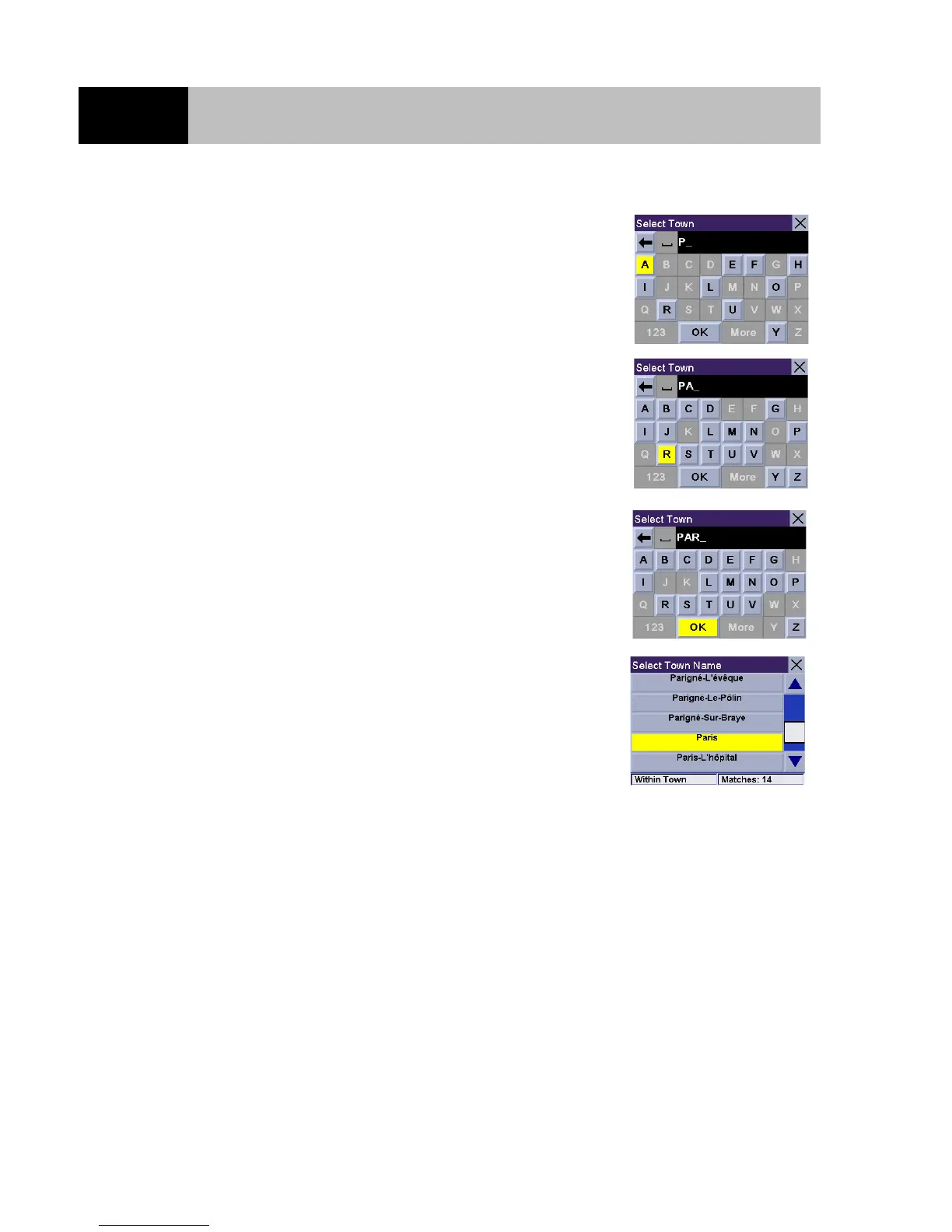
Select "A" using the 8-way arrow keypad and press Enter.
Select "R" using the 8-way arrow keypad and press Enter.
When you feel that enough characters have been entered so that the
list of towns is short enough to find PARIS in the list, select "OK"
using the 8-way arrow keypad and press Enter.
Use the 8-way arrow keypad to select "PARIS" from the list and
press Enter. (If you are using the touchscreen to select the town,
use the scroll bar to the right of the list to scroll the list up and
down.)
If the list is still too long press Cancel to return to the keyboard to continue entering characters. The list of
items found in the database is limited to 100 items. When over 100 items have been found,
"Matches>100" will be displayed in the bottom right corner of the display and you may need to press
Cancel and enter additional characters.













 To Next Page