Selecting a Destination
29
Searching the POI Category using "List by Town"
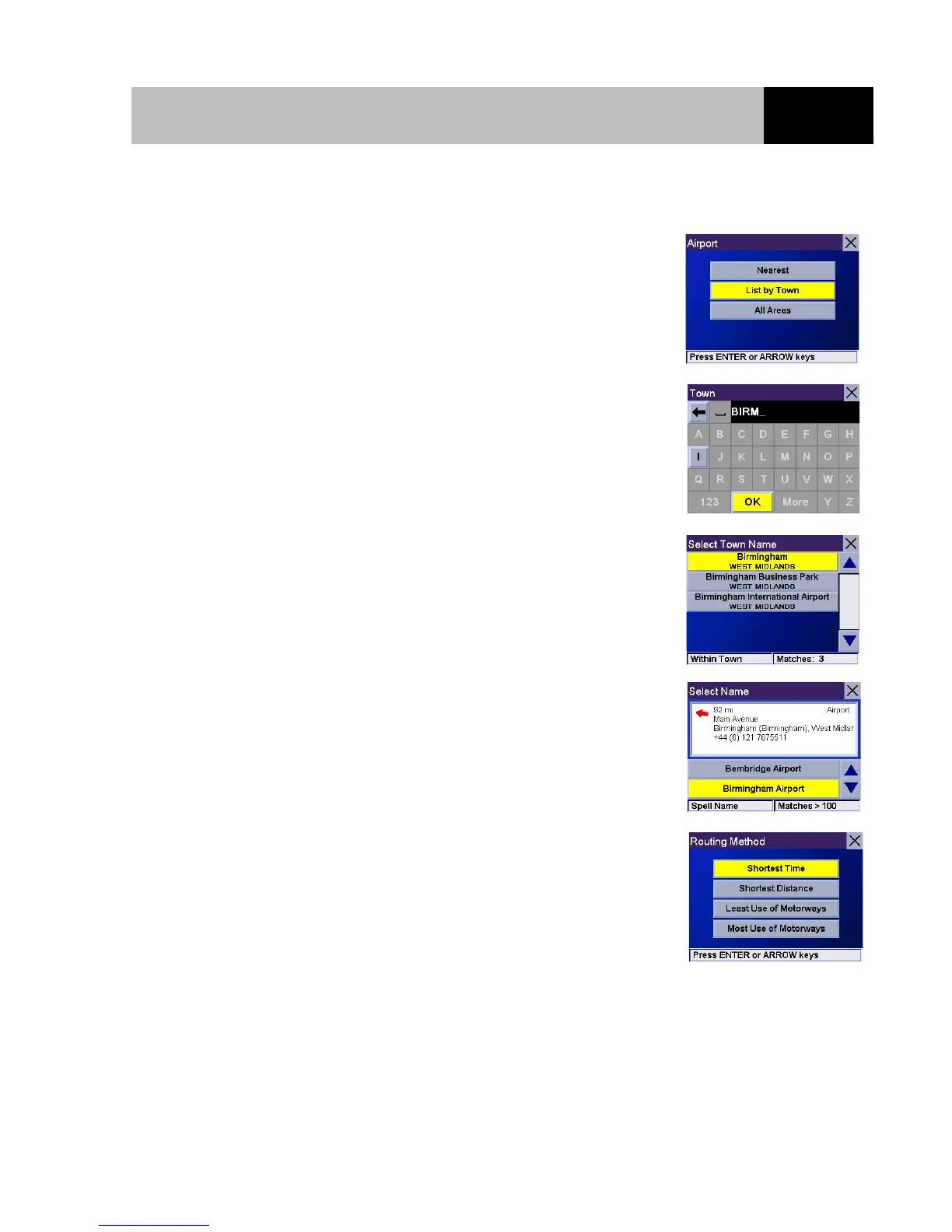
Select the "List by Town" option to search for the POIs in the
category selected for a specific town.
Use the keypad to enter the first few charactersof the town where
the POIs will be looked for. Select "OK" and press Enter.
Select the town from the list.
Select the POI for the chosen category that is located in the town
you selected from the list.
Select the desired Routing Method and press Enter. The route will
be calculated and the Guidance screen will be displayed with all of
the necessary guidance information.













 To Next Page