12
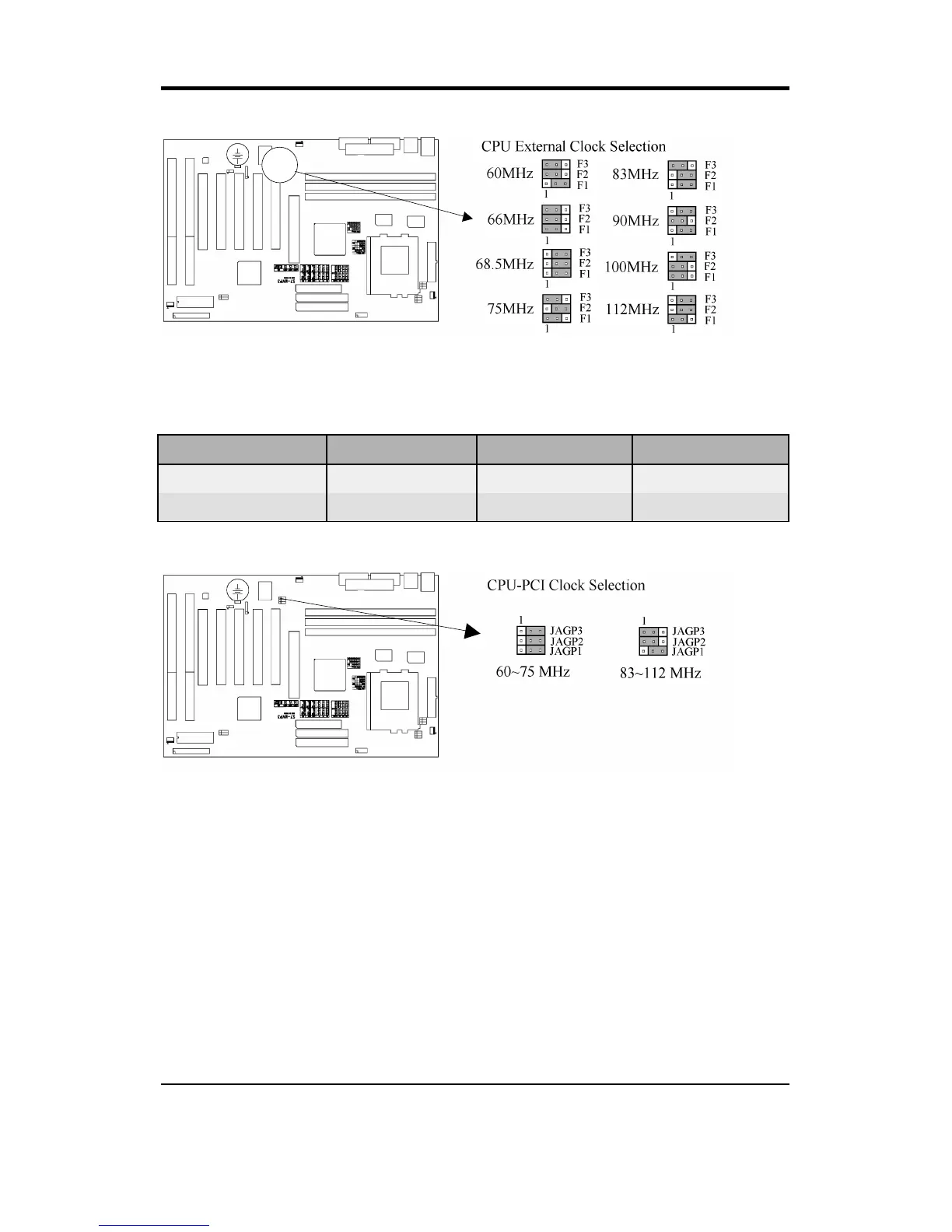
2.1.6 CPU-PCI Clock Selection (Yellow Jumper Caps)
CPU CLOCK JAGP3 JAGP2 JAGP1
60~75 MHz 2-3 2-3 2-3
83~112 MHz 1-2 1-2 2-3
60~75 MHz is the default setting¡]this setting is for Intel P55C-200 CPU¡^
2.2 Installation of CPU
Before installing CPU, make sure the power is off. Locate the white color level
bar on the ZIF socket. Push level bar away from the socket and pull upward 90
degrees. Insert the CPU into the socket. Make sure the notch of the CPU
corresponds with the white dot on the ZIF socket (the corner without pin
socket). Do not push in the CPU. Make sure all pins are aligned with the CPU
socket. Close the level bar.



 To Next Page