28 MAGICFX
®
ECO2JET
®
- User and Installation Manual
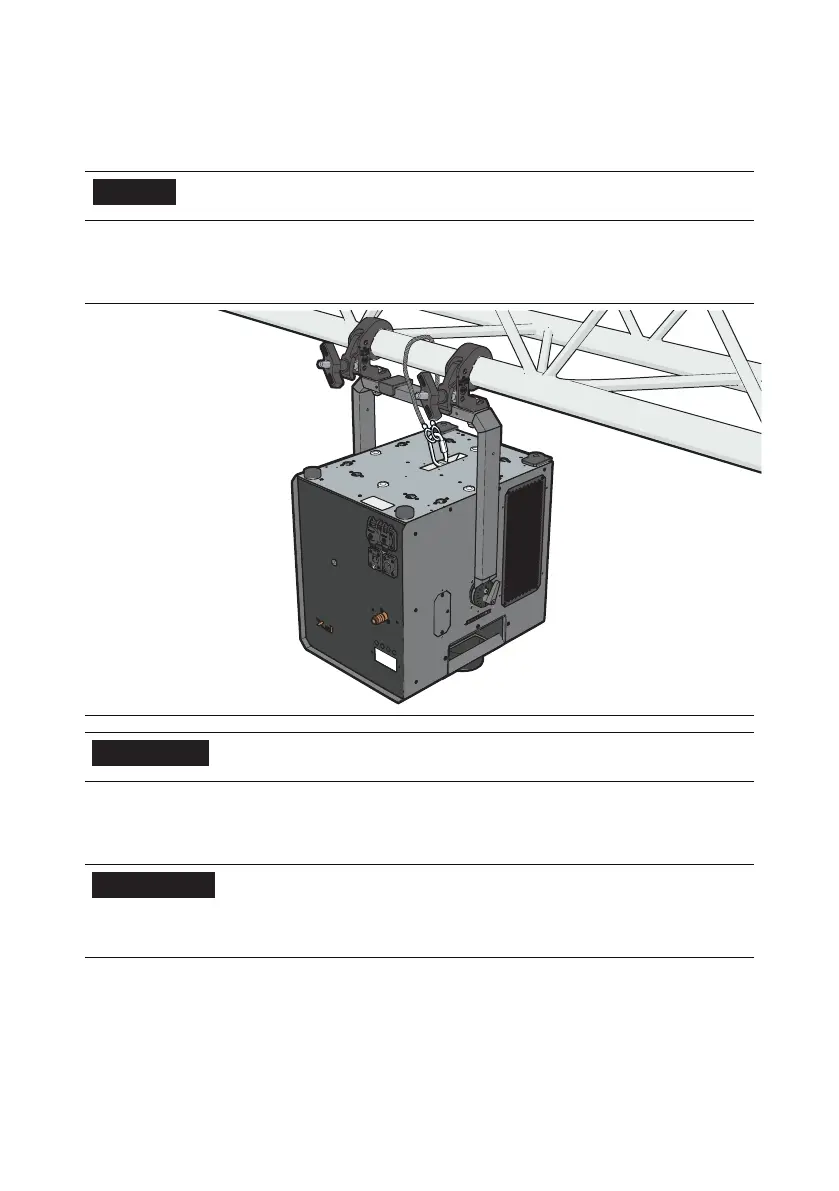
3.2.3. MOUNT WITH AN ECO2JET
®
BRACKET
The ECO2JET
®
can also be installed on a truss using an ECO2JET
®
Bracket.
NOTICE
The ECO2JET
®
Bracket is an optional accessory and is
not included.
More information on using the ECO2JET
®
Bracket can be found in the ECO2JET
®
Bracket accessory manual.
6
CAUTION
The safety steel and the emergency link need to have
a minimal workload of 40 kg.
3.3. REPLACE THE FLUID CAN
6
WARNING
Do not use other fluids than those that are approved
and supplied by MAGIC FX, see section 1.4. Always
follow the instructions as noted on the fluid can. The
warranty is void if other fluids are used.
1. Make sure that the machine is not in operation. The FX LED indicator is o.
2. Place the fluid can including its ECO2JET
®
Fluid Can Lid Assembly (ASS90100) in
the vicinity of the machine, for example in the MAGICFX
®
5L Fluid Can Bracket
(MFX3109).
3. Connect the Fluid can including its ECO2JET Fluid Can Lid Assembly (ASS90100)
by using the quick connector.



 To Next Page