36 MAGICFX
®
ECO2JET
®
- User and Installation Manual
5. MAINTENANCE
To achieve the maximum service life of the ECO2JET
®
you must regularly clean the
ECO2JET
®
and test if it is functioning correctly.
Contact MAGIC FX if the ECO2JET
®
is not functioning correctly.
6
DANGER
Do not replace parts yourself other than specified in
this chapter; always consult MAGIC FX.
6
DANGER
Always cut o the power before performing
maintenance.
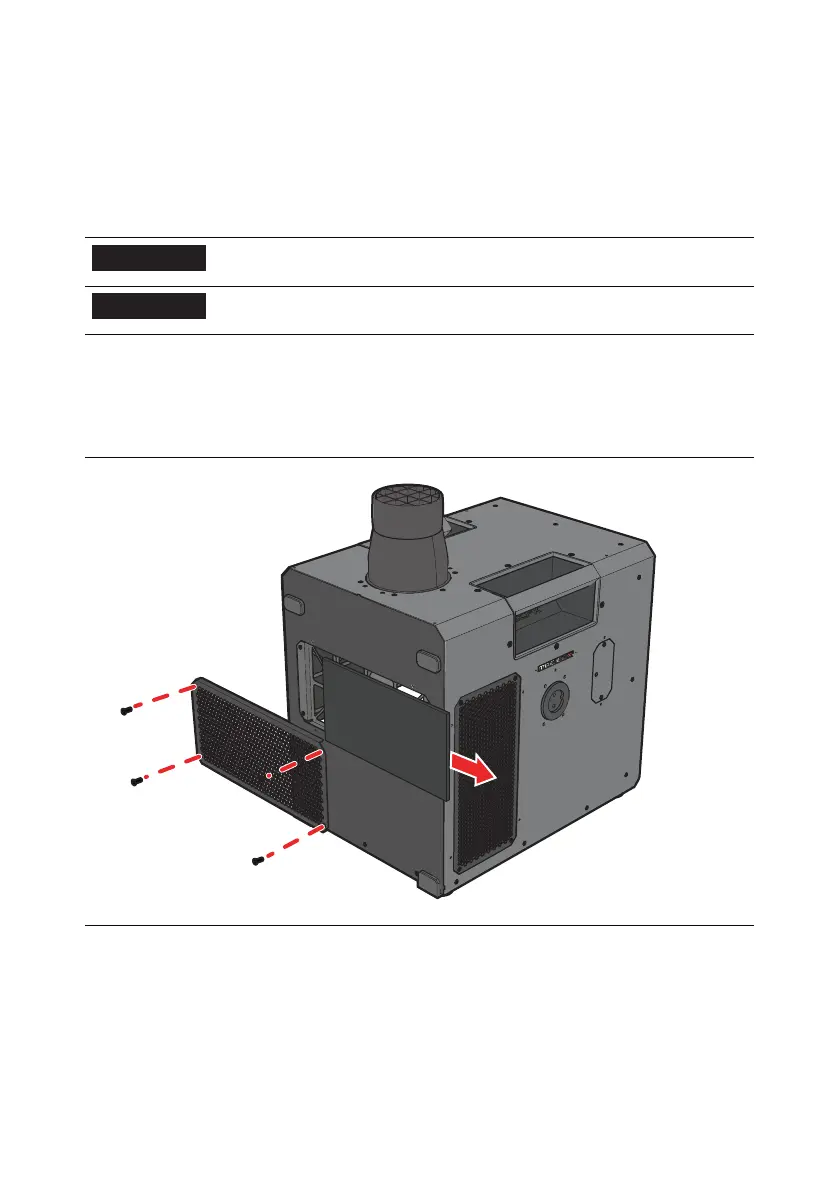
5.1. REPLACE THE AIR FILTER
1. Remove the air grille using a T10 Torx screwdriver.
2. Remove the old air filter from the air grille.
3. Place the replacement air filter (ASS02427) in the air grille.
4. Re-attach the air grille using a T10 Torx screwdriver.



 To Next Page