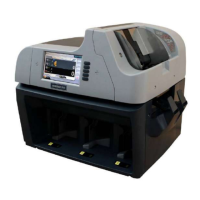
The number of notes could be counted by specifying the batch size.
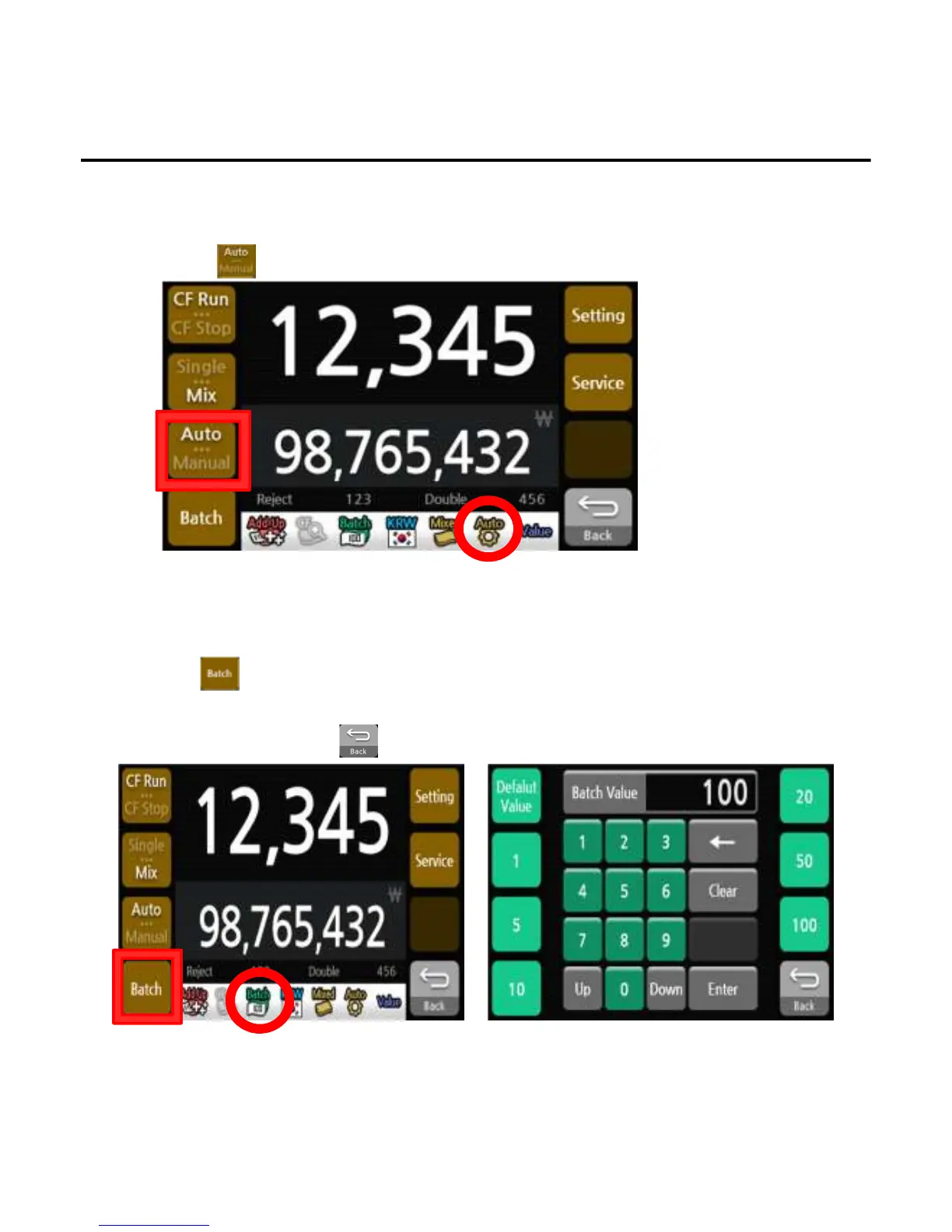
1)Press button.
2)Set the batch size by putting the wanted number.
3)When finishing, press the button to exit the batch setting menu.
3. Auto / Manual
Automatic counting would be started when the notes are set in the hopper under AUTO mode. In case
of Manual, the counting would start only when press the START button.
1)Press button to select setting.
4. Batch
*The Auto/Manual symbol will change on the screen to indicate the selected state.
*The Batch number will change on the screen to indicate the batch number.
User Settings
-
--
-19
1919
19-
--
-


 To Next Page