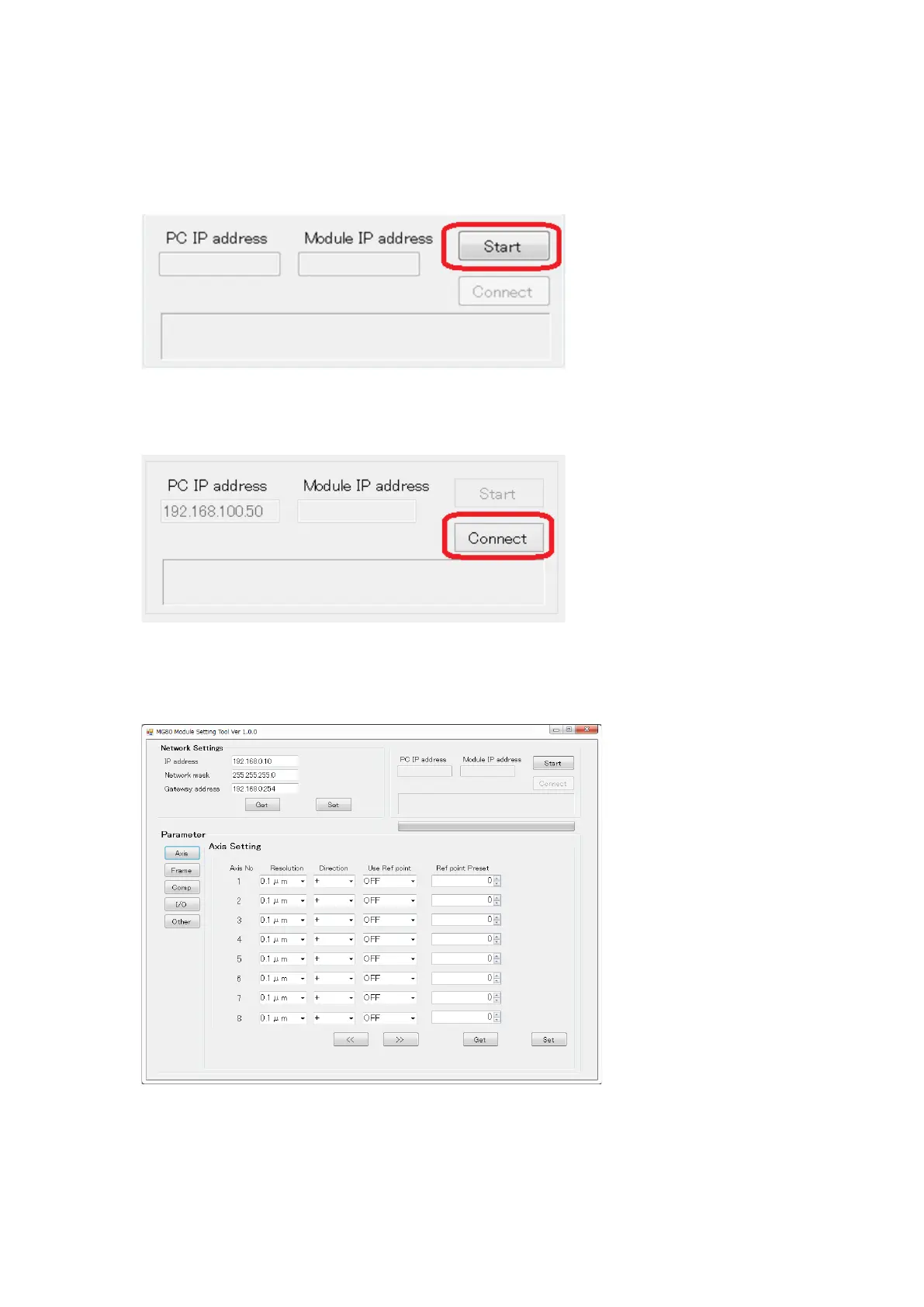
Follow the steps below to connect with the MG80-EI.
1. Click the Start button at the top right corner.
2. Click the Connect button.
3. If the connection is successful, “Network settings” and “Parameter” field will
become valid.
If the connection fails, turn off MG80-EI power and close PC application, then restart
the procedure.


 To Next Page