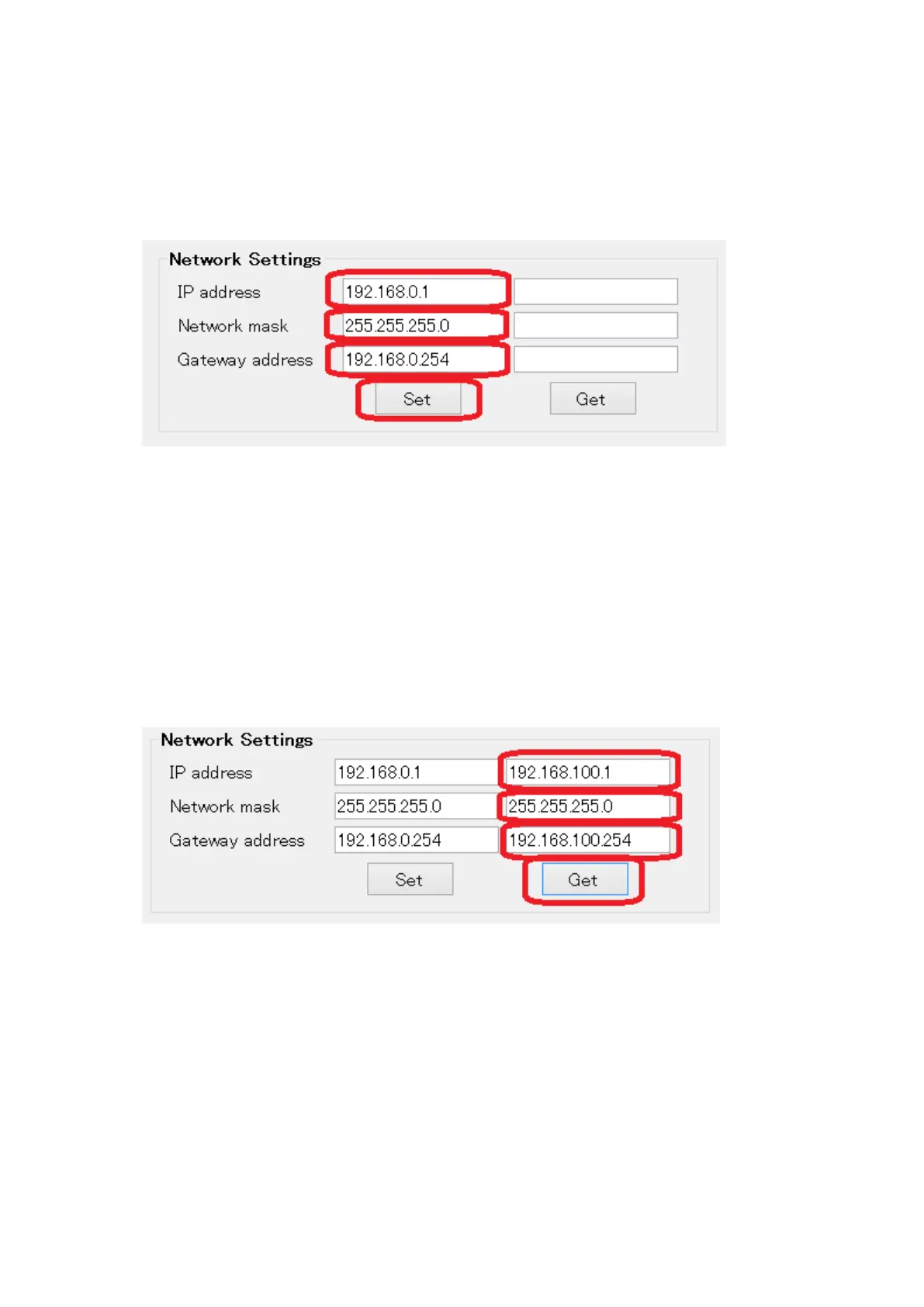
4. Follow the steps below to change the MG80-EI Network Settings.
The IP address set in this field will be applied in the actual measuring environment.
The lowest 1byte of the IP address (In this case “1”) must also be set with the switches
on the MG80-EI, after setup with this software.
Enter the settings as in red frame above, then click “Set” button to transfer the
information to the MG80-EI.
*Note
IP address = IP address
Network mask = Subnet mask
Gateway address = Default gateway
Click “Get” button to confirm the settings saved in the MG80-EI.


 To Next Page