3.1.1: Select Power Supply
Rev 2 10/21/19 13 41113427
3.1.1 Select Power Supply
To select the primary power supply:
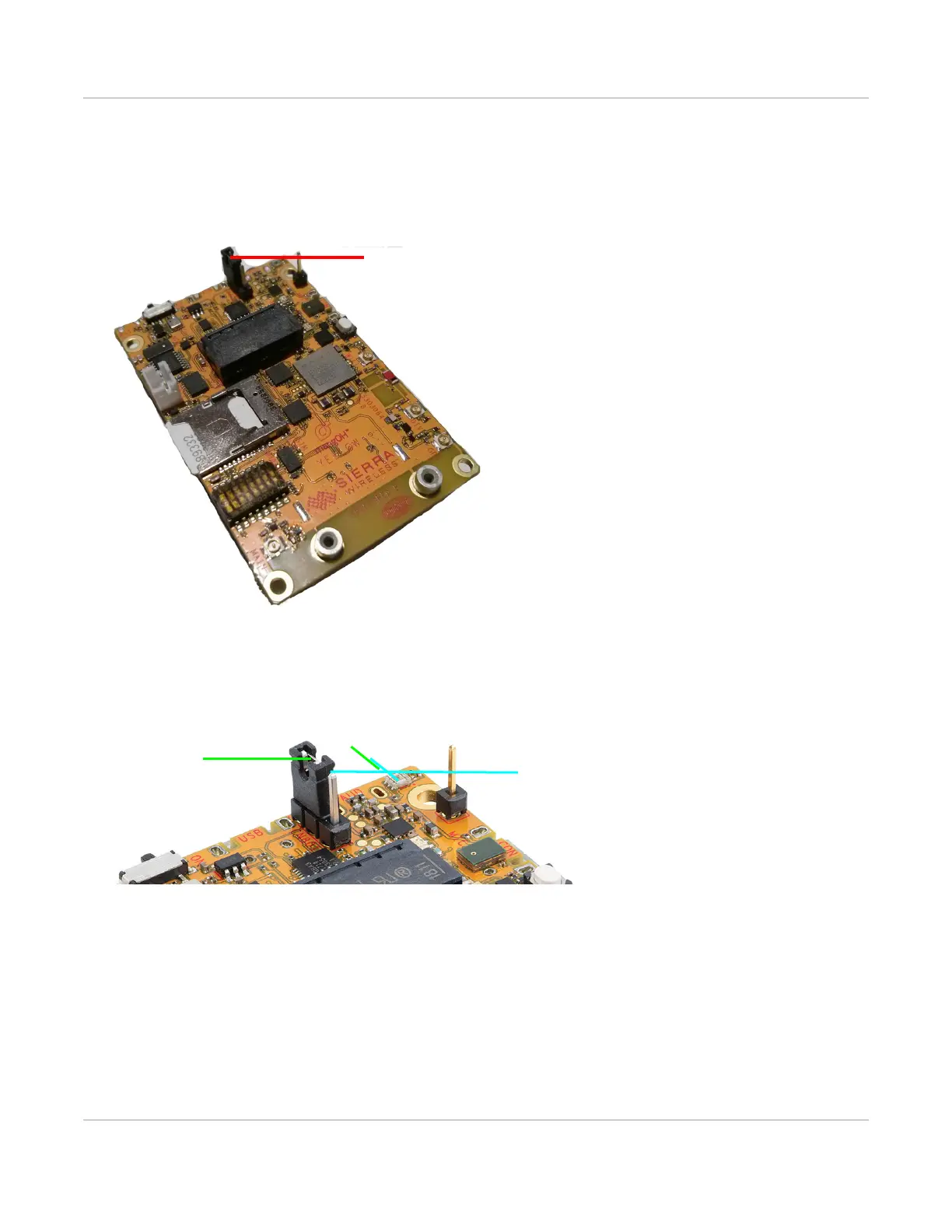
1. Place the mangOH Yellow with the dip switch block facing up (module facing down) and locate the power
select (PWR SEL) jumper pins (CN801).
Figure 3-2: Power Supply Selector
2. Select the preferred power source:
· USB connector—Place a jumper across the two pins closest to the edge of the board.
· Expansion connector—Place a jumper across the two pins furthest from the edge of the board.
Figure 3-3: USB Power Supply Selection
USB power (jumper on pins
closest to board edge)
Expansion select
USB select
(closest to edge)
(furthest from edge)


 To Next Page