mangOH Yellow User Guide
Rev 2 10/21/19 22 41113427
3.7 Physical Switches/Buttons/Headers
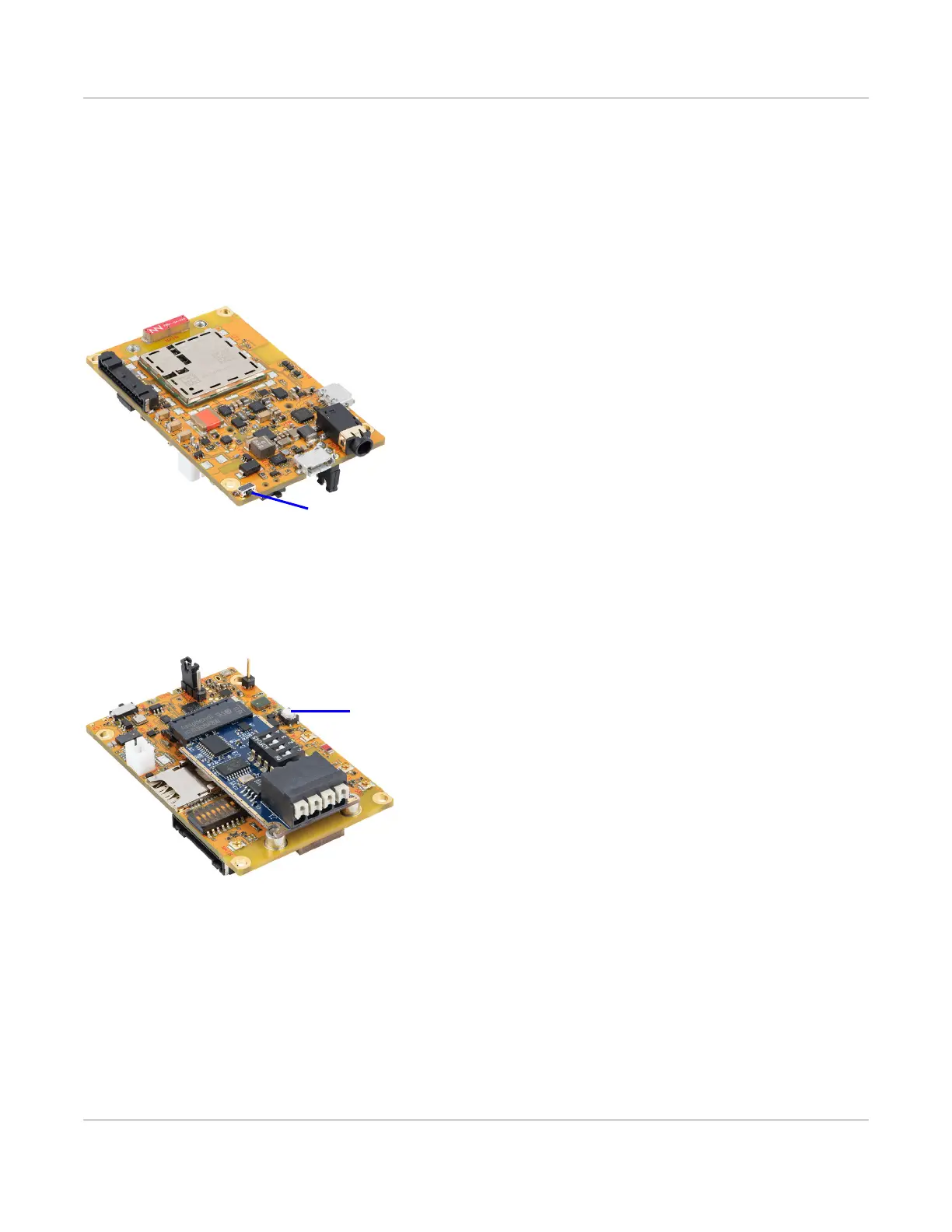
3.7.1 Reset Button
The mangOH Yellow includes a board reset button (SW401). Press and release to reset the board.
For details on resetting the mangOH Yellow or specific application blocks, see the mangOH Yellow Hardware
Architecture Guide.
Figure 3-18: Reset Button
3.7.2 Generic Button
The mangOH Yellow includes one generic button (SW500) for user-defined purposes.
Figure 3-19: Generic Button
3.7.3 Power Switch
The mangOH Yellow includes a power switch (SW1002) that turns the mangOH Yellow on/off, regardless of which
power source is being used.
To turn the power:
· ON—Slide the switch toward the center of the board.
· OFF— Slide the switch toward the edge of the board.


 To Next Page