Rev 2 10/21/19 7 41113427
2
2: Setup and Installation
2.1 Safe Handling Recommendations
To help prevent accidental damage to the mangOH Yellow:
• Use safe ESD-handling practices (such as wearing proper ESD straps) to avoid possible ESD damage.
• Some options to avoid damage to components on the bottom side of the board include:
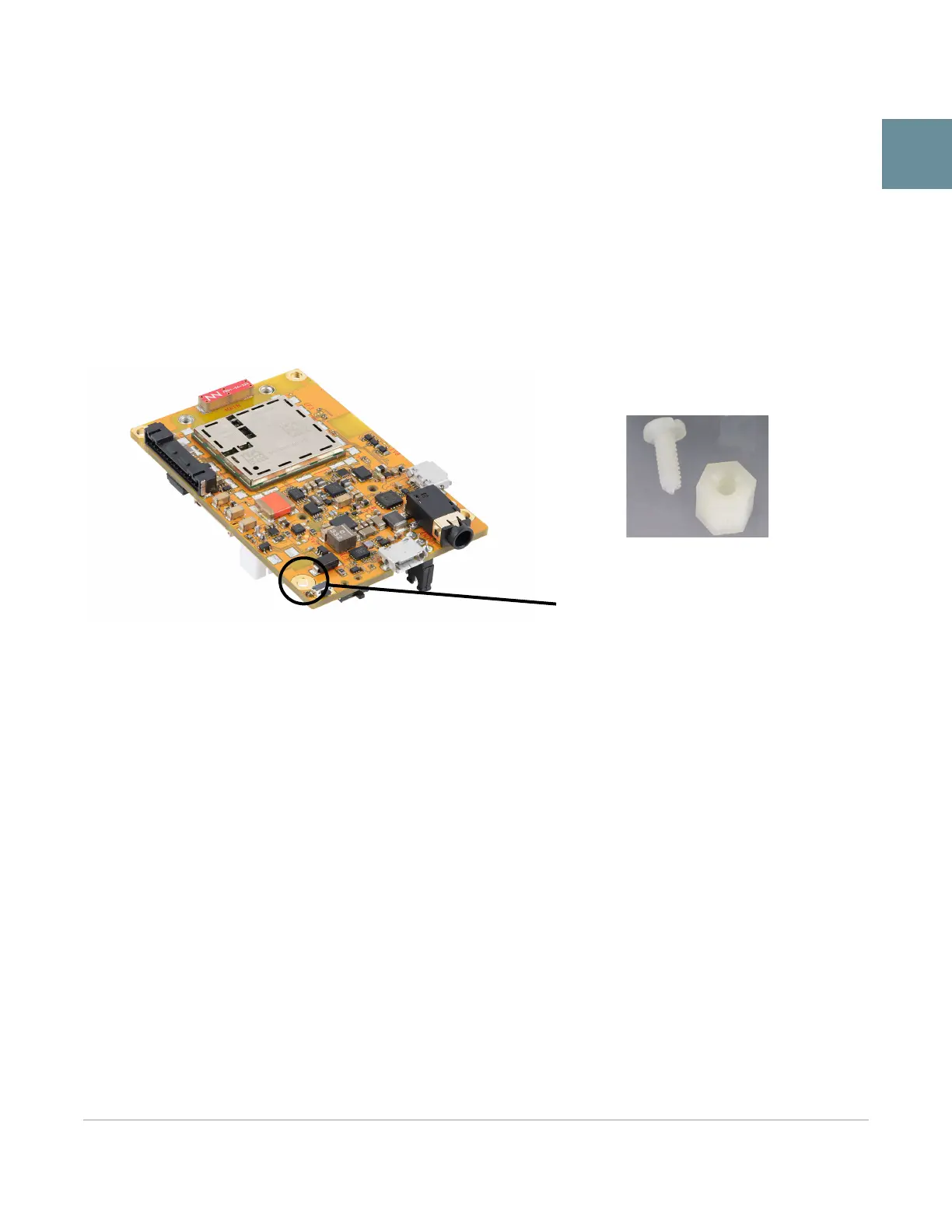
· Attach standoffs (not included) to the mounting holes at each corner of the board, or
· Install the mangOH Yellow in a case (forthcoming availability)
Figure 2-1: Module Standoff Placement
2.2 (Windows only) Install Module Drivers
Windows systems require drivers for the mangOH Yellow’s CF3 module.
To download the drivers:
1. Go to https://mangoh.io/mangoh-yellow-resources-software.
2. Click Download Drivers to download the driver installation file.
3. Run the downloaded .exe file and follow the prompts to install the drivers.
Standoff holes (4 corners)
Standoff example


 To Next Page