3.2: Connect External Antenna(s)
Rev 2 10/21/19 15 41113427
3.2 Connect External Antenna(s)
The mangOH Yellow includes four external antenna connectors.
Note: The mangOH Yellow also includes an three integrated antennas—main (used by default), Wi-Fi/BT/GPS, and NFC.
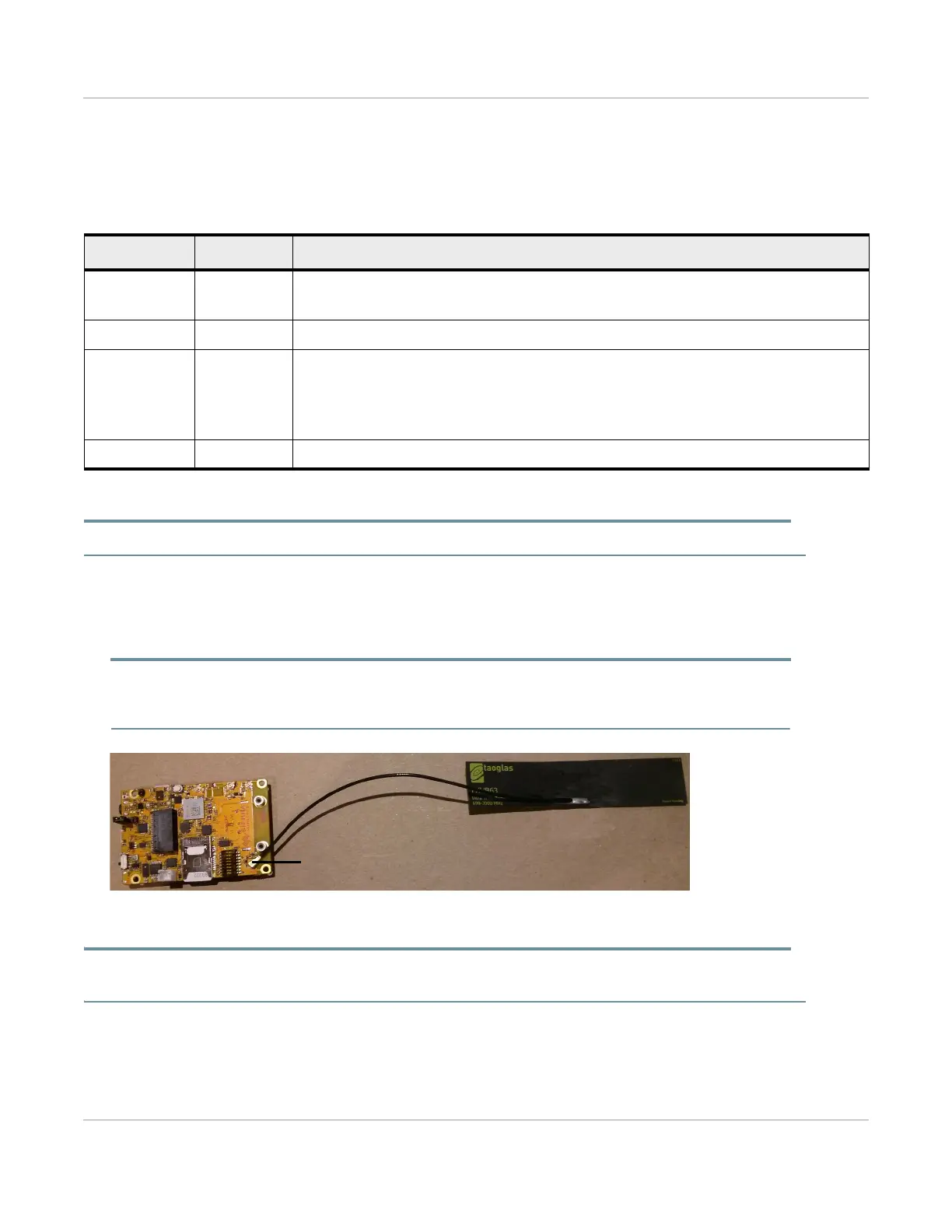
To connect an external antenna to the Main antenna connector:
1. Place the mangOH Yellow with the dip switch block facing up.
2. Attach the main antenna—press the external antenna connector firmly to get a secure connection.
Note: The female connector on the external antenna is rated for a limited number of reconnects before the connector
wears out, so should be left connected if possible. Use a U.FL extraction tool to put less strain on the connector during
removal.)
Figure 3-6: Antenna Connector Locations
Tip: If you have trouble connecting an antenna, make sure it is positioned directly on the connector and push straight down.
The antenna will not connect at an angle.
Table 3-2: External Antenna Connectors
Type Connector
a
a. U.FL connectors
Details
Main CN307
Used to establish a mobile network data connection
Disabled by default. (Default is internal antenna (ANT300).)
Diversity CN304 Not used with the WP7702 module.
GNSS CN306
Disabled by default. (Default is internal antenna (ANT301).)
Used to enable access to GNSS functionality
• Active
• 3.3 V bias voltage
Wi-Fi/Bluetooth CN308 Disabled by default. (Default is integrated antenna (ANT301).)


 To Next Page