mangOH Yellow User Guide
Rev 2 10/21/19 14 41113427
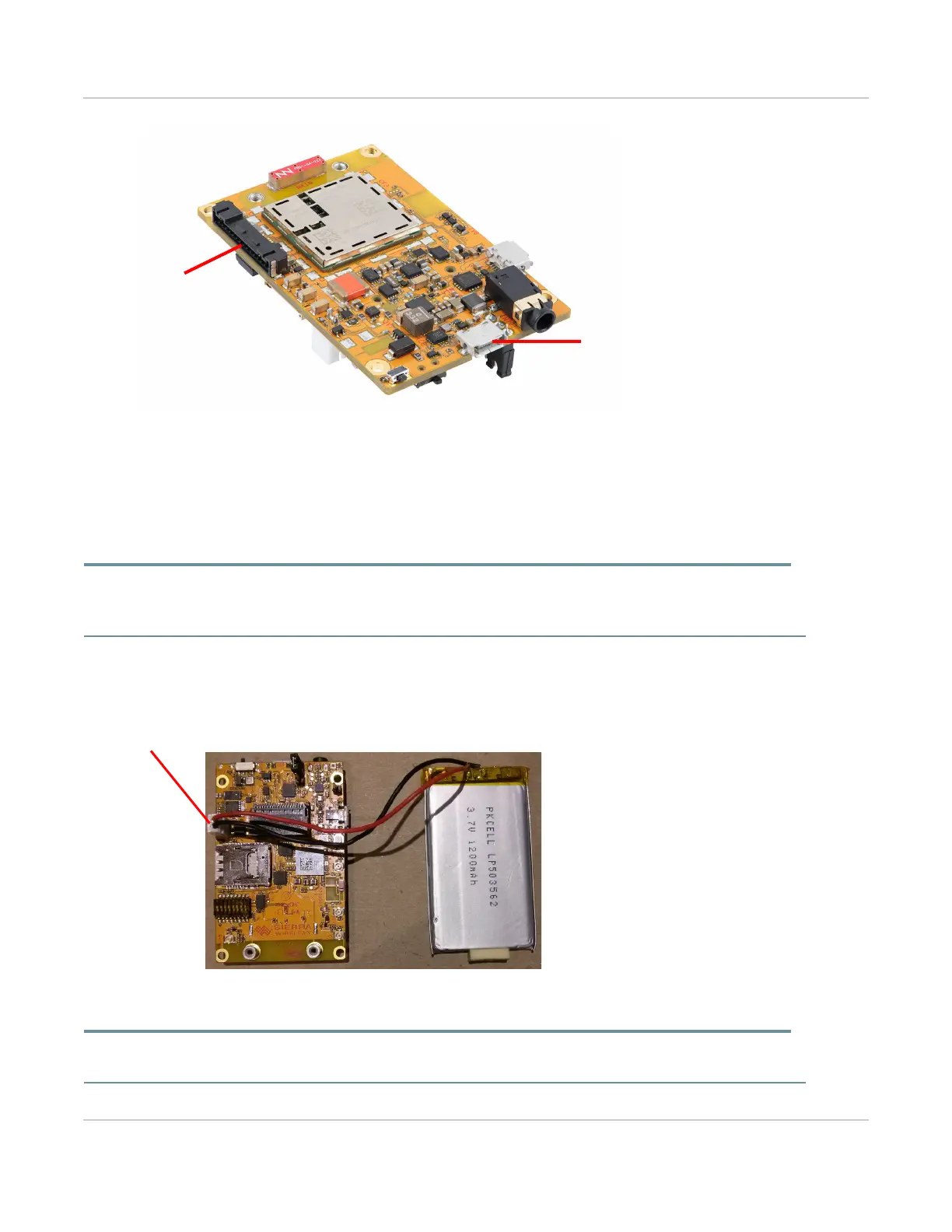
Figure 3-4: Power Supply Connectors
3.1.2 Connect Battery Backup
Optionally, you can connect a rechargeable Li-Ion/Li-Polymer battery to the mangOH Yellow to provide
uninterrupted power in the event that the primary power supply fails.
Important: If LTE-M coverage is not available, the mangOH Yellow’s WP7702 module will fall back to 2G, which consumes
up to 2 A of current for short bursts. In this case, USB power is insufficient (500 mA) and the module may repeatedly brown out
and reboot. Use a battery to supply sufficient power.
To connect a rechargeable Li-Ion/Li-Polymer battery to the mangOH Yellow:
1. Plug the battery into the battery connector (CN1000).
Figure 3-5: mangOH Yellow With Rechargeable Battery Connected
Warning: The board is designed to use a rechargeable Li-Ion or Li-polymer battery. Regular (non-rechargeable) batteries
must not be used, otherwise the mangOH Yellow and the battery will be damaged.
USB connector
Expansion
connector
Rechargeable battery
connector (CN1000)


 To Next Page