Rev 2 10/21/19 12 41113427
3
3: Hardware Setup and Features
This chapter describes:
• How to install various components on the mangOH Yellow
• Available connectors
• How to configure and control features using connectors and switches
3.1 Power Supply Sources
The mangOH Yellow is powered via the board’s USB (CN802) micro-USB connector, the expansion connector, or
an optional external backup battery. The micro-USB connector can connect to a computer’s USB port or, if greater
power is required, to an AC adapter.
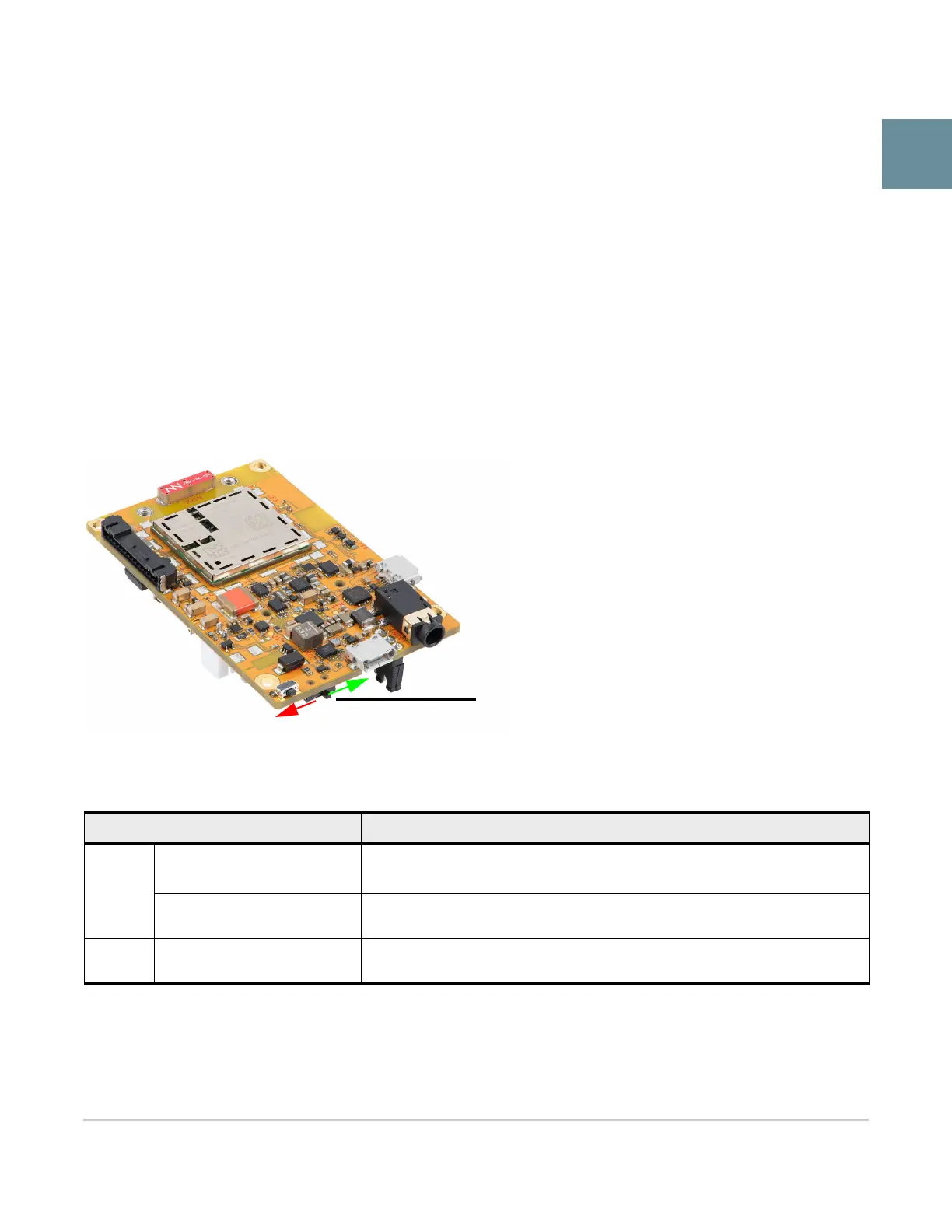
Once the power source is connected, use the power switch to turn the power on/off.
Figure 3-1: Power Switch
Table 3-1: mangOH Yellow Power Supplies
Supply Details
Primary
CN802—"USB" USB
connector
By default, USB connector provides power to the mangOH Yellow.
The connector also provides access to CF3 interfaces (ECM port, AT port, etc.)
CN805—Expansion connector
Allows connection to an external device, which can provide power to the
mangOH Yellow, or can be powered by the mangOH Yellow.
Backup CN1000—Battery
An optional Li-ion or Li-polymer (3.7 V nominal) rechargeable battery can be
installed to power the board if the primary power supply fails.


 To Next Page