mangOH Yellow User Guide
Rev 2 10/21/19 8 41113427
2.3 Initial Setup
To begin using the mangOH Yellow, set up your hardware and software:
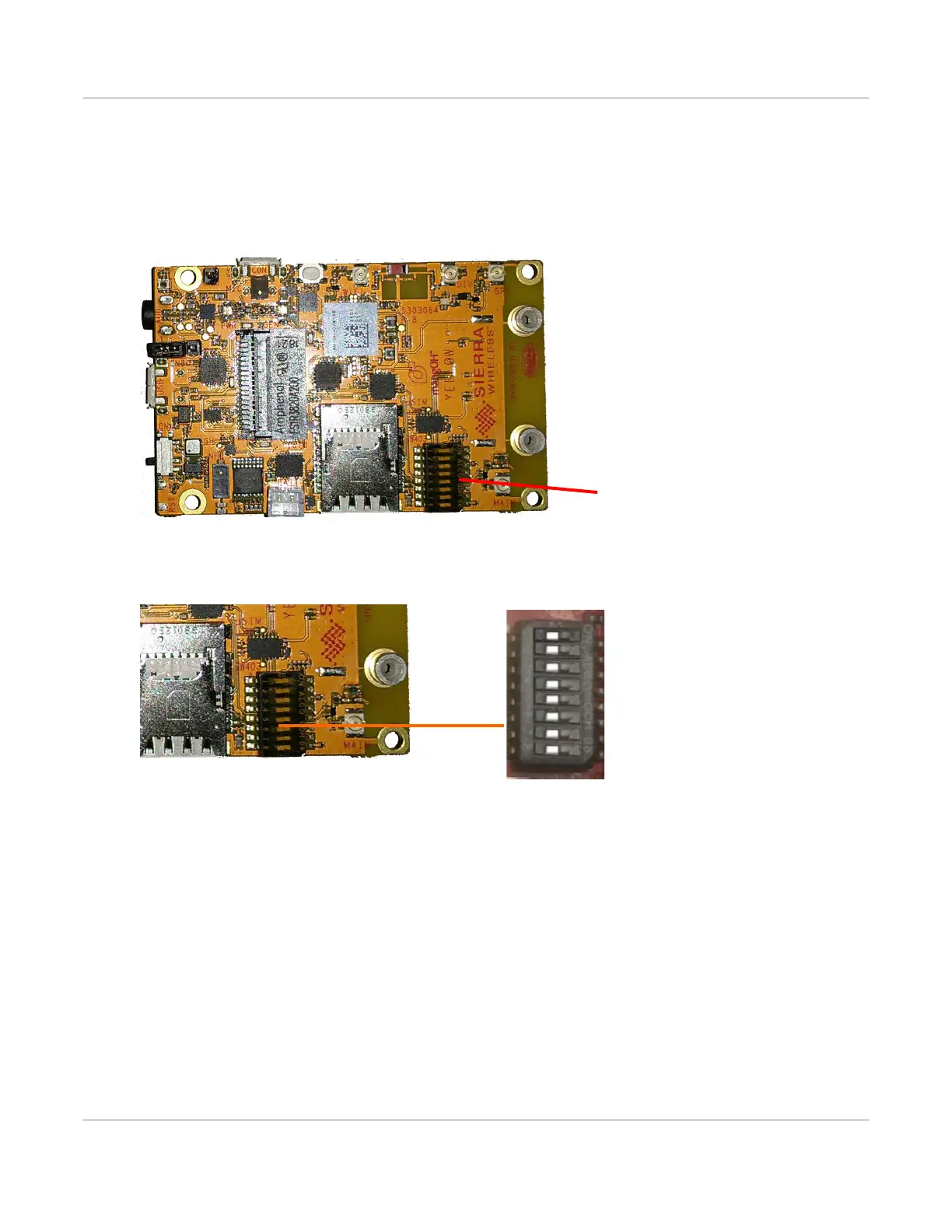
1. Verify the SW403 dip switch block pins are set correctly:
a. Remove the protective film from the dip switch block:
Figure 2-2: Remove Protective Film
b. Make sure all the dip switches are OFF (factory default mode).
Figure 2-3: Dip Switch Positions (Factory Default)
2. If you will be establishing a mobile network connection using the external SIM slot instead of the WP7702
module’s eSIM, insert a micro-SIM. See Inserting a micro-SIM Card on page 16.
3. Connect External Antenna(s). See page 15.
4. Select Power Supply. See page 13.


 To Next Page