2.3: Initial Setup
Rev 2 10/21/19 9 41113427
5. Power up the mangOH Yellow:
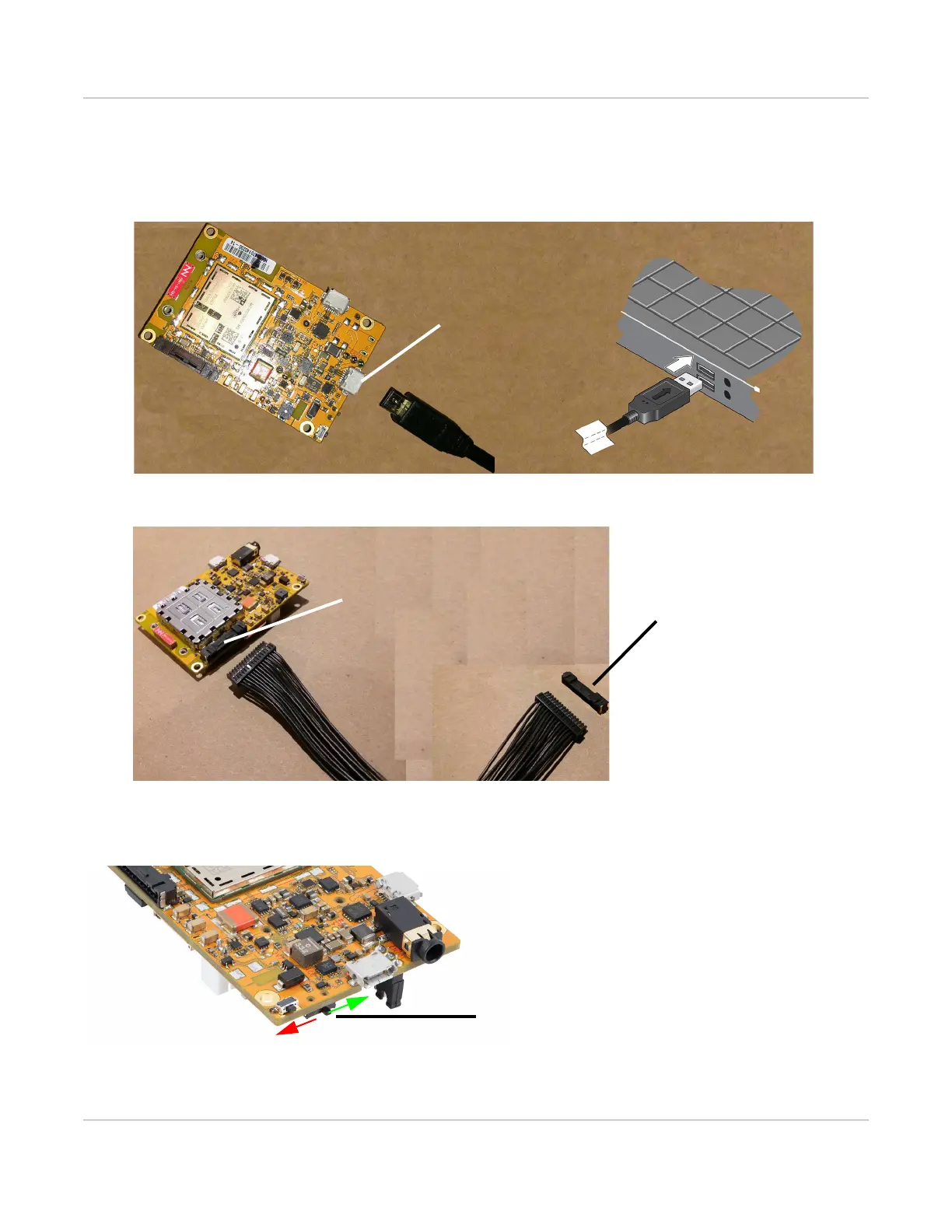
a. Connect the selected power supply—Use a micro-USB cable to connect the mangOH Yellow USB
connector to your computer or AC adapter, or use a 15-pin cable to connect the expansion connector to an
external device that will provide power.
Figure 2-4: Connecting USB Power to the mangOH Yellow
Figure 2-5: Connecting External Device via Expansion Connector to the mangOH Yellow
6. Slide the power switch toward the center to power up the board.
Figure 2-6: Power Switch Operation
Expansion connector
Expansion connector
mounted on external device


 To Next Page