mangOH Yellow User Guide
Rev 2 10/21/19 18 41113427
To install an IoT Expansion Card:
1. Turn off the mangOH Yellow’s power—slide the power switch toward the edge of the board.
Note: You must turn off the power because IoT Expansion Cards are not hot-swappable—the card will be recognized
when power is turned back on.
2. Check the expansion card to make sure you know which side is the top. (Expansion cards must not be
inserted upside-down.)
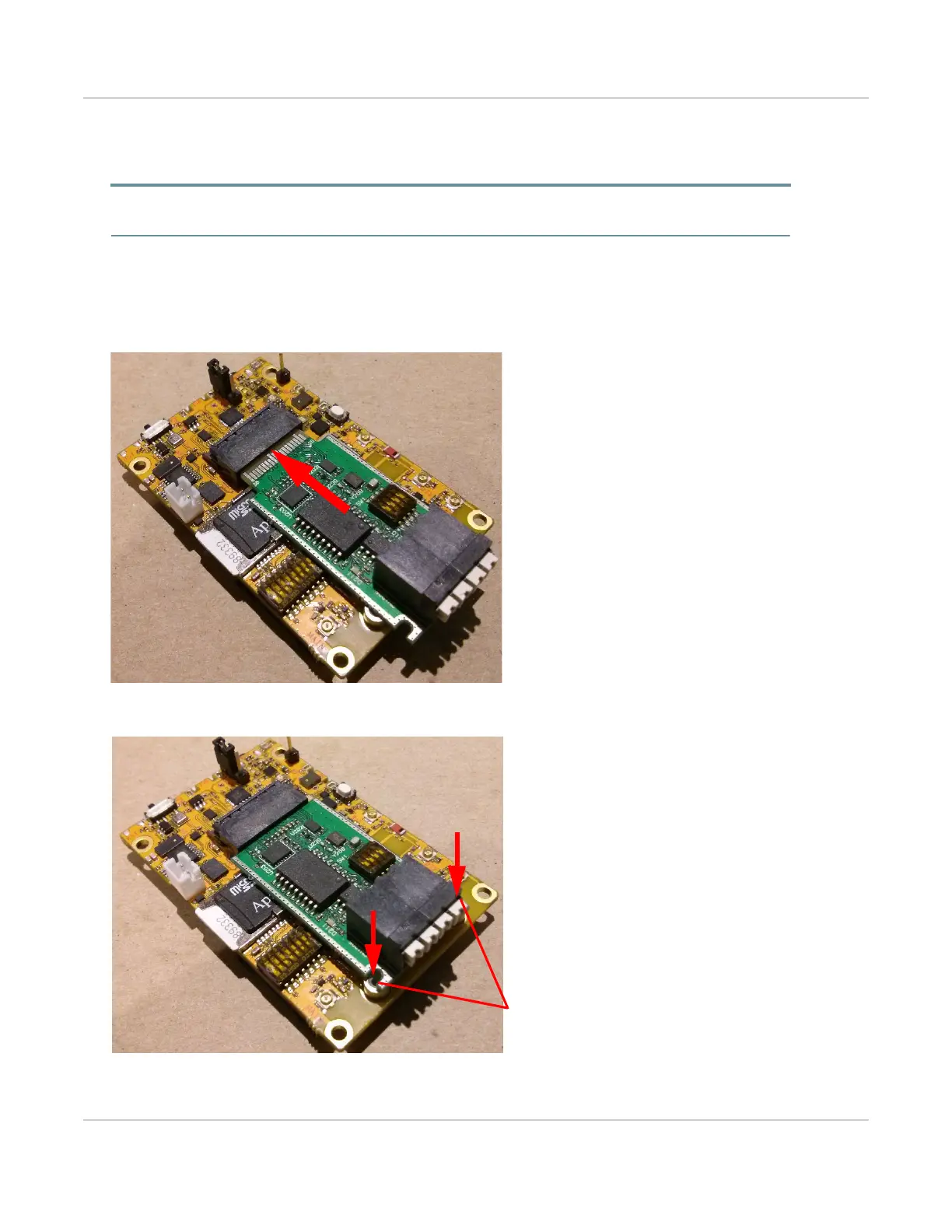
3. Slide the expansion card straight into the IoT Connector (CN601).
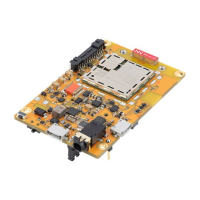
4. Use two M2 screws (included) to secure the expansion card to the standoffs.
Figure 3-11: IoT Expansion Card Insertion
Figure 3-12: IoT Expansion Card Inserted


 To Next Page