11N Mini Wireless AP
9
Chapter 3 TCP/IP Configuration
3.1 Set the Network Configurations
Under AP mode, you can proceed configuration by using the mode of wireless access or
wired access.
Under Router mode, you can access device to process configuration by using the mode of
wireless access.
After connecting device, operate according to below steps:
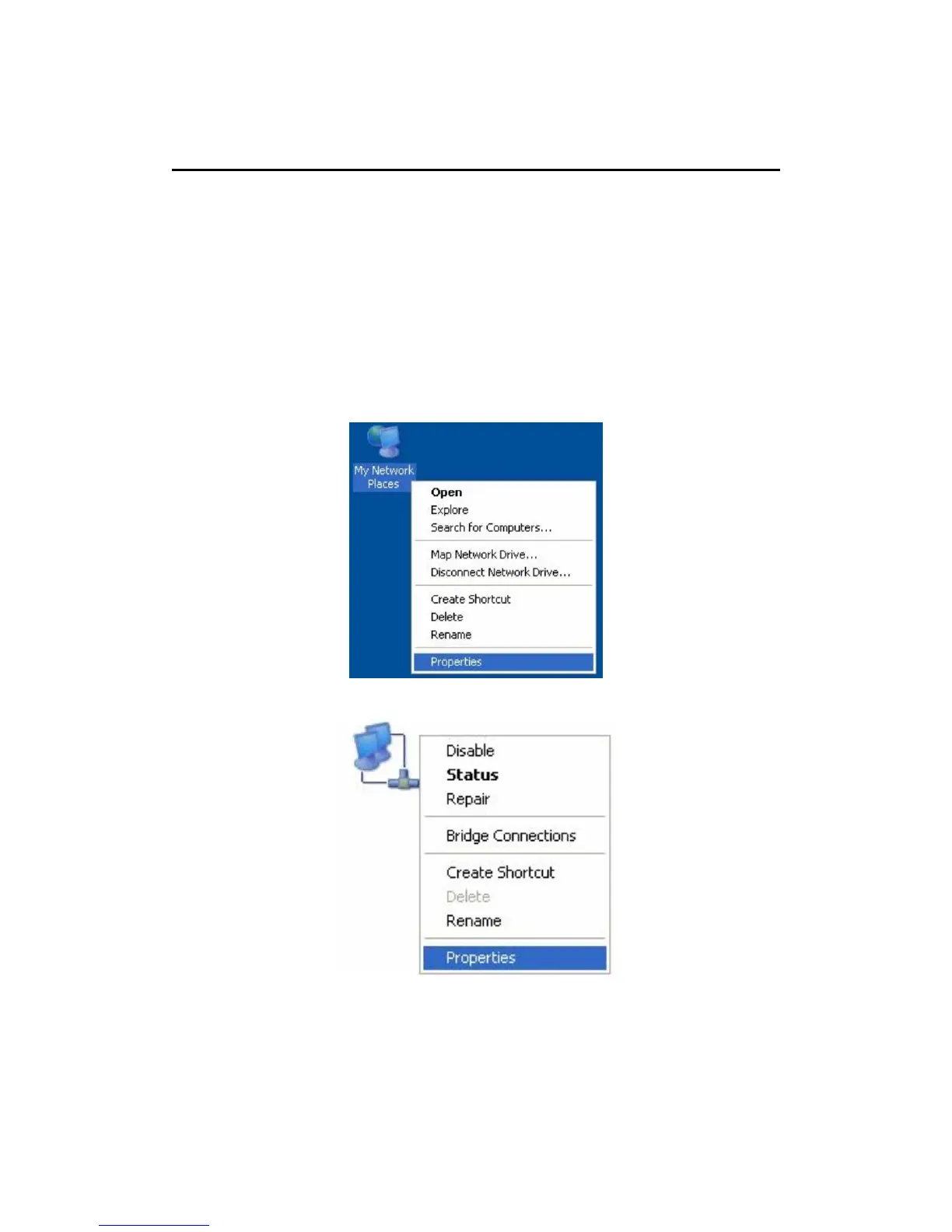
1. On your computer desktop right click "My Network Places" and select "Properties".
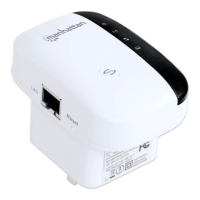
2. Right click "local Area Network Connection" and select "Properties".
3. Select "Internet Protocol (TCP/IP)" and click "Properties".


 To Next Page