11N Mini Wireless AP
17
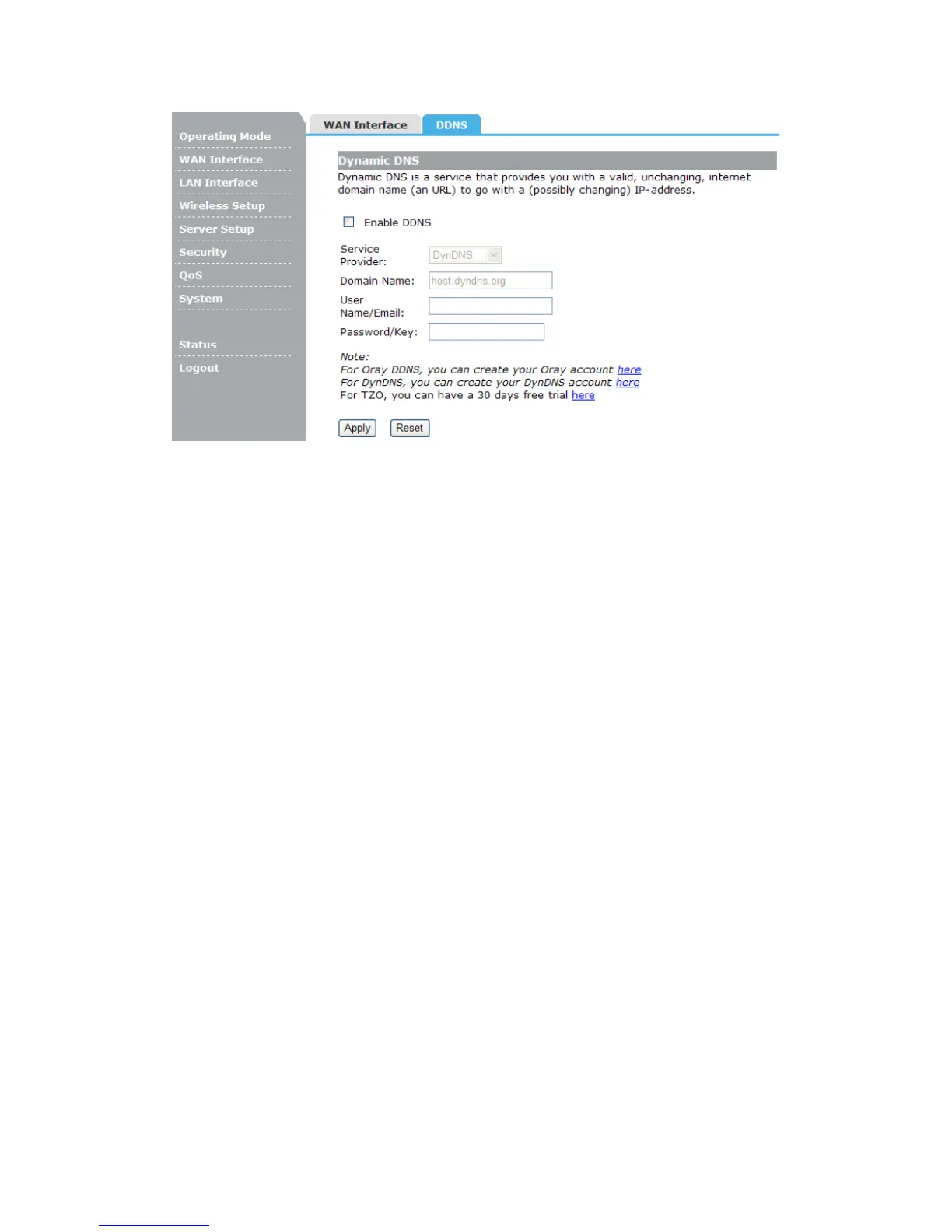
Service Provider: Select one from the drop-down menu, such as DynDNS, OrayDDNS or
TZO.
Domain Name: Enter the domain name (Such as host.dyndns.org).
User Name/Email: Enter the user name or email the same as the registration name.
Password/Key: Enter the password you set.
4.3 LAN Interface
There are three submenus under the LAN Interface menu: LAN Interface, Static DHCP,
DHCP Client. Click any of them, and you will be able to configure the corresponding
function.
4.3.1 LAN Interface
This page is used to configure the parameters for local area network which connects to
the LAN port of your Access Point. Here you may change the setting for IP address,
subnet mask, DHCP, etc..


 To Next Page