11N Mini Wireless AP
26
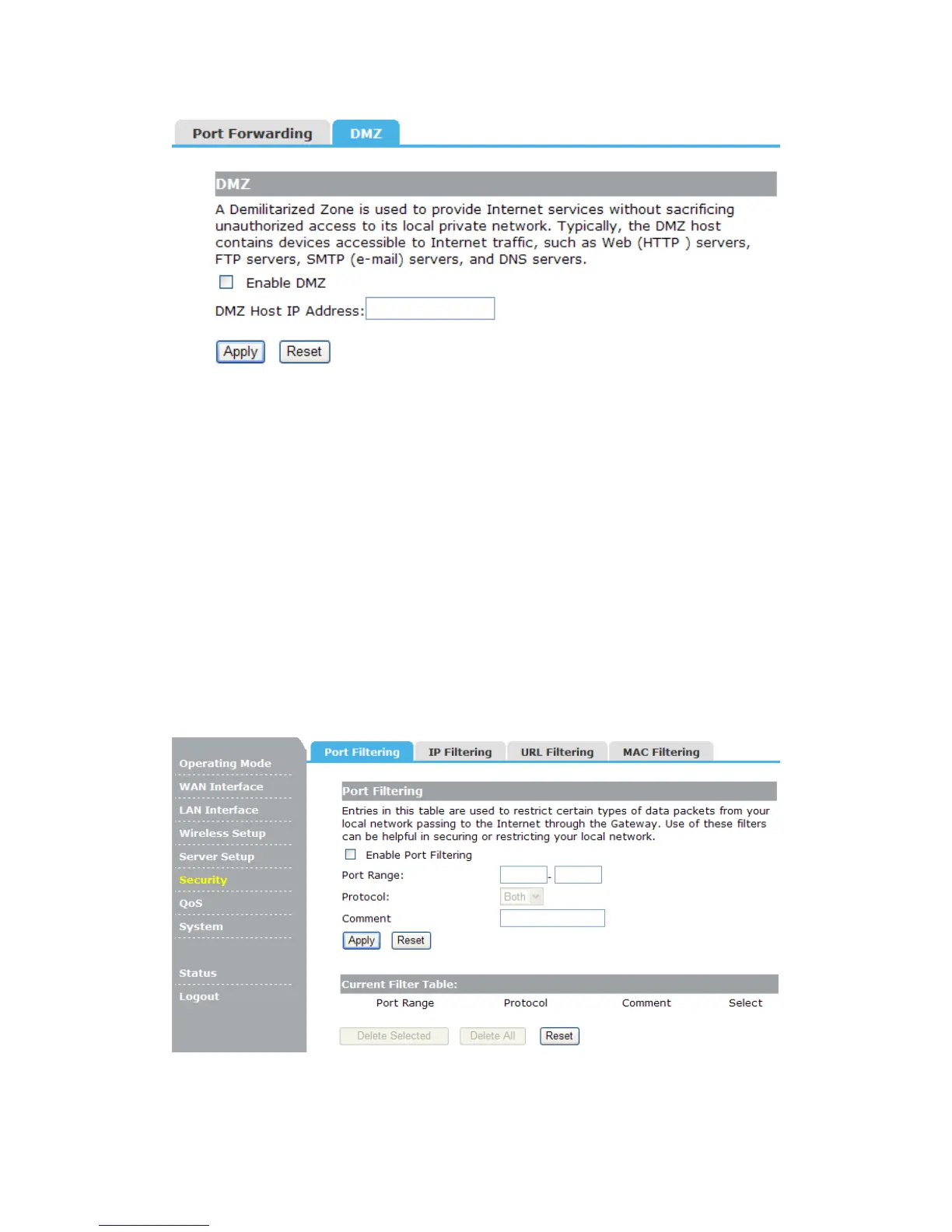
Enable DMZ: Check this box will enable DMZ function.
DMZ Host IP Address: To expose one PC to the Internet, select Enable DMZ and enter
the computer's IP address in the DMZ Host IP Address field.
4.6 Security
There are four submenus under the Security menu: Port Filtering, IP Filtering, URL
Filtering, MAC Filtering. Click any of them, and you will be able to configure the
corresponding function.
4.6.1 Port Filtering
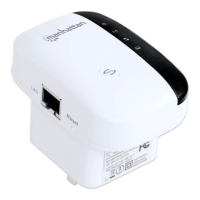
Entries in this table are used to restrict certain types of data packets from your local
network passing to the Internet through the Gateway. Use of these filters can be helpful in
securing or restricting your local network.
Enable Port Filtering: Check this box will enable Port Filtering function.
Port Range: The port range that you want to filter.
Protocol: The protocol that you want to filter, either TCP, UDP, or Both.


 To Next Page