11N Mini Wireless AP
19
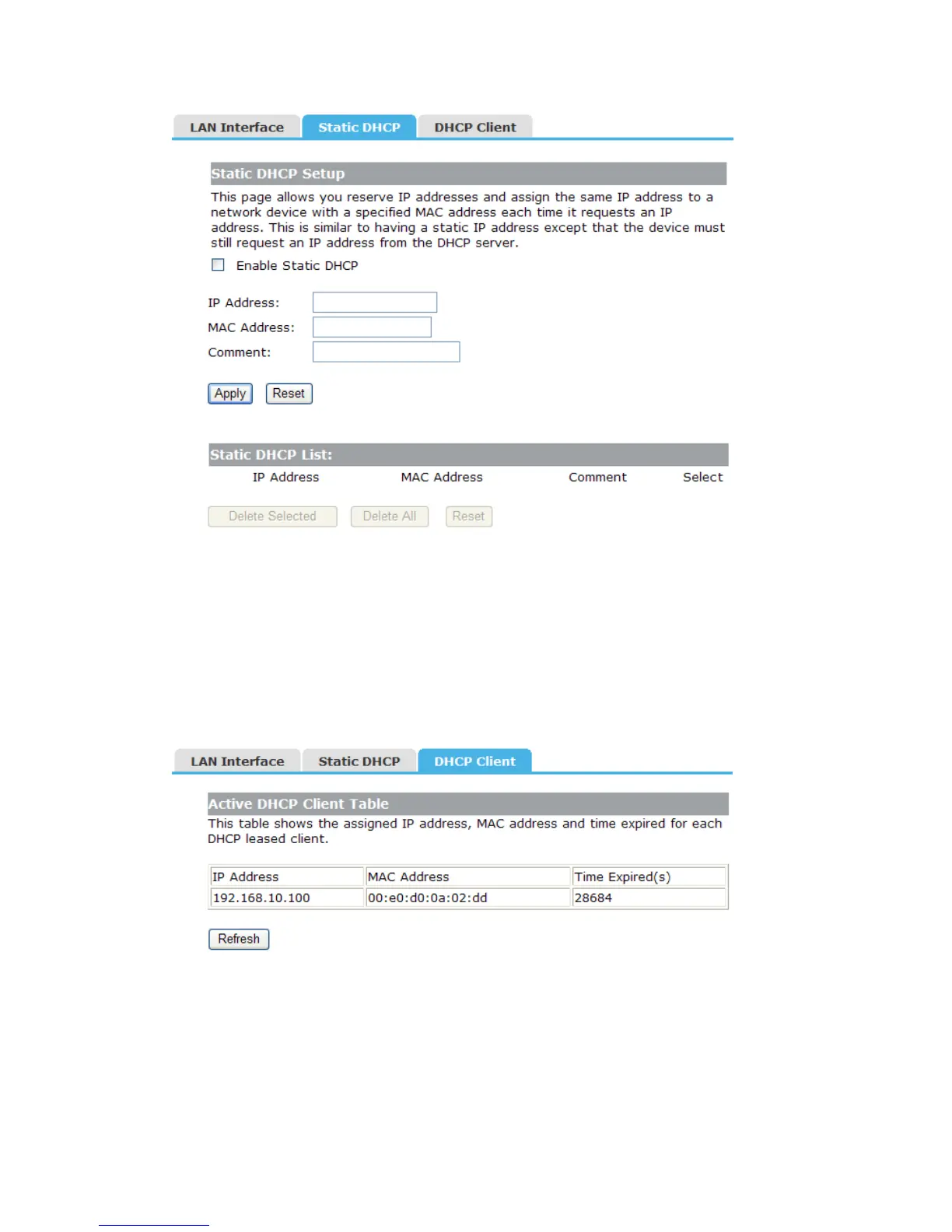
IP Address: Enter the IP address which needs to be bound.
MAC Address: Enter the MAC address of the computer you want to assign the above IP
address.
Comment: You can add some comment for this item.
Click “Apply” to add the entry in the list.
4.3.3 DHCP Client
This table shows the assigned IP address, MAC address and time expired for each DHCP
leased client.
4.4 Wireless Setup
There are seven submenus under the Wireless Setup menu: Site Survey, Basic,
Security, Access Control, WDS, WPS, Schedule. Click any of them, and you will be
able to configure the corresponding function.


 To Next Page