11N Mini Wireless AP
24
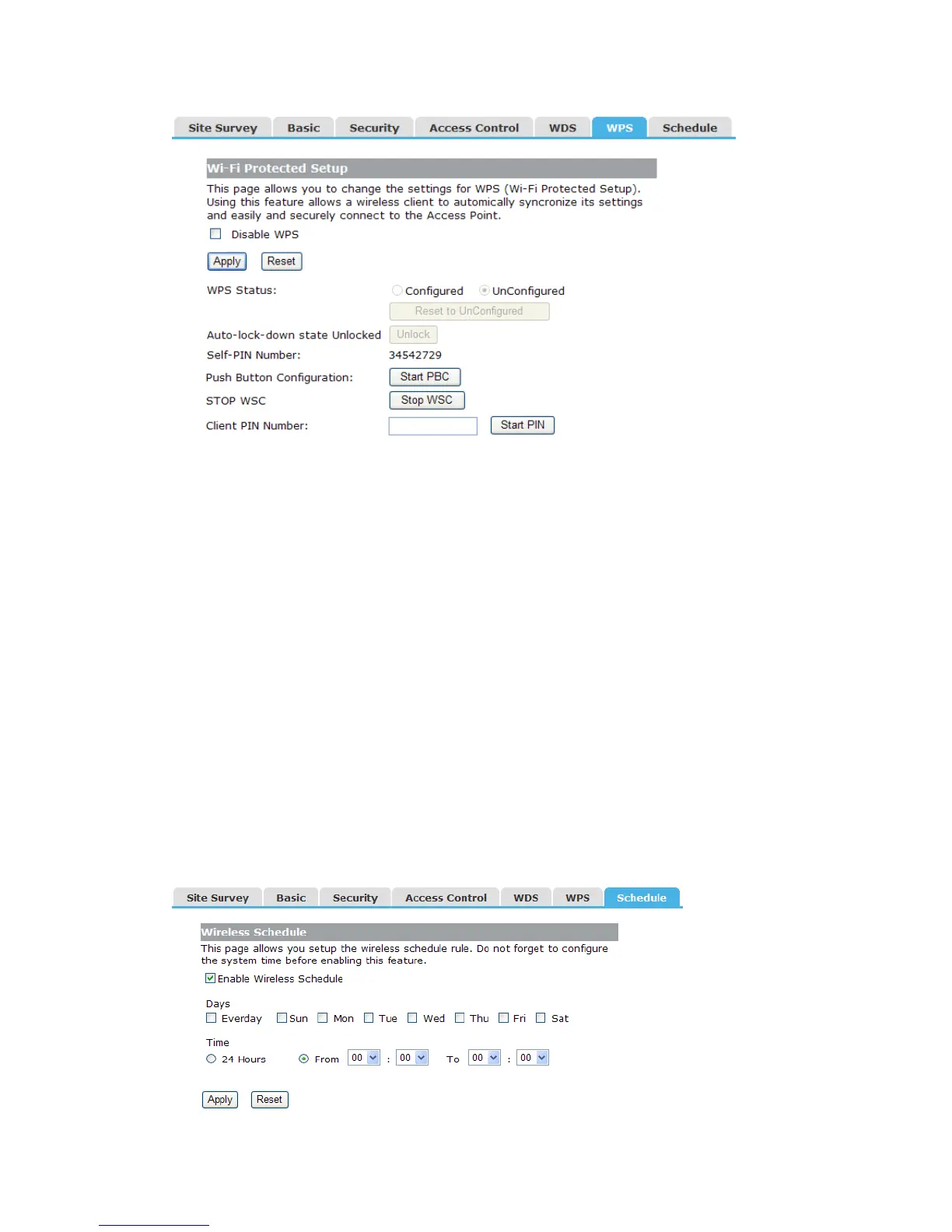
Disable WPS: Check this box and clicking “Apply” will disable WPS function. WPS is
turned on by default.
WPS Status: When AP’s settings are factory default, it is set to open security and
un-configured state, some registers such as Vista WCN can configure AP. Otherwise If it
already shows “Configured”, it means that the AP has setup its security.
Self-PIN Number: It is AP’s PIN.
Start PBC: Clicking this button will invoke the Pus Button Configuration of WPS. If one
station wants to connect to the AP, it must click its PBC button in two minute.
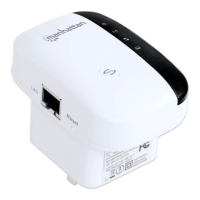
Note: This AP also has a hardware button, it is same button with reset. When click this
button less than two seconds, the AP will run PBC function, during this time, the station
can connect to the AP by its software or hardware WPS button. By the way, click this
button exceed 5 seconds, the AP will restore factory default.
Client PIN Number: The length of PIN is limited to four or eight numeric digits. If the AP
and Station input the same PIN and click “Start PIN” button in two minutes, they will
establish connection and setup their security key.
4.4.7 Schedule
This page allows you setup the wireless schedule rule. Please do not forget to configure
system time before enable this feature.


 To Next Page