11N Mini Wireless AP
5
Chapter 2 Hardware Installation
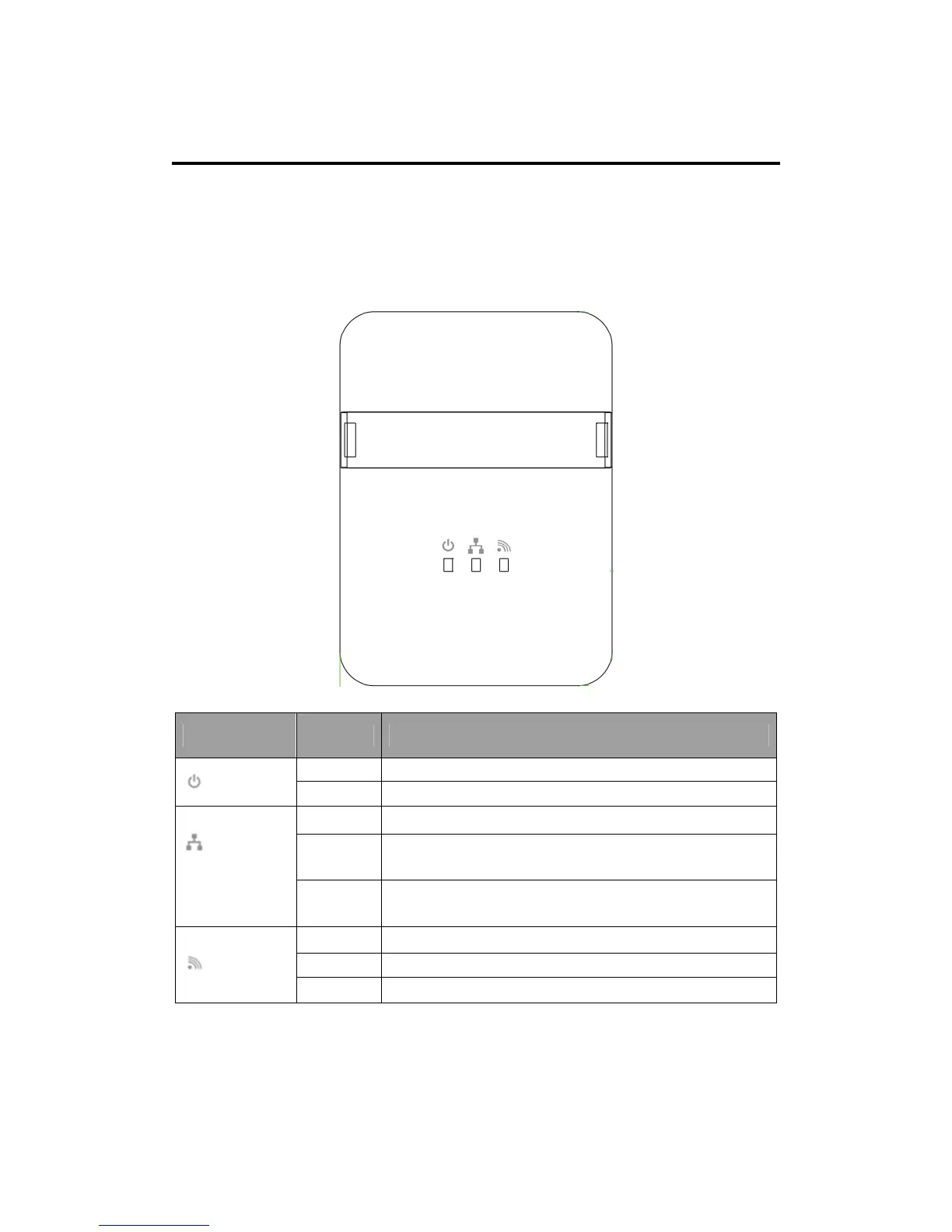
2.1 Front Panel
The front panel provides LED’s for device status. Refer to the following table for the
meaning of each feature.
2.2 Physical Interface
There are three physical interfaces on this AP.
Name Status Indication
Off Power is off.
POWER
On Power is on.
Off There is no device linked to the corresponding port.
On
There is a device linked to the corresponding port but
there is no activity.
ETH
(LAN/WAN)
Flashing
There is an activity device linked to the corresponding
port.
Off The Wireless function is disabled.
On The Wireless function is enabled.
WLAN
Flashing Data is received or sent through the Wireless.


 To Next Page