11N Mini Wireless AP
12
Chapter 4 Configuring the AP
This chapter will show each Web page’s key functions and the configuration way.
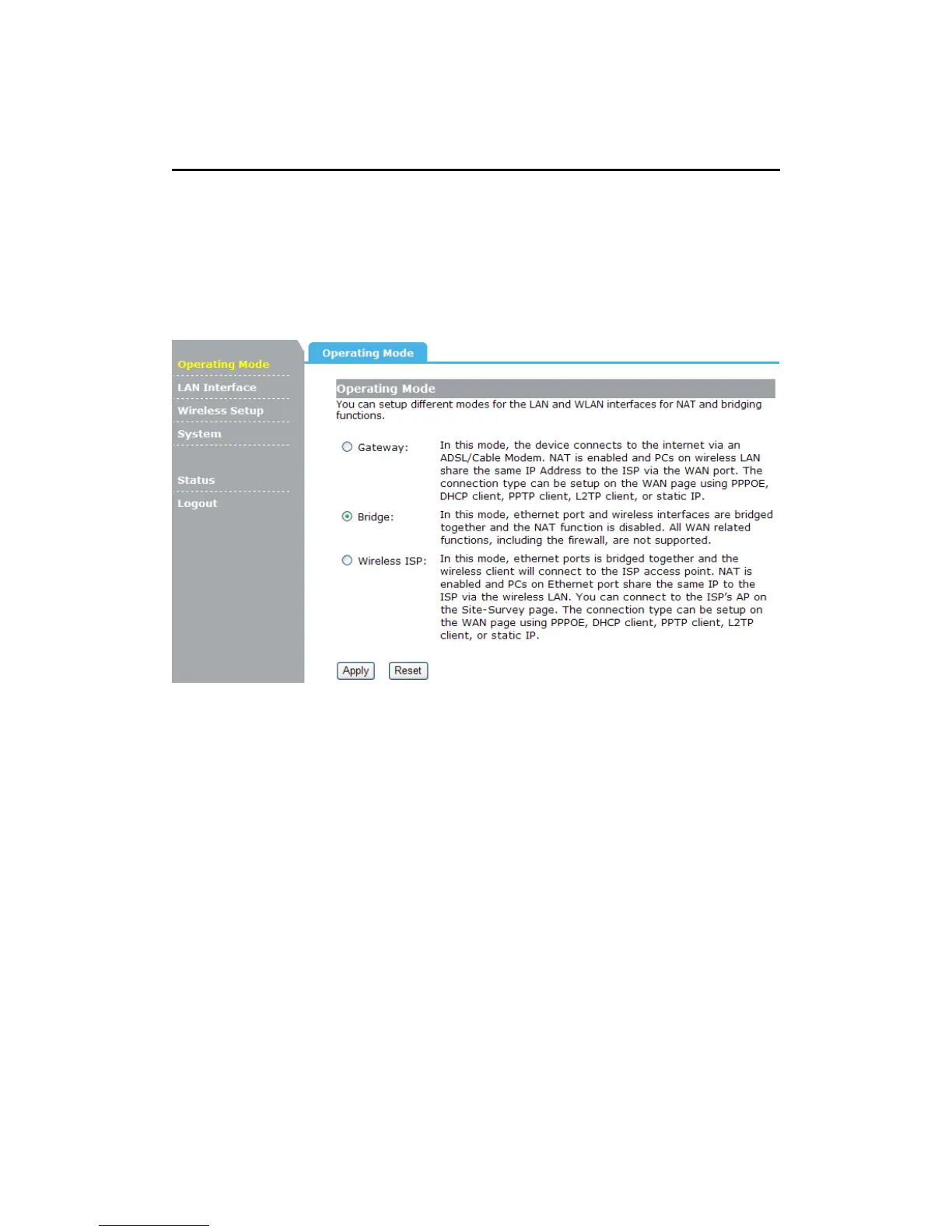
4.1 Operating Mode
The Wireless AP supports three operation modes, Gateway, Bridge and Wireless ISP.
And each mode is suitable for different use, please choose correct mode.
4.2 WAN Interface
There are two submenus under the WAN Interface menu: WAN Interface, DDNS. Click
any of them, and you will be able to configure the corresponding function.
4.2.1 WAN Interface
This page is used to configure the parameters for Internet network which connects to the
WAN port of your Access Point. Here you may change the access method to Static IP,
DHCP Client, PPPoE, PPTP or L2TP by click the item value of WAN Access type.


 To Next Page