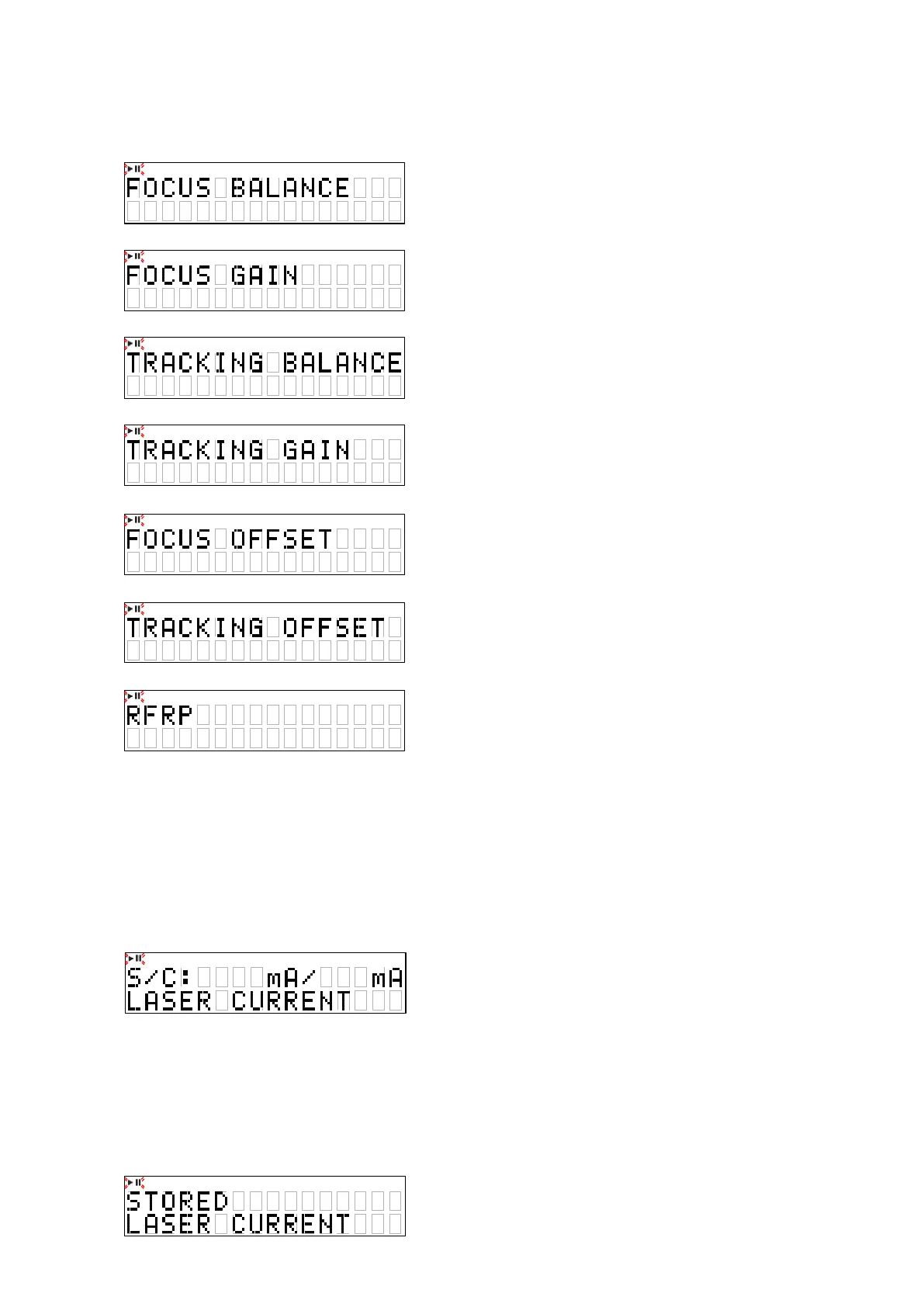
4.6. Adjustment value display
• When the
"
2
"
button is pressed, the adjustment values are displayed. (After All Servo on)
• Press the
"
7
/
9
"
button is pressed, the adjustment value are displayed int the following order.
(1) FOCUS BALANCE
(2) FOCUS GAIN
(3) TRACKING BALANCE
(4) TRACKING GAIN
(5) FOCUS OFFSET
(6) TRACKING OFFSET
(7) RFRP
z
XXXX : Adjustment value
4.7. Laser current is display
• When
"
2
"
button is pressed for over 1 second while the unit is in the stop mode, the laser turns on and the laser
current is measured.
• The rst current value is measured 3 seconds after the laser turns on.
• The current value is updated every 3 seconds.
• Press the
"
2
"
button, return to CD test mode.
• Saved data is not deleted when the set is initialized (cold start).
• The initial value of the factory, is "
50mA
" or less.
z
XX : Stored data (EEPROM)
z
YY : Current value
Overwriting the stored data
• When
"
1
"
button is pressed for over 5 seconds while the laser current is displayed, the current value is stored in the
EEPROM. (overwriting the stored data)
• Once rewriting is completed, the display in
"
Laser current is display
"
reappears.
• Initialization of a count value is performed upon shipment from the factory and when the mechanism is replaced.
X X X X
X X X X
X X X X
X X X X
X X X X
X X X X
X X X X
XX YY
f
21





 To Next Page