6
ENGLISH
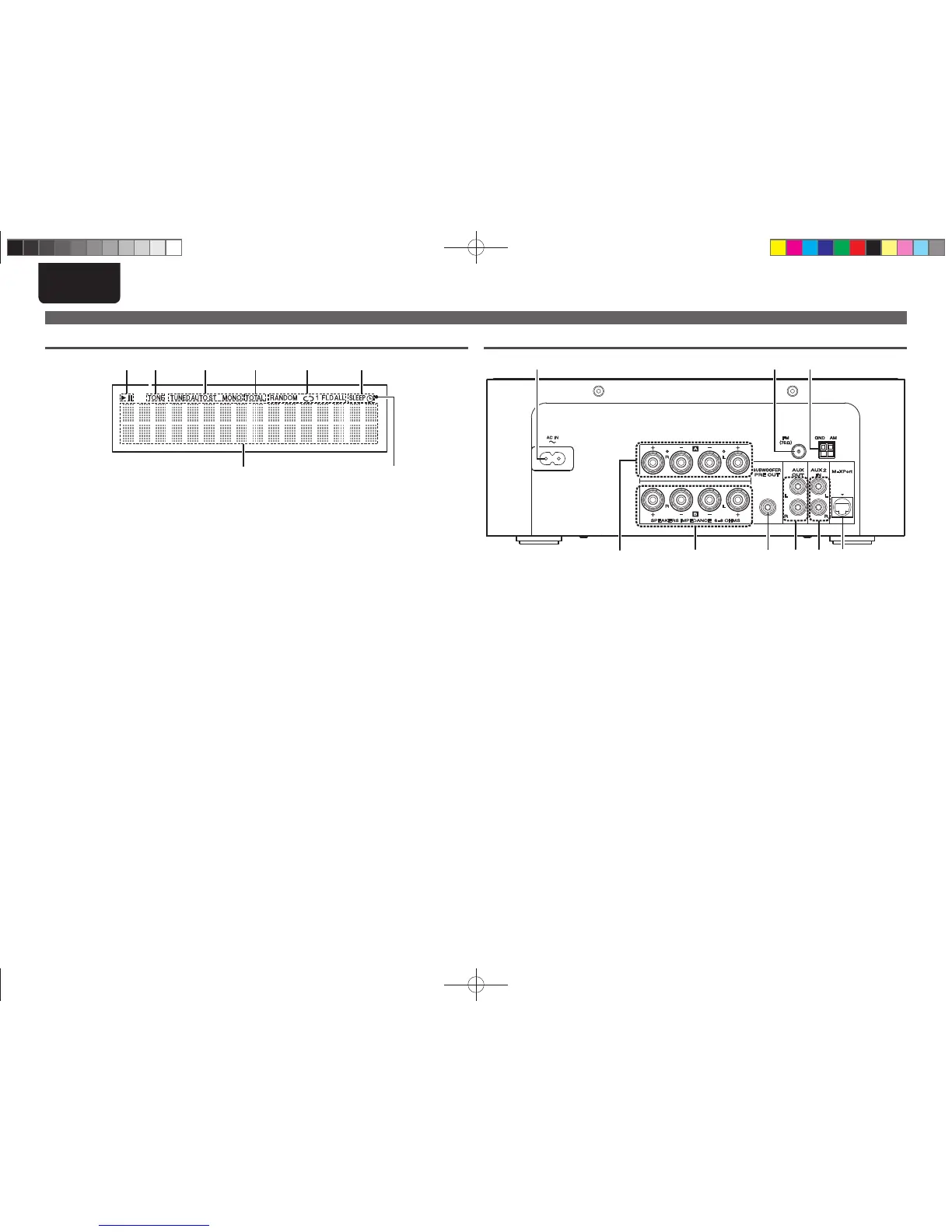
q Speaker A output terminals ························ (9)
Connect to the speakers.
w Speaker B output terminals ······················ (28)
Connect to the speakers.
e SUBWOOFER PRE OUT terminal ················ (9)
Connect to the input terminal of a powered
subwoofer.
r AUX OUT terminals ··································· (10)
Connect to an external pre-main amplifi er.
t AUX2 IN terminals ·····································(10)
Connect to an IS301 wireless dock for iPod from
Marantz or CD player.
q Information display
Various information is displayed here.
w Remote control signal reception indicator
e Timer operation indicator
r Play mode indicator ·······················(15, 23, 25)
t TOTAL indicator
Lights when the total number of tracks and total
time of the CD are displayed.
y Tuner reception mode indicators ············· (16)
u Tone indicators ··········································· (13)
Lights when the tone (bass/treble) is being
adjusted.
i Playback mode indicators
1 : During Playback
3 : During pause
Part names and functions
Display
q
u
i y rt e
w
Rear panel
o i u
ytrewq
y M-XPort ······················································· (19)
Connect to RX101 wireless receiver.
u AM antenna terminal ································· (10)
Connect to the supplied AM antenna.
i FM antenna terminal ·································· (10)
Connect the supplied FM antenna. Connect to
an external antenna if reception is poor.
o AC inlet (AC IN) ··········································· (11)
Connect the supplied AC power cord.
1.M-CR503NENG4th0610.indd61.M-CR503NENG4th0610.indd6 2010/06/1118:24:162010/06/1118:24:16















 To Next Page