24
ENGLISH
Portable audio player playback
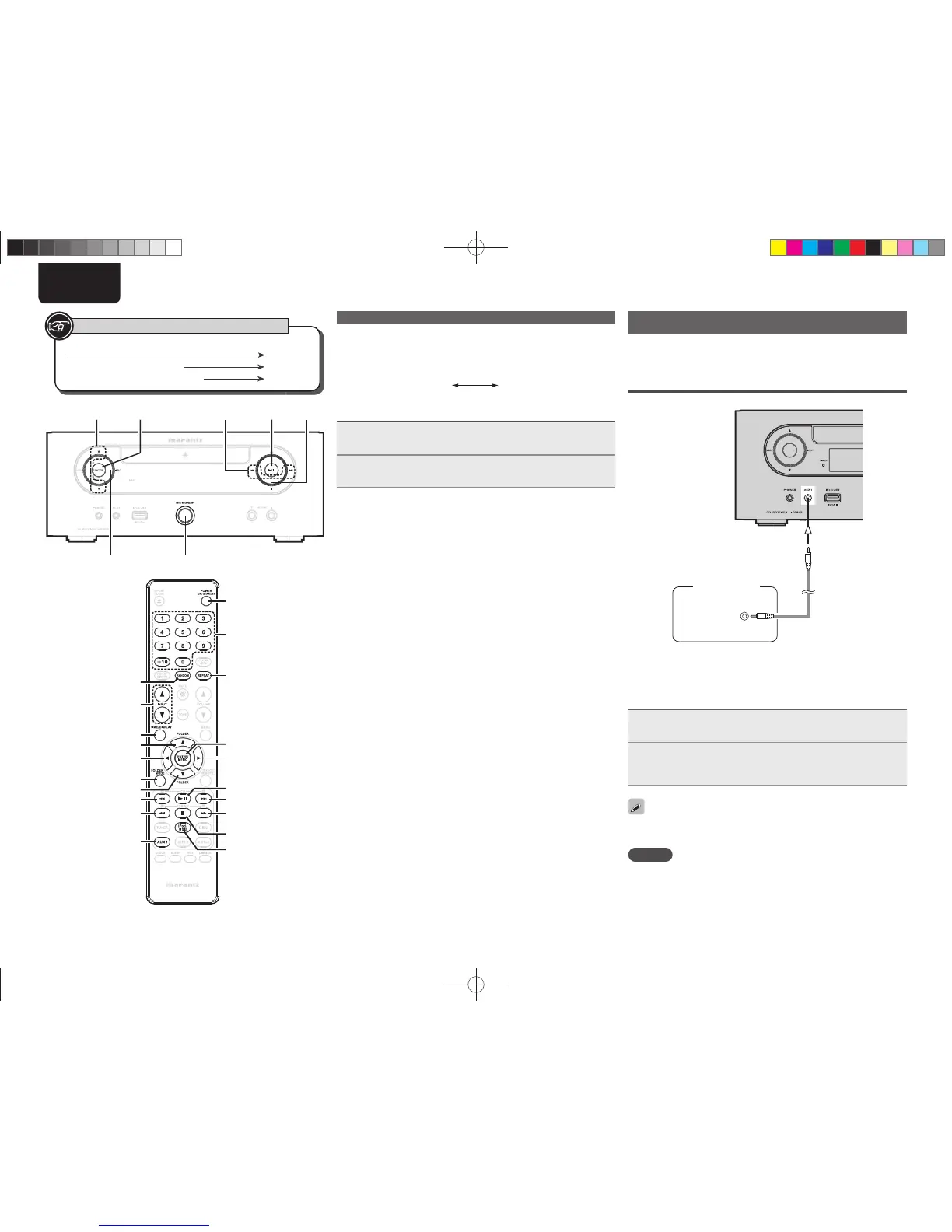
Your portable audio player can be connected to this unit’s portable jack
to play tracks on the portable audio player.
Connecting a portable player
HEADPHONE
Portable
Audio
Connect this unit and portable audio player using a separately sold
mini-stereo audio cable.
Portable audio player playback
1
Press [AUX1] to select “AUX 1”.
2
Play the portable audio player.
The player’s audio is output.
• Also read the portable audio player’s operating instructions.
The input source can also be switched to “AUX1” using [INPUT df]
or <INPUT>.
NOTE
When using the portable player’s headphone jack, set the volume on
the portable player to an appropriate level.
n To switch the display
During playback, press [TIME/DISPLAY].
The display switches each time the button is pressed.
Title name /
Artist name
Title name /
Album name
Disconnecting the iPod
1
Press ON/STANDBY to set the standby mode.
2
Disconnect the iPod cable from the USB port.
u
/
i
<ENTER> 1/ 3
[ENTER/MEMO]
[iPod/USB]
9
13
i
u
[AUX1]
[FOLDER MODE]
8
ON/STANDBY
[TIME/DISPLAY]
[INPUT df]
[6]
[RANDOM]
[7]
2
[REPEAT]
NUMBER
[p]
[o]
Button located on both the main unit and the remote control
BUTTON
Button only on the main unit
<BUTTON>
Button only on the remote control
[BUTTON]
Symbols used to indicate buttons in this guide
iPod
®
fi les playback
1.M-CR503NENG4th0610.indd241.M-CR503NENG4th0610.indd24 2010/06/1118:24:202010/06/1118:24:20















 To Next Page