7
Getting StartedGetting Started Basic Connections
Advanced ConnectionsBasic Operations Advanced Operations TroubleshootingExplanation terms Specifi cations Index
ENGLISH
w
e
t
y
r
u
i
q
q
w
y
r
Q1
Q1
Q4
o
Q5
Q6
Q2
Q3
o
Q0
i
u
t
e
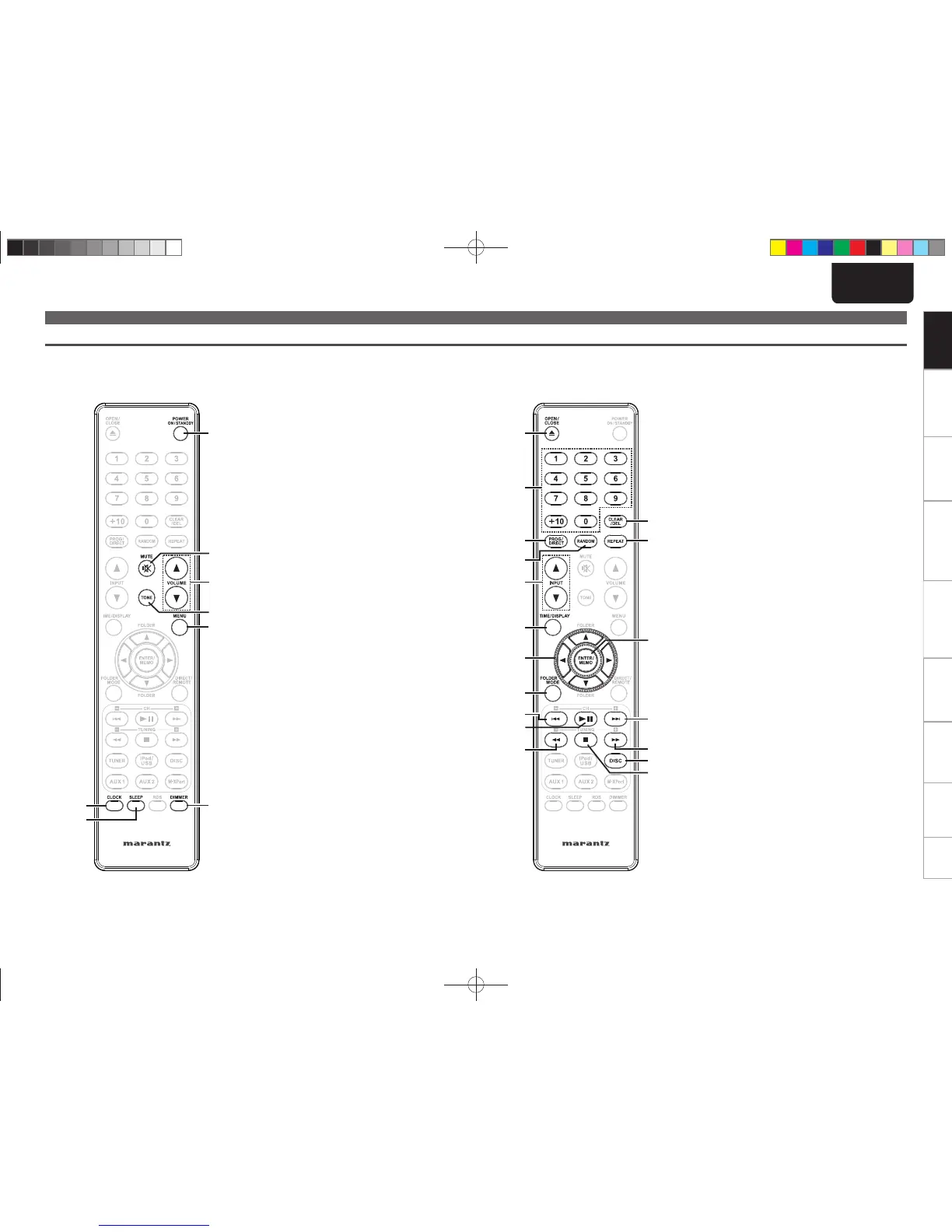
n Buttons that work with all input sources (CD, TUNER, iPod and USB) n Buttons that work with CDs
The buttons listed at “Buttons that work with all input sources” can also be used.
q CLOCK button ············································· (13)
w SLEEP button ·············································· (27)
e POWER ON/STANDBY button ······ (12, 13, 21)
r MUTE button ·············································· (14)
t Master volume control buttons
(VOLUME) ··················································· (13)
y TONE button ··············································· (13)
u MENU button ·································· (13, 16, 26)
i DIMMER button ·········································· (14)
q OPEN/CLOSE button (5) ··························· (12)
w Number buttons ········································· (14)
e PROG/DIRECT button ································ (15)
r RANDOM button ········································ (15)
t INPUT buttons (df) ··································· (13)
y TIME/DISPLAY button ······························· (15)
u Cursor buttons (uio p) ·························· (22)
i FOLDER MODE button ······························· (22)
o Reverse-skip/Forward-skip buttons
(8, 9) ·················································· (14)
Q0 Play/Pause button (1/3) ····················· (12, 14)
Q1 Fast-reverse/Fast-forward buttons
(6, 7) ··················································· (14)
Q2 CLEAR/DEL button ····································· (15)
Q3 REPEAT button ··········································· (15)
Q4 ENTER/Memory button
(ENTER/MEMO) ·········································· (22)
Q5 DISC button ················································ (30)
Q6 Stop button (2) ·········································· (14)
Part names and functions
Remote control
This section explains the buttons used to playback each input source.
1.M-CR503NENG4th0610.indd71.M-CR503NENG4th0610.indd7 2010/06/1118:24:162010/06/1118:24:16















 To Next Page