CAUTION IN SERVICING
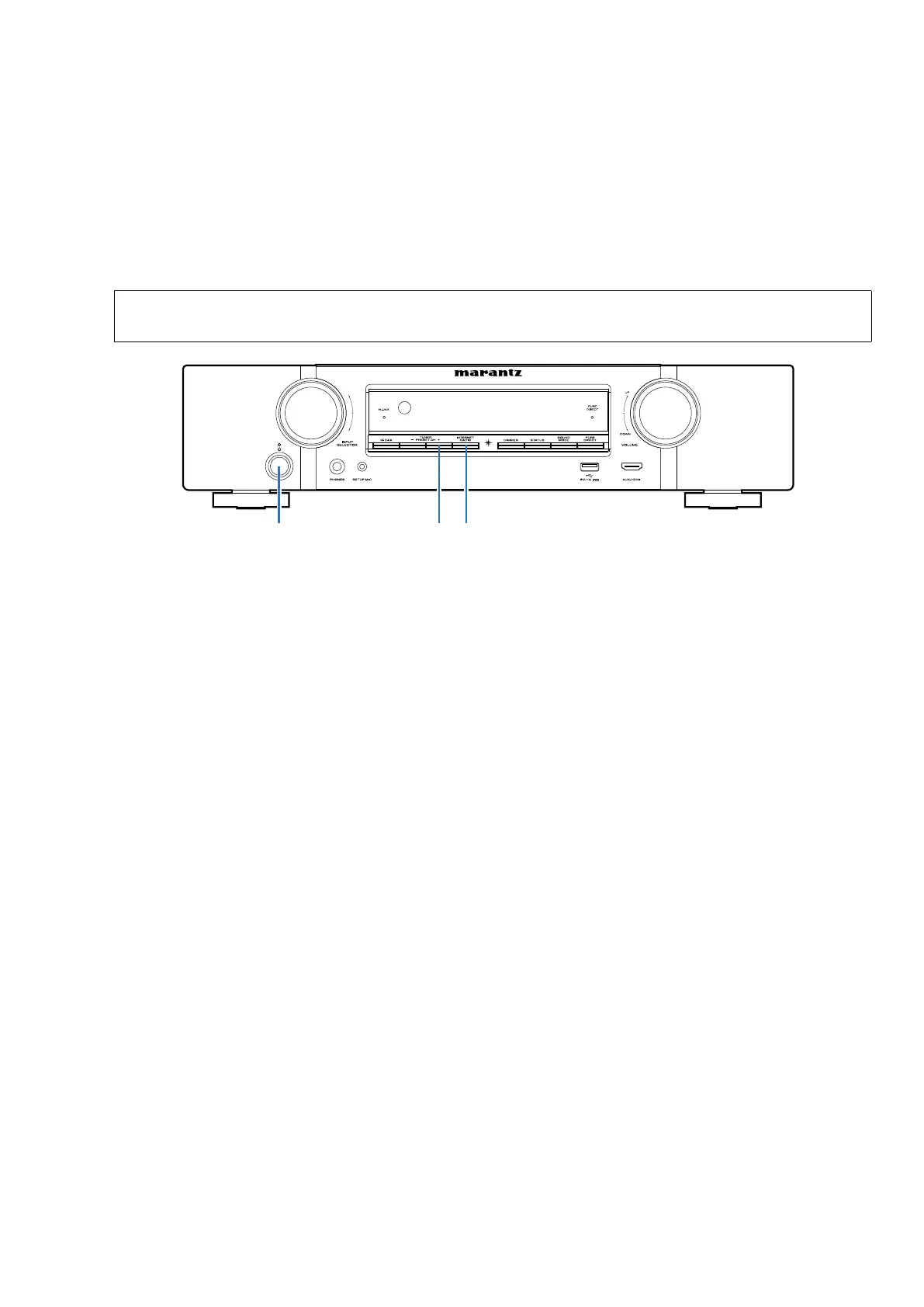
Initializing This Unit
Make sure to initialize this unit after replacing the microcomputer or any peripheral equipment, or the digital PCB.
1. Press the power button to turn off the power.
2. While holding down buttons "
TUNER PRESET CH +
" and "INTERNET RADIO" simultaneously, press the power but-
ton to turn on the power.
3. Release the buttons after conrming that the display ashes at 1-second intervals.
* The unit is initialized.
NOTE:
• If the unit fails to enter the service mode in step 3, repeat the procedure from step 1.
• Initializing the device restores the customized settings to the factory settings. Write down your settings in advance and
recongure the settings after initialization.
JIG FOR SERVICING
Use the following jigs (extension cable kit) when repairing the PCBs.
Order with your dealer for the jigs your dealer if necessary.
8U-110084S : EXTENSION UNIT KIT : 1Set
8U-110136S : EXTENSION UNIT KIT : 1Set
(See page 46)
INTERNET RADIOPRESET CH +POWER
11















 To Next Page