FIRMWARE UPDATE PROCEDURE
1. Updating via USB
The latest rmware can be downloaded to a USB memory for updates.
1.1. Connecting to the USB Memory
(1) Preparation
• Use a memory that supports USB2.0.
• USB format : Prepare a USB memory formatted in FAT16 or FAT32.
• Do not run the USB memory through a hub.
• Do not connect a computer to the USB port of this unit using a USB cable.
• Do not use an extension cable when connecting the USB unit.
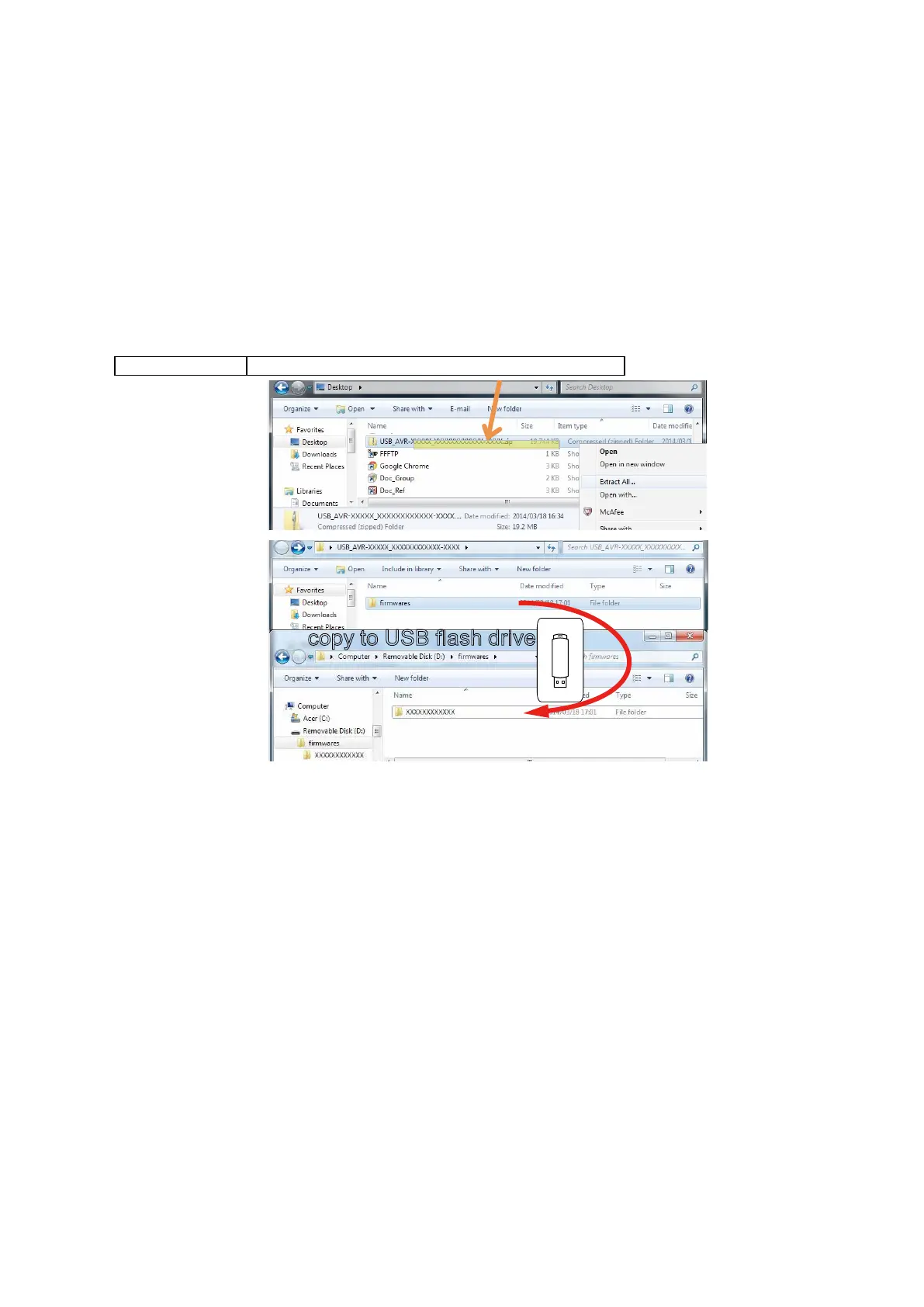
1.2. Unzipping the Downloaded File
Unzip the downloaded le on your computer.
NR-XXXXXXX USB_NR-XXXXXXX_XXXXXXXXXXXX-XXXX.zip
The "
rmwares
" folder is created upon unzipping the le.
Copy that folder to USB ash drive.
The "
rmwares
" folder must be in the root directly of the USB ash drive (memory).
copy to USB flash drive
49















 To Next Page