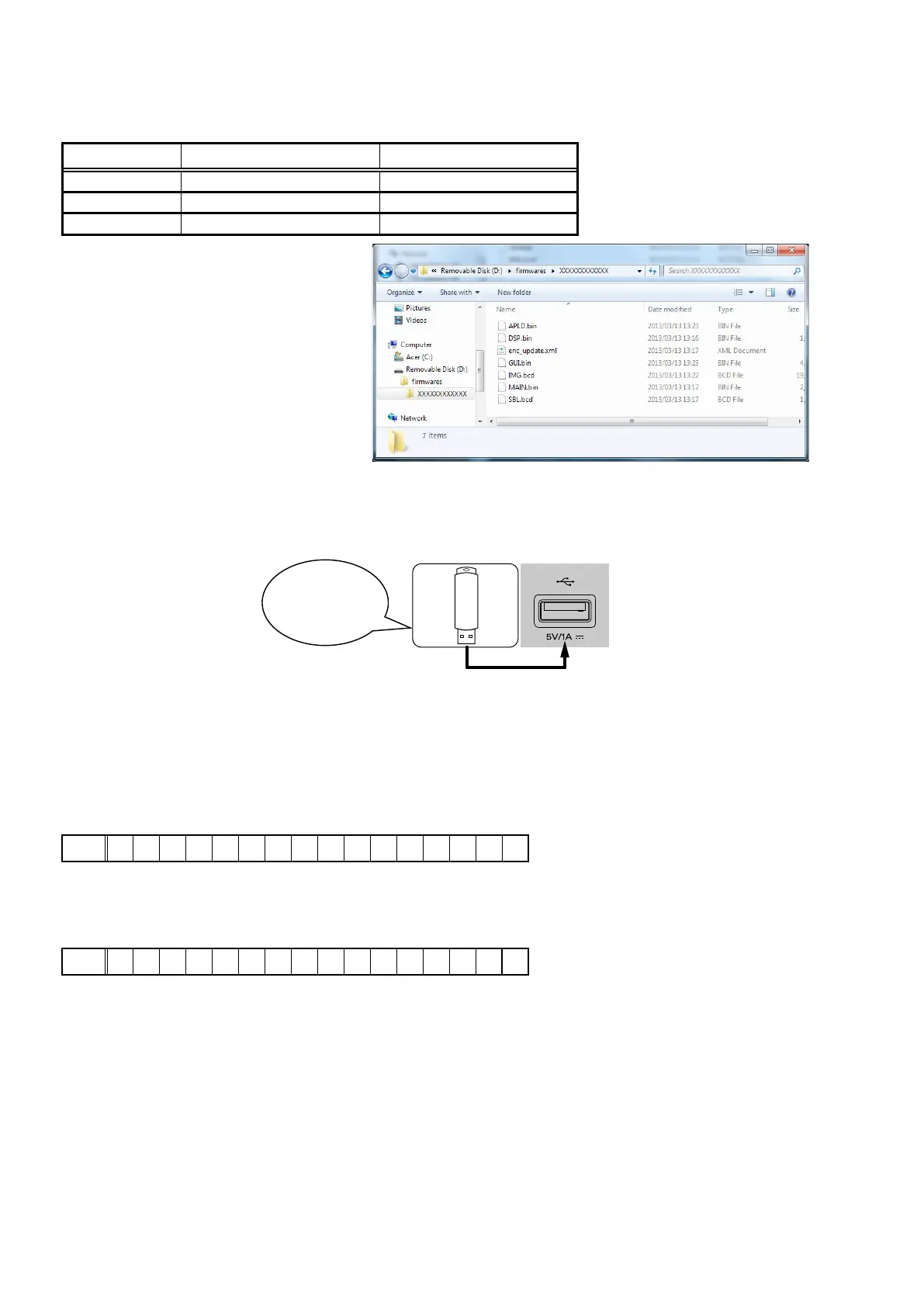
1.3. File structure on USB Memory
Copy the update les to the USB memory with the following structure.
USB memory root
Model Name Model Area Product ID
NR1506 U North America (U) 100100390100
NR1506 N Europe (N) 100100390200
NR1506 K China (K) 100100390500
+ rmwares
+ X00100XXXXXX
+ APLD.bin
+ DSP.bin
+ enc_update.xml
+ GUI.bin
+ IMG.bcd
+ MAIN.bin
+ SBL.bcd
1.4. Insert the USB memory into the USB port.
NOTE : Remove the LAN cable from this unit when performing updates.
1.5. Start the update.
While holding down buttons "
SOUND MODE
" and "
DIMMER
" simultaneously, press the power button to turn on the
power.
1.6. Display during USB update
After around half minutes, display shows the following message.
Display
FLD
U S B U p d a t e S t a r t
1.7. Press the "ENTER" key on the remote control unit or this unit.
Then start Firmware Update.
Display
FLD
U p d a t e F i l e C h e c k
Download firmware
in USB flash drive.
50















 To Next Page