NAMES AND
FUNCTIONS
25
BASIC
CONNECTIONS
BASIC
OPERATION
ADVANCED
CONNECTIONS
SETUP
ADVANCED
OPERATION
TROUBLESHOOTING
OTHERS
TROUBLESHOOTING
TROUBLESHOOTING
HDMI
Symptom Cause Solution
Page
No image on
monitor TV over an
HDMI connection.
The HDMI cable is improperly
connected.
Check the HDMI cable connection. 11
The unit is connected with a non-
spec HDMI cable.
Use of a cable no longer than 5
meters is recommended to ensure
stable operation, prevent picture
degradation, etc.
–
The connection between
components over an HDMI
connection has not been
authenticated.
Turn the power on again to all
the components on the HDMI
connection.
–
The HDMI settings are incorrect.
Make sure the unit‘s HDMI
settings are correct.
–
Set the unit for HDMI input, as
explained in the instruction manual
of the video component (TV,
projector, etc.).
–
Make settings to turn on HDMI
output, as explained in the instruction
manual of the source device (Blu-Ray
disc player, Set Top Box, etc.).
–
Match the resolution for both
components, as explained
in the instruction manual of
the component on the HDMI
connection.
–
The unit is connected to the video
component (TV, projector, etc.) by
DVI connector.
Connect an HDCP-compatible
video component.
–
The power to the unit is turned off.
(HDMI connections are not enabled
when the unit is in Standby mode.)
Turn on the main power to the unit. 12
It takes a long
time for the image
to be displayed
over an HDMI
connection.
The connection is being
authenticated between
components on the HDMI
connection.
There is nothing wrong with the
unit. Some HDMI components
require time for authentication.
–
There is no audio
playback over an
HDMI connection.
The system is only in HDMI Audio
Through mode and therefore
cannot play back audio without a
digital connection.
Connect to the source component
(Blu-Ray disc player, DVD player)
by digital connection (COAX).
11
Image and audio
are unstable
over an HDMI
connection. (There
is noise, the stream
is interrupted, etc.)
The connection is by a long cable.
Use a short cable. Use of a
cable no longer than 5 meters is
recommended.
11
Use a Category 2 (high-speed
supported) cable.
–
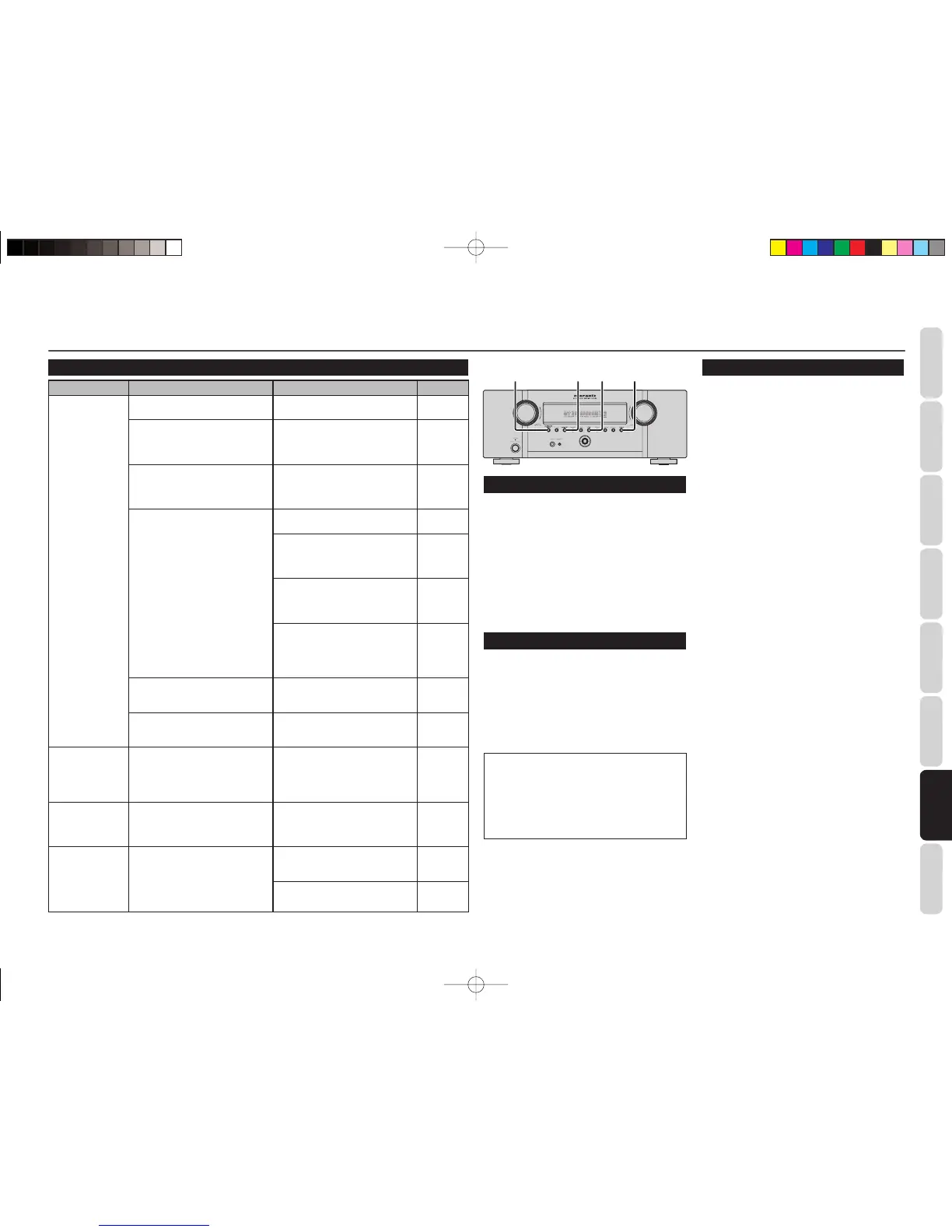
SURROUND
MODE
S.DIRECT
EXIT CLEAR
FRONT KEY (BUTTON) LOCK
If the S.DIRECT and EXT buttons on the front
panel are both pressed at the same time for three
seconds or more, all the buttons on the front panel,
(excluding the POWER ON/OFF button), as well as
the INPUT SELECTOR knob and VOLUME knob,
will become locked. “KEY LOCK” will appear in the
display.
Release the lock by pressing the same two keys
again at the same time for three seconds or more.
“UNLOCK” will appear in the display, and the keys
will unlock.
GENERAL MALFUNCTION
If the equipment malfunctions, this may be because
an electrostatic discharge or AC line interference
has corrupted the information in the equipment
memory circuits. Therefore:
- disconnect the plug from the AC line supply
- after waiting at least three minutes, reconnect
the plug to the AC line supply
- re-attempt to operate the equipment
Memory backup
• In case a power outage occurs or the power
cord is accidentally unplugged, this unit is
equipped with a backup function to prevent
memory data such as the preset memory
from being erased.
HOW TO RESET THE UNIT
Should the operation or display seem to be abnormal,
reset the unit with the following procedure.
To turn on the unit, press and hold the SURROUND
MODE and CLEAR buttons simultaneously for 3
seconds or more.
Remember that the procedure will reset the settings
of the SOURCE, Surround mode, delay time, TUNER
PRESET etc., to their initial settings.
SR3053S01ENG.indd25SR3053S01ENG.indd25 09.4.2111:46:56AM09.4.2111:46:56AM


 To Next Page