12
ENGLISH DEUTSCH FRANÇAIS ITALIANO ESPAÑOL NEDERLANDS SVENSKA
Play back disc
1 2 3 4 5
5
1
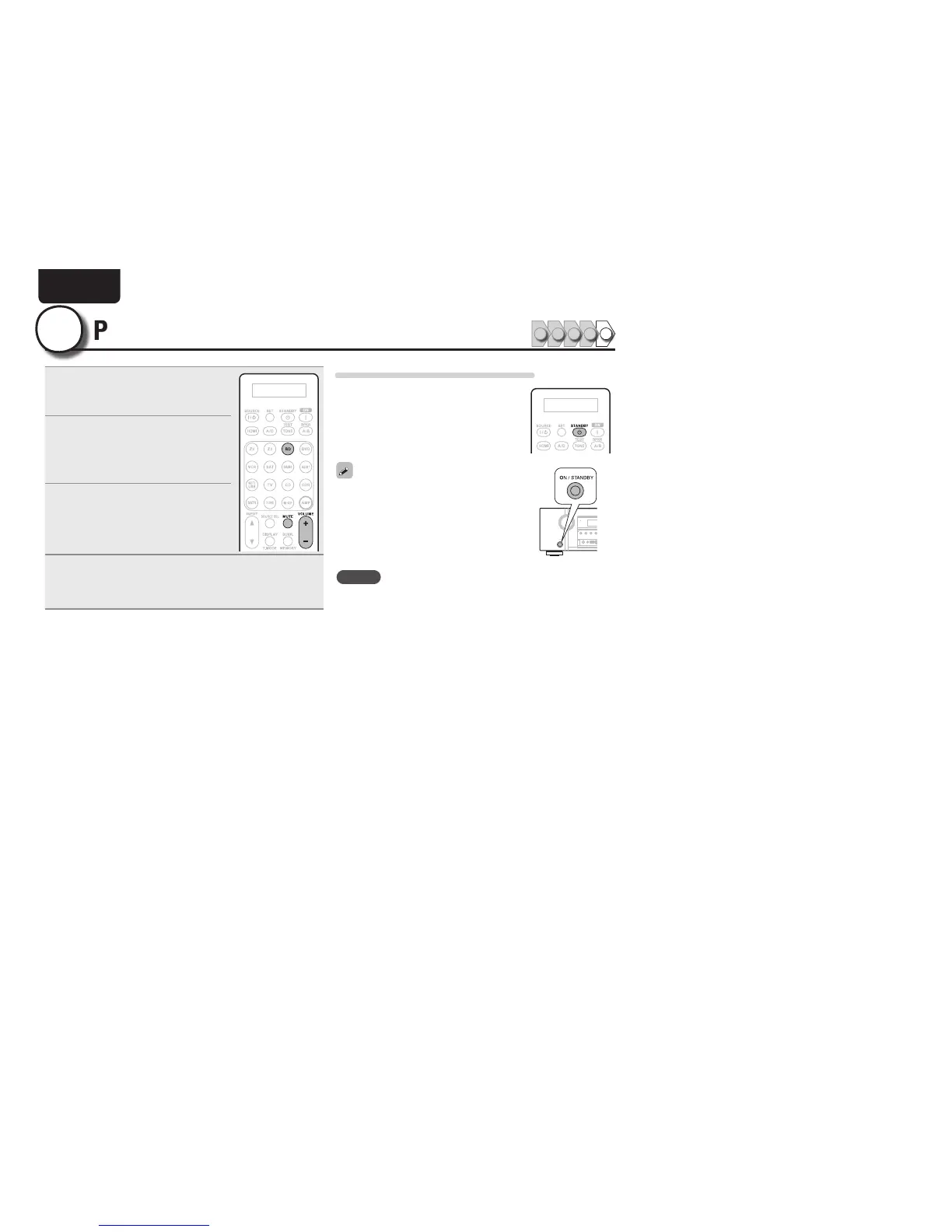
Press BD two times in a row
to switch an input source for a
player used for playback.
2
Play the component connected to
this unit.
Make the necessary settings on the
player (language setting, subtitles
setting, etc.) beforehand.
3
Adjust the sound volume.
VOLUME + ..................................... Volume up
VOLUME – ................................ Volume down
MUTE .................................................. Muting
4
Set the listening mode.
Set the listening mode according to the playback contents
(cinema, music, etc.) or according to your liking (vpage 31
“Selecting a listening mode (Surround mode)”).
When power is switched to standby
Press STANDBY.
GPower indicator status in standby modeH
• Normal standby : Red
• When “HDMI Control” is set to “ON” :
Orange
You can also switch the power to standby by
pressing ON/STANDBY on the main unit.
NOTE
During power standby, a minimal amount of power is consumed. To
totally cut off the power, remove the power cord from the power
outlet.



 To Next Page