48
ENGLISH DEUTSCH FRANÇAIS ITALIANO ESPAÑOL NEDERLANDS SVENSKA
Examples of menu and front display
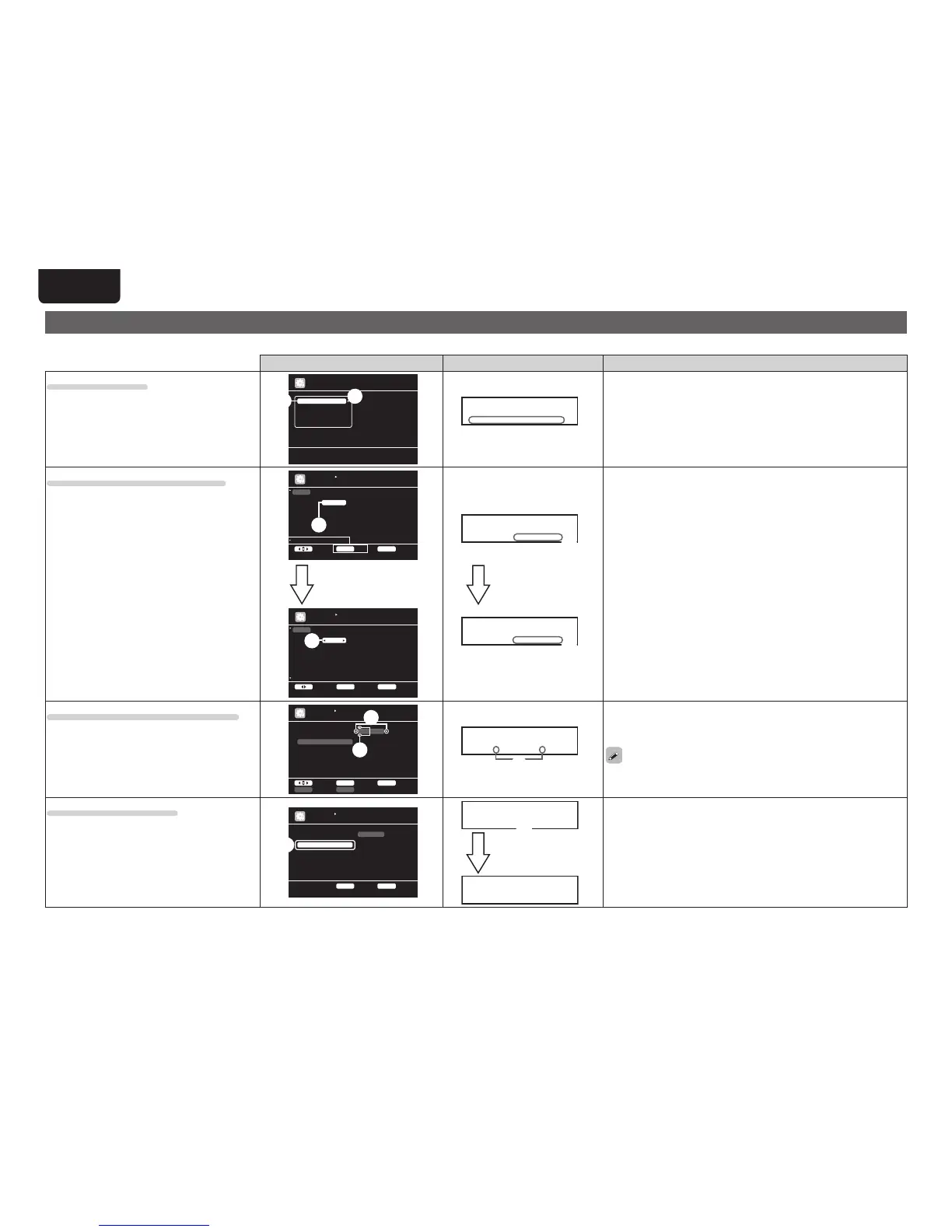
Below we describe typical examples of displays on the TV screen and on the set’s display window.
Menu display Front display Description
Top menu display
Adjust va ri ou s audio and video p ar am et ers
Audio/V id eo A dj ust
Informa ti on
Auto Se tu p
Manual Se tu p
Input S et up
MENU
q
w
w
* M E N U
A / V A d j u s t –
q The menu items are displayed here.
w The selected line is displayed here.
The currently selected item is displayed on the display.
Use ui to move to the item you want to set.
Display when changing settings
BD
DVD
VCR
SAT
GAME
AUX1
TV
Change HD MI i np ut connector as si gn me nt
INPUT SETUP
INPUT ASSIGN
ENTER E nt erSelect R ETURN Return
Default
HDMI1
HDMI2
HDMI4
HDMI3
HDMI5
HDMI6
None
[ HDMI ]
None
Coax1
None
Coax2
None
Opt3
Opt1
[ DIGIT AL ]
1-RCA
2-RCA
None
3-RCA
None
None
None
[ COMP ]
q
w
BD
DVD
VCR
SAT
GAME
AUX1
TV
Assign HD MI 1 i nput connector
ENTER E nt erSelect R ETURN Cancel
Default
HDMI1
HDMI2
HDMI4
HDMI3
HDMI5
HDMI6
None
[ HDMI ]
None
Coax1
None
Coax2
None
Opt3
Opt1
[ DIGIT AL ]
1-RCA
2-RCA
None
3-RCA
None
None
None
[ COMP ]
INPUT SETUP
INPUT ASSIGN
e
Press ENTER.
q
* I n p u t A s s i g n
B D [ H D M I 1 ]
e
* I n p u t A s s i g n
B D • H D M I 1 –
Press ENTER.
q Use
uio p to move to the item you want to set.
w Press ENTER to set to the mode in which the setting can be made.
e 0 and 1 is displayed at the sides of item whose setting can be
changed. Use o p to change to the desired setting.
Display when inputting characters
DVD
Default
DVD
INPUT SETUP
RENAME
RETURN C an ce lENTER Enter
Input
a/A Ke yb oa rdSHIFT SE ARCH
w
q
q
* R e n a m e : D V D
• D V D –
q When o p is pressed, the cursor moves to the left or right.
w When ui is pressed at the position where you want to input the
character, the character is input.
For inputting characters on a keyboard screen or with the number buttons
on the remote control unit, see page 49.
Display when resetting
DVD
Default
DVD
INPUT SETUP
RENAME
RETURN R et ur nENTER E nt er
q
* R e n a m e
D e f a u l t ? : • N o
q
* R e n a m e
D e f a u l t
Press ENTER.
q Press
i to select “Default”, then press ENTER to set.
w Press o to select “Yes”, then press ENTER.



 To Next Page