30
ENGLISH DEUTSCH FRANÇAIS ITALIANO ESPAÑOL NEDERLANDS SVENSKA
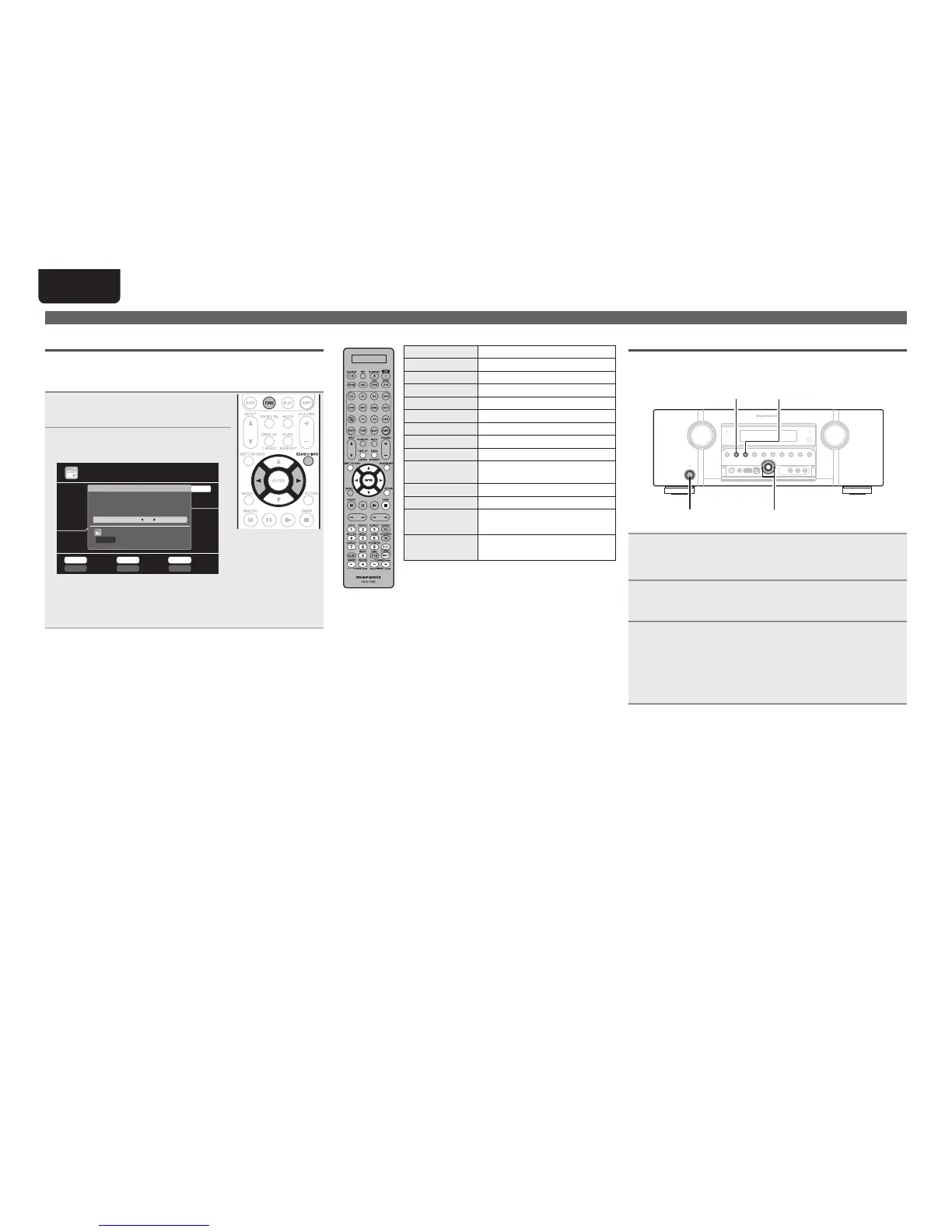
Tuning in radio stations
RT (Radio Text)
RT allows RDS stations to send text messages that appear on the
display.
“RT” appears on the display when radio text data is received.
1
Press TUNE twice to switch the
input source to “TUNER”.
2
Press SEARCH/INFO to select
“RT”.
TUNER
Mode
Now Playing
CH A
BandTuning
Preset Memory
MEMORY
Search
SEARCH
STEREO AUTO
FM
***
.
**
MHz
PS Name
Jamp to album
TUNING BAND T.MOD E
PRESET
Program Category
RDS
PTY
TP
RT
: RDS Station
: Program Category
: Traffic Information
: Radio Text ON
SEARCH
Mode
A5 FM 90 .10MHz
• While receiving an RDS broadcast station, the text data broadcast
from the station is displayed.
• To turn the display off, press o p.
• If no text data is being broadcast, “NO TEXT DATA” is displayed.
n Tuner (FM/AM) operation
Operation buttons Function
PRESET +, – Preset channel selection
uio p
Cursor operation
ENTER Enter setting
SEARCH Direct frequency tuning / RDS search
RETURN Return
BAND FM/AM switching
T.MODE Switch search modes
TUNING +, – Tuning (up/down)
0 – 9
Preset channel selection (1 – 8) /
Direct frequency tuning (0 – 9)
SHIFT Preset channel block selection
MEMORY Preset memory registration
TV POWER
TV power on/standby
(Default : Marantz)
TV INPUT
Switch TV input
(Default : Marantz)
Switching the tuning increment
The tuning increment factory settings are 9 kHz for AM, and 0.05 MHz
for FM.
AUTO DISPLAY
ON/STANDBY
o p
1
While pressing down AUTO and DISPLAY, press
ON/STANDBY to turn on the power.
“AM9/FM50” appears on the display.
2
Press o p.
“AM10/FM200” appears on the display, and the tuning
increment is switched to AM and FM are 10 kHz and 0.2 MHz.
3
Press ON/STANDBY.
• The tuner preset memory will be cleared if this operation is
performed.
• This setting will not revert to the default values even when the
microprocessor is reset.



 To Next Page