11
ENGLISH
7
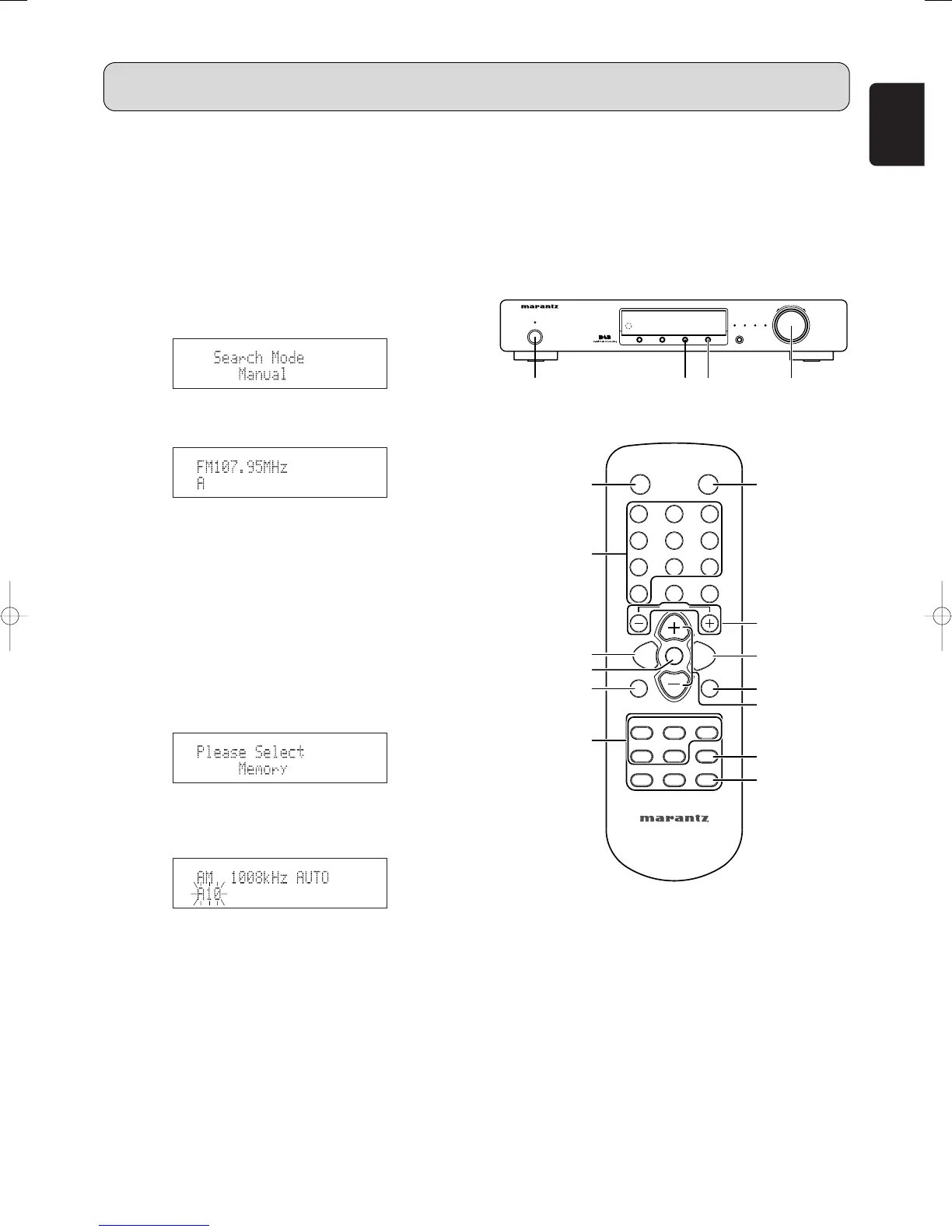
Manual tuning (FM/AM)
1. Press the POWER ON/STANDBY switch q or ON
button , to turn on the power.
2. Watching the display, press the BAND button c to
select the desired band (AM or FM).
3. Press the MENU button u or ⁄2 to select menu.
4. Press the TUNING/PRESET knob !4 or ENTER button
v to set search mode.
5. Either turn the TUNING/PRESET knob !4 or press the
CHANNEL/CONTROL button ⁄4 to select “Manual”.
6. Press the TUNING/PRESET knob !4 or ENTER button
v to set the manual tuning mode.
7. Either turn the TUNING/PRESET knob !4 or press the
TUNING button ⁄1 to tune in the desired station.
•
The frequency changes continuously when the
TUNING button ⁄1 on the remote control unit is held in.
7
Preset stations (FM/AM)
1. Use the “Auto tuning” or “Manual tuning” operation to
tune in the station to be preset in the memory.
2. Press the MENU button u or ⁄2 to select menu.
3. Either turn the TUNING/PRESET knob !4 or press the
CHANNEL/CONTROL button ⁄4 to select “Memory”.
4. Press the TUNING/PRESET knob !4, or ENTER button
v to set the preset mode and make the preset channel
number flash.
• Steps 1 to 4 can be skipped when using the MEMO
⁄6 button.
When this button is pressed, the preset memory
standby mode is set, regardless of the menu setting at
that time.
5. While the preset channel number is flashing, either press
the SHIFT button ⁄3 to select the desired memory group
(A to J) or press a MEMORY GROUP (A to J) button n.
6. While the preset channel number is flashing, either turn
the TUNING/PRESET knob !4, press the
CHANNEL/CONTROL ⁄4 or Preset channel button x
to select the desired preset channel (1 to 10).
OPERATION
7. While the preset channel number is flashing, either press
the TUNING/PRESET knob !4 or MEMO button ⁄6 to
store the station in the preset memory.
• To preset other channels, repeat steps 2 to 6.
• A total of 100 broadcast stations can be preset — 10
stations (channels 1 to 10) in each of groups A to J.



 To Next Page