T: +44 (0)1443 230935 F: +44 (0)1443 231531 E: enquiries@markes.com
www.markes.com
3.7 Uninstalling UNITY 2 software
When new UNITY 2 software is issued it is important that any previous installations of software are
completely removed prior to installing the new version.
In order to ensure that the PC system is correctly purged of all relevant files it is necessary to follow these
instructions fully.
As with any Windows software the correct way to uninstall the software is to use the Add/Remove
Programs option from the Control Panel. Exactly how this is done will depend upon the version of
Windows.
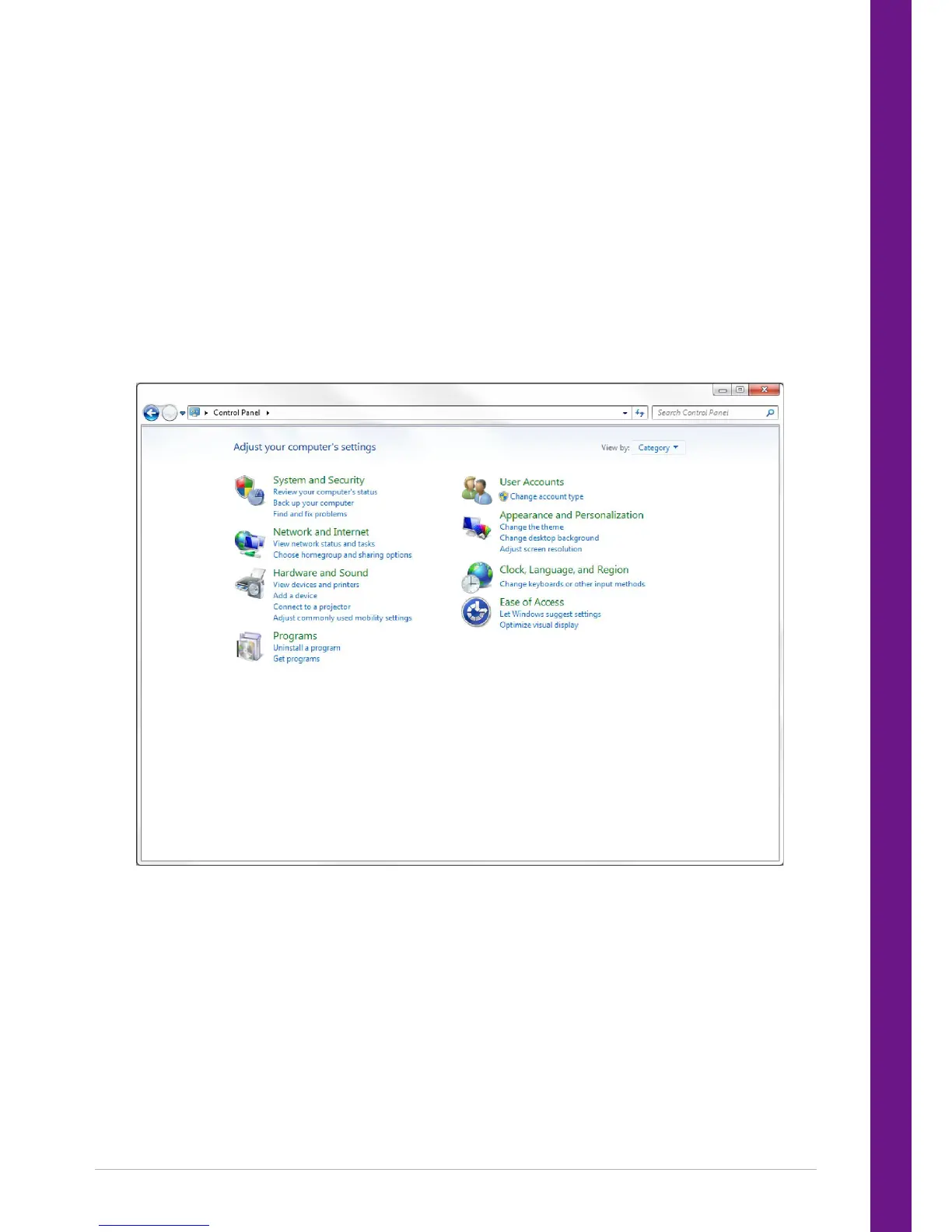
3.7.1 Windows 7
1. Click on the start button and select control panel.
2. Under Programs click on Uninstall a program.
3. Scroll down the list presented and select Markes TD 5.1.0


 To Next Page