gas flow through the sample tube is controlled by the needle valve on the
split flow vent.
It is recommended that a split flow of at least 50 ml/min be used during
tube conditioning.
Flow Path Temp Set the temperature required for the sample flow path by clicking in the box
and typing in the required value. High temperatures (180 to 210°C) are
recommended during tube conditioning.
Min Carrier Pressure Set a minimum carrier gas pressure just below that at which you normally
operate UNITY 2 and the GC analytical column. If the carrier gas pressure
drops below this minimum pressure, UNITY 2 status will change to Low
Carrier Pressure and UNITY 2 will become Not Ready. This prevents tubes
being heated with a low carrier gas supply which could damage the sorbents
in the tube.
3.6.2 Standard 2(3) stage desorption
Standard 2(3) stage desorption is the mode used for most routine thermal desorption work.
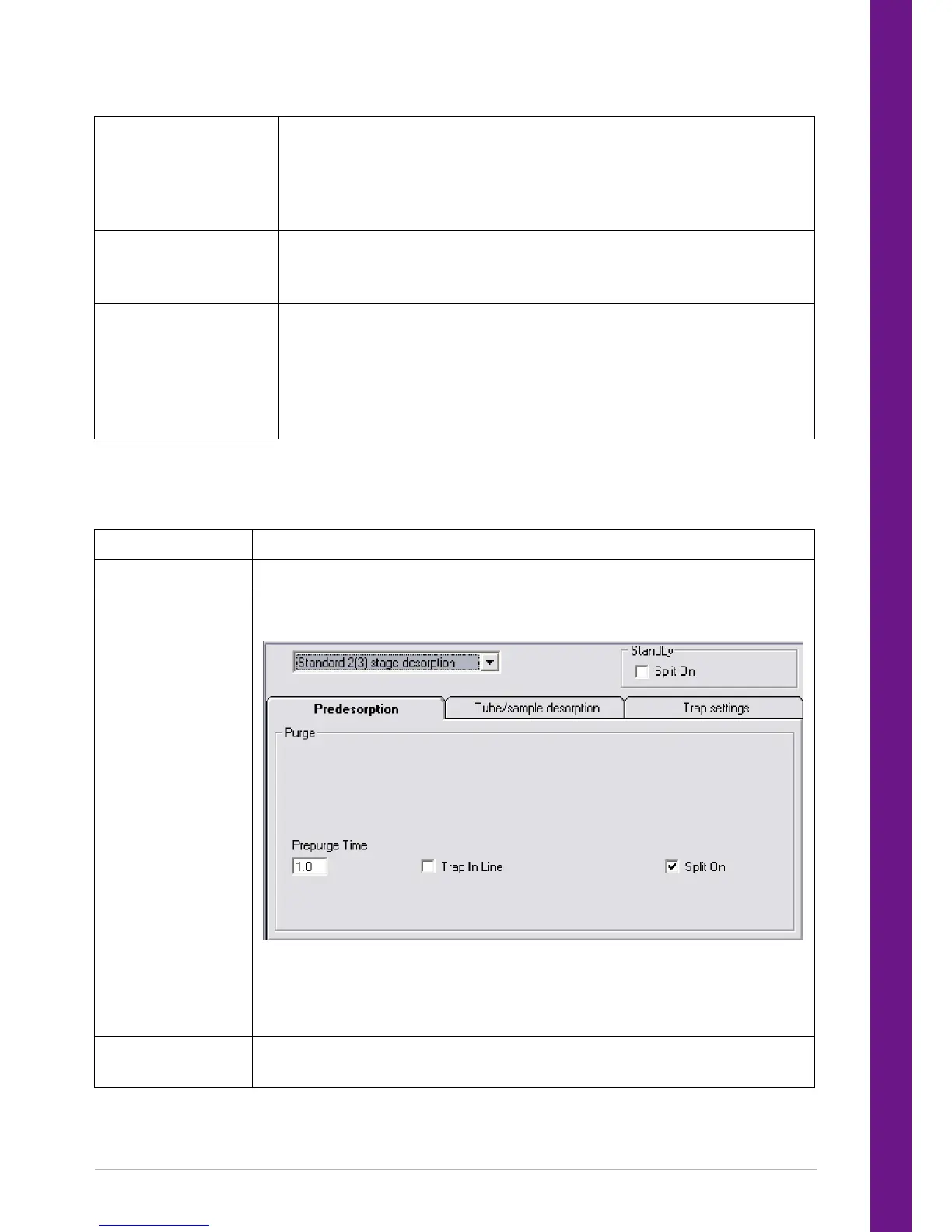
Mode Set to Standard 2(3) stage desorption.
Split on in Standby Click on the box to enter a check if Split On in Standby is required.
Prepurge Set the ambient Prepurge Time by clicking in the relevant box and typing the
required time (See Section 22.1.1 for advice on prepurge times).
If required, select Trap In Line during the prepurge by clicking on the box to
enter a check. Similarly, click on the Split On box to enter a check if a split is
required during the prepurge. Remember one or other or both of these flows
must be selected during the prepurge.
Tube Desorb Set the Time 1 - desorption time - and the Temp 1 - desorption purge
temperature - by clicking in the relevant boxes and typing in the required values.


 To Next Page