T: +44 (0)1443 230935 F: +44 (0)1443 231531 E: enquiries@markes.com
www.markes.com
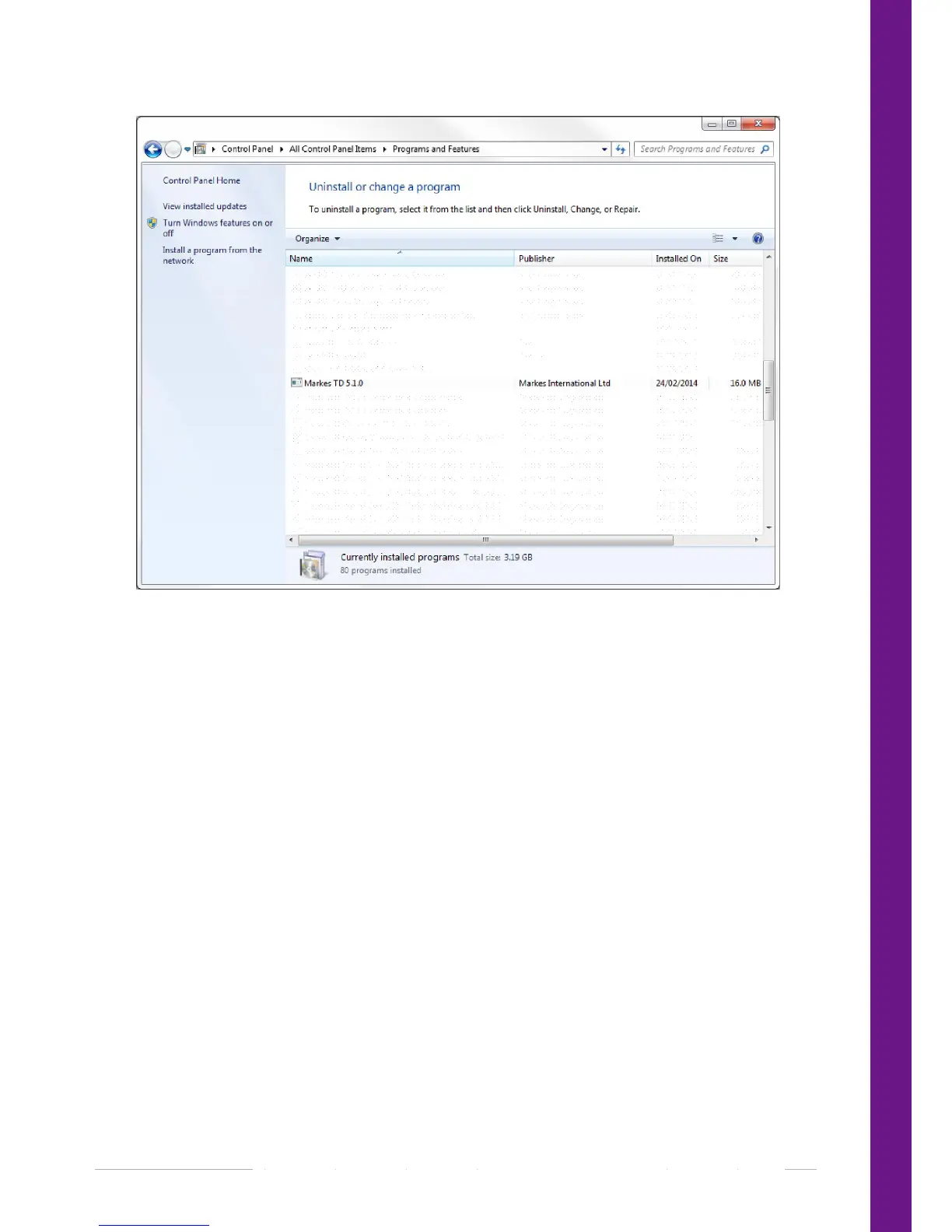
4. Select Uninstall/Change Program and follow the on screen prompts (when asked to remove shared
files click yes). The Markes TD software should now be uninstalled.
3.7.2 Windows Vista
1. Click on the start button and select control panel.
2. In the control panel select Programs and Features.
3. Scroll down the list presented and select Markes TD 5.1.0
4. Right click and select Uninstall/Change Program and follow the on screen prompts (when asked to
remove shared files click yes). The Markes TD software should now be uninstalled.
3.7.3 Windows XP
1. Click on the Start button and select Control Panel.
2. In the Control Panel select Add/Remove Programs.
3. Scroll down the list presented and select Markes TD 5.1.0
4. Click on Add/Remove and follow the on screen prompts (when asked to remove shared files click
yes). The Markes TD software should now be uninstalled.


 To Next Page