
 Need help?
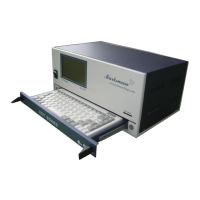
Do you have a question about the Marksman MCU-100N and is the answer not in the manual?
Details the warranty terms, duration, and exclusions.
Important points to consider before starting installation.
Guidelines for setting up the marking head.
How to adjust marking parameters for quality.
Manual and automatic marking operations and their screens.
Editing, saving, loading data, and managing fonts/logos.
Parameter setup and diagnostic testing of machine components.
PC communication, simulation, start, and reset functions.
Procedures for regular upkeep and cleaning.
Identifying and resolving common machine problems and errors.
Procedures for backing up and restoring marking data to SD card.
Details on marking head assembly and PLC/I/O connections.
ASCII codes, JS-1000 usage, and data modification.
Guidance on changing motors, drivers, and circuit boards.
 General
| Brand | Marksman |
|---|---|
| Model | MCU-100N |
| Category | Controller |
| Language | English |

 To Next Page