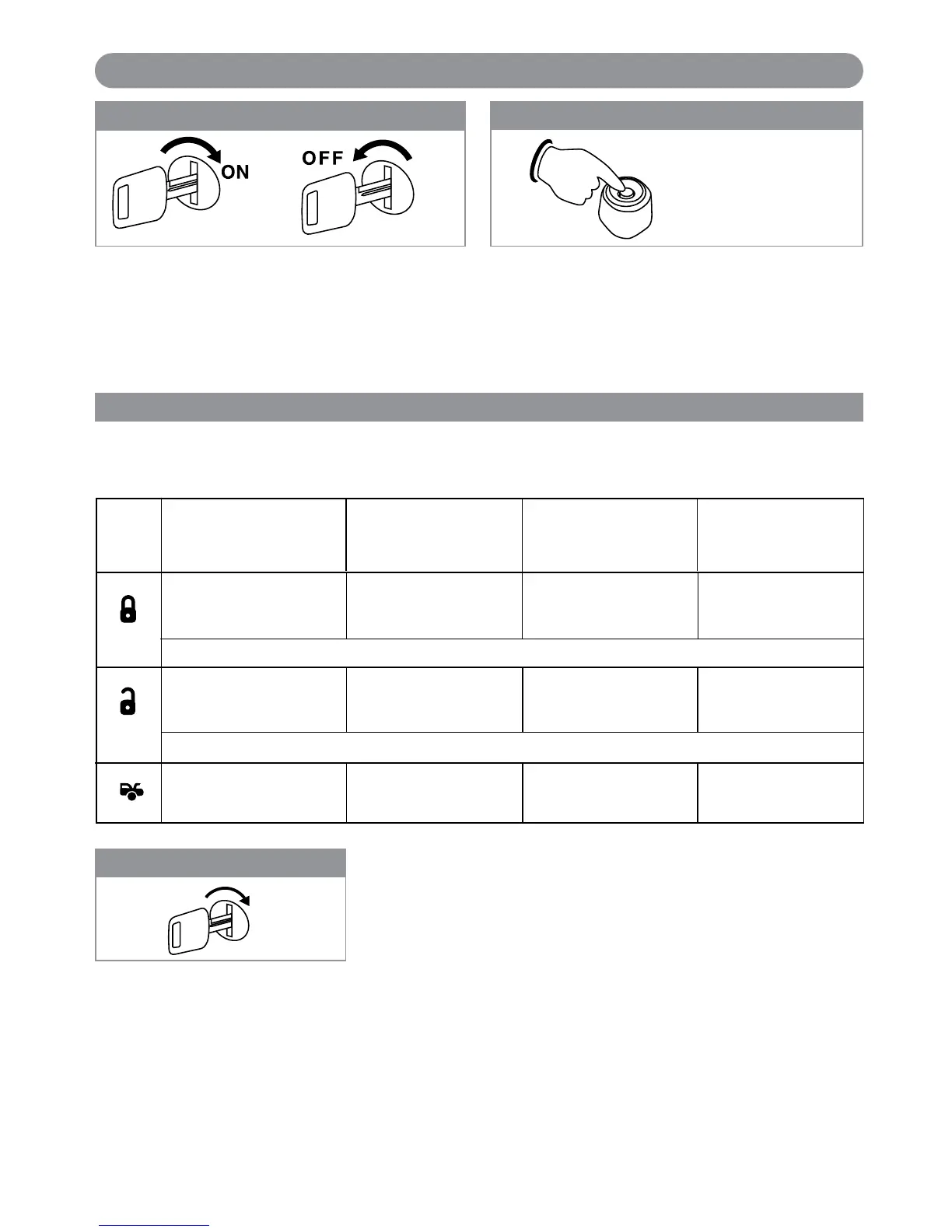
Step 1
3X
Step 3
Remote Feature Programming
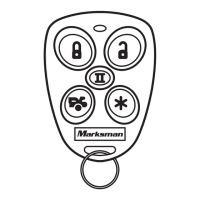
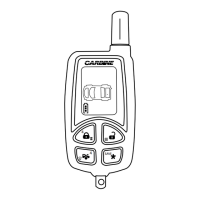
Use the transmitter buttons as illustrated to adjust the features required. Keep repressing the transmitter button that
relates to the feature you want
to adjust until the correct amount of chirps/beeps is heard. Move on to the next
feature.
ON
Turn On the Ignition
3 long chirps and 3 flashes of the
parking lights will confirm exit of
the programming mode.
Note: Waiting 15 seconds after the
last command will also cause the
system to automatically exit the
programming mode.
One Chirp
Two Chirps Three Chirps Four Chirps
Button LED One Pulse
LED Two Pulse LED Three Pulse LED Four Pulse
(Factory Default Setting)
Channel 3 Output =
1 Second Pulse Output
for Trunk Release
Channel 4 Output =
1 Second Pulse Output
Shock Sensor
Test Mode Off
Shock Sensor
Test Mode On
Channel 3 Output =
Output as Long as
the Button is Held
Before 15 seconds has passed, push and release the
valet switch 6 times. Hold the button down on the 6th
press until 3 short chirp/beeps and 1 long chirp/beep is
heard then release it. You are now in “Alarm Feature
Programming (Group 3)” mode.
Step 2
5X + 1X (Hold)
With the ignition switch in the OFF position, turn the
key On-Off-On-Off-On-Off
Channel 3 Output =
15 second Timer
Controlled Output
Channel 3 Output =
Latched Output and Reset
with Ignition “On”
Channel 4 Output =
Latched Output and Reset
with Ignition “On”
Channel 4 Output =
Output as Long as
the Button is Held
Channel 4 Output =
15 second Timer
Controlled Output
Five Chirps = Channel 3 Output for 30 seconds
Five Chirps = Channel 4 Output for 30 seconds
Step 4:
Exit Program Mode
17
Alarm Feature Programming (Group 3)
Note 1: If your built-in timer controls window/sunroof closure in your car, DO NOT change the timer setting! This
requires installer-only programming. Changing the value will adversely effect operation and may cause damage.
Note 2:
Momentary Output = The momentary output selection will output a negative signal from the Channel 3 output
immediately when the channel 3 button is pressed and will continue until the button is released.
Latched Output = The latched output selection will output a negative signal as soon as the Channel 3 or Channel
4 button is pressed and will continue until the button is pressed again.
Latched Output / Reset with Ignition = The latched / reset with ignition output selection operates just like the
latched output but will reset or stop when the ignition is turned on.
X4-IM.qxp 3/6/08 10:53 AM Page 17


 To Next Page